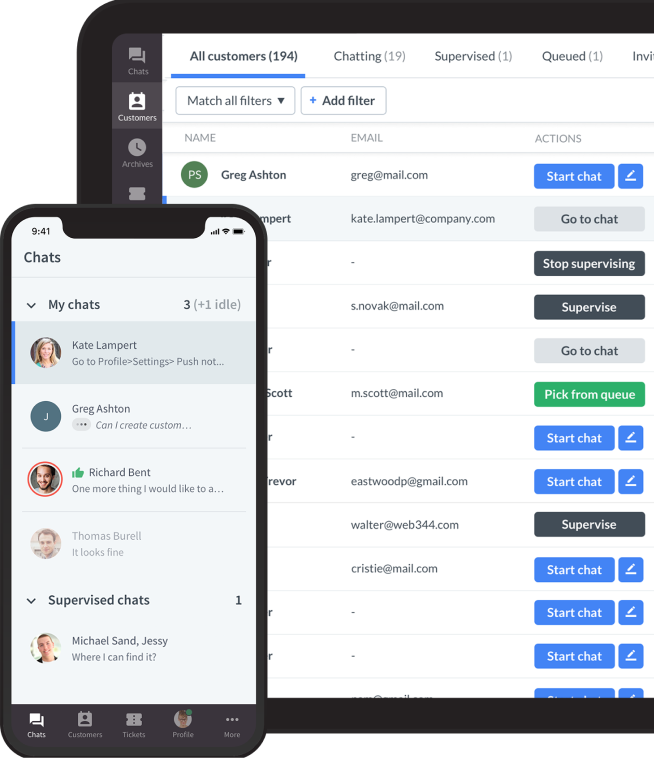


Customer engagement software is the set of tools a business uses to hold, route, and act on conversations with customers across channels — chat, email, messaging, and voice — and to measure what those conversations produce. Service-led engagement software sits in the support team's hands, not marketing's.
That distinction matters more than it sounds, and it's the reason most shortlists in this category are useless. "Customer engagement" gets applied to push-notification platforms, product-analytics tools, sales sequencers, and helpdesks alike. They solve different problems for different buyers.
This guide covers the service-led end: tools where the primary job is resolving and converting live customer conversations. If you're looking for lifecycle marketing or in-app onboarding nudges, you want a different list.
What counts as service-led customer engagement software
Four things have to be true. A tool that misses more than one belongs in a different category.
- Conversations are the primary object. The tool's core record is a conversation with a customer, not a campaign, a contact, or a session.
- It is multi-channel by default. Chat, email, and at least one messaging channel in one place — not a chat widget with an email add-on.
- It can act, not just notify. Look up an order, apply a refund, update a record, escalate with context. Automation that only routes is table stakes now.
- A support team can run it without engineering. If every workflow change needs a developer, it's a platform, not software your team can operate.
Anything that clears all four is in scope. That rules out most marketing engagement suites, sales engagement tools, and product-analytics platforms, whatever their category page says.
Customer engagement software vs CRM vs helpdesk
The three overlap enough that vendors blur them deliberately.
A CRM is a system of record. Its job is to remember: who the customer is, what they've bought, which deals are open. It's optimised for storing and reporting on relationships over months and years.
A helpdesk is a queue. Its job is throughput: turn inbound requests into tickets, assign them, resolve them, measure how fast. Optimised for volume and SLA.
Customer engagement software is the conversation layer over both. Its job is the interaction itself — meeting the customer on their channel, resolving in the moment, and carrying customer context between channels and between AI and humans. The best tools use unified customer data to personalise communication across channels and give teams a unified customer view instead of fragmented histories. Most engagement tools include lightweight CRM and helpdesk features; most CRMs and helpdesks bolt on chat. Which one you buy depends on which job is currently costing you the most, and the right customer engagement solution is the one that closes those gaps without adding more silos.
If your problem is "we don't know who our customers are," buy a CRM. If it's "tickets sit unanswered for two days," buy a helpdesk. If it's "customers ask us the same things across four channels and nobody has the full picture," you're in the right guide.
How we selected these tools
Six criteria, applied consistently:
- Channel coverage — how many channels genuinely work in one inbox, not how many appear on the pricing page.
- Automation depth — can it complete a request end to end, or only deflect and route, and do advanced platforms include AI and machine learning capabilities rather than only rules-based automation?
- Escalation quality — what transfers to the human when automation stops. This is where most tools quietly fail.
- Reporting that a manager can act on — resolution rates split by AI and human, not just volume charts.
- Integration reality — native connectors to the systems support actually touches: store, CRM, ticketing, because the strongest customer engagement solution gives teams a unified customer view and preserves customer context, while AI can provide insights into customer data for more personalized communication.
- Operability — can a support lead change a workflow on a Tuesday afternoon without filing a ticket with engineering?
We excluded tools whose engagement claim rests on outbound messaging, and tools that require a professional-services engagement to launch.
Comparison at a glance
| Tool | Best for | Built around | Pricing |
|---|---|---|---|
| Text | AI-led service with revenue attribution | Conversation-first, AI agent + human | Per seat + AI usage |
| Intercom | Product-led SaaS with high self-serve volume | Conversation-first, AI agent | Per seat + per resolution |
| Zendesk | Larger support orgs needing governance | Helpdesk-first | Per agent, tiered |
| Front | Shared-inbox collaboration | Email-first, shared inbox | Per seat |
| Gorgias | Ecommerce support on Shopify | Conversation-first, commerce-native | Per ticket volume |
| HubSpot Service Hub | Teams already standardised on HubSpot | CRM-first | Per seat, tiered |
| Freshworks | Cost-sensitive teams wanting breadth | Helpdesk-first, omnichannel | Per agent, tiered |
| Help Scout | Small teams prioritising simplicity | Email-first, shared inbox | Per contact or seat |
| Tidio | SMB and small ecommerce | Chat-first | Per seat + AI usage |
| Salesforce Service Cloud | Enterprise with Salesforce as system of record | CRM-first | Per seat, tiered |
The 10 tools
1. Text

Text is the conversation layer built by the team behind LiveChat, HelpDesk, and ChatBot, consolidated into one product and designed to tie service conversations to revenue without losing speed. Its distinguishing bet is that engagement should be measured in revenue, not deflection — so AI resolution and order attribution sit in the same reporting view. For support teams under pressure to justify headcount, that's a different argument than ticket volume.
- Built around: Conversation-first; AI Agent plus human agents in one inbox
- Channels: Web chat, email, WhatsApp, Messenger, SMS
- Automation: AI Agent answers from approved knowledge sources and executes Skills — collect an order number, create a ticket, call an external system via webhook, and respond to signals in real time with minimal manual intervention
- Reporting: AI vs human resolution split, CSAT, and orders attributed to conversations where ecommerce tracking is connected; real-time visitor tracking also improves proactive customer engagement
- Integrations: Shopify, Klaviyo, Twilio, CRM and helpdesk connectors, plus webhooks for custom systems
- Where it falls short: Younger consolidated product than the incumbents; teams wanting deep ITSM workflows will find it thin
- Pricing: Per seat plus AI usage
- Start a free Text trial — 14 days, no card
2. Intercom

Intercom pioneered the in-app messenger and has rebuilt around Fin, its AI agent. It’s designed for teams that want quick workflow building with a drag and drop builder, and it’s strongest where a large share of questions are answerable from documentation and the audience is comfortable self-serving. Its per-resolution pricing is unusually honest about what you're buying, and unusually easy to under-forecast.
- Built around: Conversation-first, AI agent led
- Channels: In-app messenger, web chat, email, WhatsApp, social
- Automation: Fin resolves from help content and can take actions; strong workflow builder
- Reporting: Resolution rate, deflection, Fin-specific performance views
- Integrations: Very large app ecosystem
- Where it falls short: Costs become more costly as volume rises because usage is billed per AI resolution rather than only per seat, which makes budgeting harder at scale
- Pricing: Per seat plus per AI resolution
- Compare: Text vs Intercom
3. Zendesk
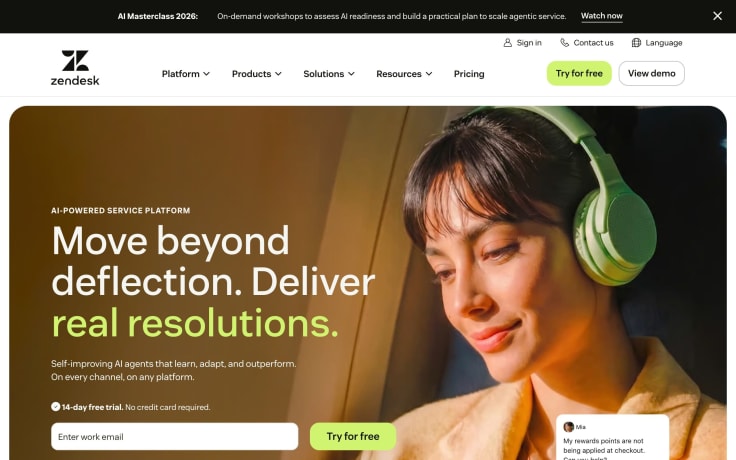
The default enterprise answer, and reasonably so. Zendesk's strength is governance — roles, audit, routing rules, and reporting that survive a 200-agent org, and it works best for enterprise marketing teams only when support and service operations also need heavy governance. Its weakness is that getting there takes configuration, and the engagement layer feels bolted onto a ticketing core.
- Built around: Helpdesk-first with engagement layered on
- Channels: Email, chat, voice, messaging, social
- Automation: Mature triggers and macros, AI agents on higher tiers
- Reporting: Deepest in the category; customizable dashboards and visibility into rep performance
- Integrations: Very large marketplace
- Where it falls short: Configuration overhead; the platform’s complexity can slow deployment for many teams; AI capability gated to expensive tiers
- Pricing: Per agent, tiered
- Compare: Text vs Zendesk
4. Front
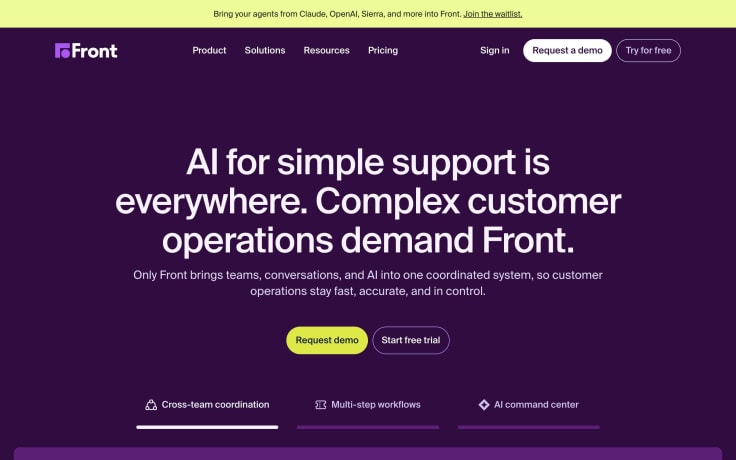
Front treats the shared inbox as the unit of work, which suits teams where several people collaborate on the same customer relationship — account management, logistics, professional services. It is often easier for team members to collaborate in one workspace, keeping conversation history in one place. Less suited to high-volume anonymous support.
- Built around: Email-first shared inbox
- Channels: Email, chat, SMS, social
- Automation: Rules-based routing and assignment; AI drafting
- Reporting: Team and individual workload analytics
- Integrations: Strong CRM and productivity connectors
- Where it falls short: Weaker on autonomous AI resolution than conversation-first tools
- Pricing: Per seat
5. Gorgias
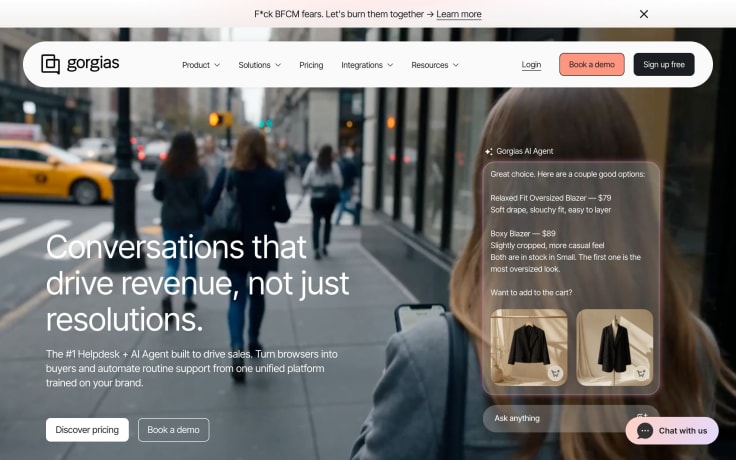
Purpose-built for ecommerce support, and it shows: Gorgias is designed around post purchase service for ecommerce brands, so order data, refunds, and subscription changes are native rather than integrated. If you run on Shopify, the setup cost is materially lower than anything general-purpose.
- Built around: Conversation-first, commerce-native
- Channels: Chat, email, SMS, social, WhatsApp
- Automation: Order-aware automation and AI agent for commerce intents
- Reporting: Revenue-per-ticket and support-driven sales; timely support and outreach can help convert first-time buyers into repeat customers
- Integrations: Deep Shopify; strong on the ecommerce stack, thinner elsewhere
- Where it falls short: Only makes sense for ecommerce; not a general support tool
- Pricing: Per ticket volume
- Compare: 14 Gorgias alternatives for ecommerce support
6. HubSpot Service Hub

Rational if HubSpot is already your CRM — the contact record is shared, giving support a unified customer view from marketing, sales, and service data without integration work. Less compelling bought standalone.
- Built around: CRM-first
- Channels: Email, chat, messaging, voice on higher tiers
- Automation: Workflow automation shared with the wider HubSpot platform; teams can personalize follow-up using engagement data and user behavior, including audience segmentation based on actions and preferences for tailored messaging across channels
- Reporting: Unified with marketing and sales reporting
- Integrations: Native across HubSpot; broad marketplace
- Where it falls short: Costs escalate across hubs; support depth trails specialists
- Pricing: Per seat, tiered
7. Freshworks
Freshdesk Omni bundles broad channel coverage at a lower entry point than Zendesk, which makes it the usual pick for teams that want omnichannel customer engagement software without enterprise pricing, with flexibility for growing teams that want broad coverage without enterprise pricing. Breadth is good; depth is uneven.
- Built around: Helpdesk-first, omnichannel
- Channels: Email, chat, phone, messaging, social
- Automation: Freddy AI for triage, suggestions, and bot flows; better personalization across channels can improve customer loyalty, and personalized experiences improve customer loyalty by 20%
- Reporting: Solid standard reporting; custom analytics on higher tiers
- Integrations: Large marketplace
- Where it falls short: Feature depth varies by module; AI quality inconsistent across channels, and breadth across support channels can still leave disconnected tools or uneven workflows between modules
- Pricing: Per agent, tiered
8. Help Scout
Deliberately simple, and good at it. Help Scout is designed for small teams with limited resources and low operational complexity, so a small team can be live in an afternoon, which is worth more than a feature matrix when nobody has time to run an implementation.
- Built around: Email-first shared inbox
- Channels: Email, chat, knowledge base
- Automation: Workflows and AI drafting/summarising
- Reporting: Clear happiness and productivity reporting
- Integrations: Good coverage of common SMB tools
- Where it falls short: Not built for high-volume or complex routing
- Pricing: Per contact or per seat depending on plan
- Compare: 11 Help Scout alternatives and competitors
9. Tidio
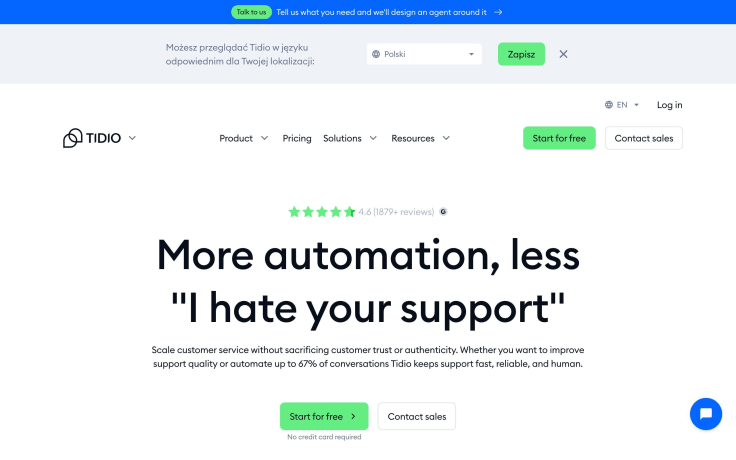
Aimed at SMB and small ecommerce, with a chat-first setup for businesses that need to sign up quickly and get a widget and a bot live fast. The AI agent handles common commerce questions well; expectations should stay proportionate to the price.
- Built around: Chat-first
- Channels: Web chat, email, Messenger, Instagram, WhatsApp
- Automation: Lyro AI agent for FAQ and order questions
- Reporting: Basic conversation and AI resolution metrics, plus simple engagement features like conversation outcomes and clicks from linked messages where applicable; this kind of fast, personalized engagement can support stronger loyalty, help lift retention by 10–30%, and make engaged customers 60% more likely to place repeat purchases.
- Integrations: Shopify, WooCommerce, common SMB tools
- Where it falls short: Thin for larger teams; limited routing and governance
- Pricing: Per seat plus AI usage
- Compare: Text vs Tidio
10. Salesforce Service Cloud
The right answer when Salesforce is already the system of record and support has to sit inside it. It also works well as a contact center platform when service needs to operate from the center of the Salesforce ecosystem. Capability is extensive; so is the cost and the implementation.
- Built around: CRM-first, enterprise
- Channels: Email, chat, voice, messaging, social
- Automation: Agentforce, Flow, and Einstein across the platform, where AI can take action based on customer interaction history, provide a unified view of customer behavior and preferences, improve loyalty, and route complex case work to the right reps
- Reporting: Extensive, fully customisable
- Integrations: Native across Salesforce; large AppExchange
- Where it falls short: High total cost; needs admin capability or a partner, and this level of capability usually demands internal resources and standardised practices
- Pricing: Per seat, tiered, plus add-ons
- Compare: What Salesforce live chat retirement means for support teams
What changed in 2026: AI-led engagement
The category reorganised itself around AI agents this year, and two data points explain the shape of it.
Customers now expect automation to do things, not explain them. In a Gartner survey of 3,566 B2B and B2C customers published in August 2026, 58% of those who used GenAI had used it to complete a task on their behalf, rising to 74% in B2B. Advanced platforms are designed to respond efficiently with timely action, not just answer questions. Any AI-driven customer engagement tool that only retrieves articles is already behind the expectation.
At the same time, the exit has to stay visible. In that same Gartner survey, 87% of customers said it is essential to be able to reach a human agent when a company uses GenAI. Eric Keller, Senior Director Analyst in Gartner's Customer Service & Support practice, put it plainly: "Service leaders should not use GenAI as a mandatory first step for every issue."
So when you evaluate the AI in any of these tools, test two things and ignore the demo. Can it complete a multi-step request against your real systems? And when it can't, what reaches the human — the full transcript and customer record, or a fresh "how can I help?" The best systems preserve interactions and customer context so agents can deliver a faster response without losing the unified customer view.
Worth knowing where expectations are being set, too: Gartner reported in July 2026 that customers are roughly three times more likely to start with third-party GenAI like ChatGPT or Gemini than a company's own chatbot. Customers often arrive already half-informed, sometimes wrongly, which raises the value of accurate public documentation feeding your own customer service automation.
How to choose
Run your shortlist through this, in order. Most teams get the sequence backwards and buy on feature count.
- Name the job. One sentence: what specifically is broken? "Chat and email are separate systems," "we can't answer at night," and "handoffs make the customer experience feel disjointed" lead to different tools.
- Count your channels honestly. Only the ones you'll actually staff. Paying for six and running two is the most common overspend in this category.
- Test escalation before automation. Any vendor will demo a clean AI resolution. Ask to see a failed one, and watch what the agent receives.
- Check reporting against one real question. "What share of conversations did AI resolve last week, and what did they produce?" If the tool can't answer that, it can't help you justify the spend.
- Verify the two integrations you can't live without. Native, not "available via Zapier."
- Model cost at next year's volume. Per-resolution and per-ticket pricing behave very differently from per-seat as you grow. The right platform should also help build long term customer relationships, since customer engagement platforms can increase customer lifetime value significantly: effective engagement can increase customer lifetime value by 25-95%, and strong customer loyalty can reduce churn rates by up to 25%.
- Run one workflow in the trial. Not a sandbox tour — your highest-volume real request, end to end.
Metrics to track once you've chosen
| Metric | Why it matters |
|---|---|
| Full resolution rate | Conversations actually solved, no human touch â not the same as containment |
| Escalation rate | A rising rate can mean better confidence calibration, not failure |
| Repeat contact rate (7 days) | The best lie detector for inflated deflection numbers |
| Time to resolution | End to end, including after handoff â what customers feel |
| CSAT split by path | AI-resolved vs escalated vs human-only; blended CSAT hides the failure |
| Cost per resolution | Include platform, AI usage, and review labour |
| Revenue attributed to conversations | Turns support from cost centre into growth function |
On Gartner's numbers, from a survey of 5,728 customers, only 14% of customer service issues are fully resolved in self-service — so treat vendor deflection claims as a ceiling rather than a forecast.
Frequently asked questions
What are customer engagement tools?
Customer engagement tools are the software a team uses to hold and act on customer conversations across channels — live chat, email, messaging, and voice — together with the automation and reporting around them. They manage customer interactions across channels, not just isolated messages. Service-led engagement tools focus on resolving and converting live conversations, which distinguishes them from marketing engagement platforms built for outbound campaigns.
What is the best customer engagement software?
There isn't a single best one, and any guide claiming otherwise is selling something. The honest answer is conditional: Text if you want AI-led service with revenue attribution, Intercom for high self-serve volume, Zendesk for large orgs needing governance, Gorgias for Shopify ecommerce, Help Scout for small teams wanting simplicity, Salesforce Service Cloud if Salesforce is already your system of record.
What's the difference between customer engagement software and a CRM?
A CRM is a system of record — it remembers who the customer is and what they've bought. Customer engagement software is the conversation layer: it handles the interaction happening now, across whichever channel the customer chose, and carries context between channels and between AI and human agents. Most people think CRM is only for sales, but support and service teams also rely on it for customer context. Most engagement tools include light CRM features and most CRMs bolt on chat, so the practical question is which job is costing you more today.
What is CCM and how does it relate to CRM?
Customer communications management (CCM) covers the creation and delivery of outbound customer communications — statements, notices, policy documents — usually at scale and often regulated. CRM manages the relationship record. Customer engagement software sits between them, handling two-way conversations rather than one-way delivery or static records.
Is customer engagement software the same as CX software?
Not quite. "CX software" is a broader umbrella that also covers survey and feedback platforms, journey analytics, and voice-of-customer tools. Customer engagement software is the subset where conversations actually happen. Handled well, a customer engagement platform can also increase customer lifetime value significantly. You can run engagement software without a CX suite; the reverse leaves you measuring an experience you can't deliver.
How much does customer engagement software cost?
Pricing follows three models, and the model matters more than the headline number. Per seat is predictable and scales with team size. Per resolution or per ticket scales with volume, which is cheaper when automation works and punishing when it doesn't. Tiered platform pricing bundles capability but usually gates AI features to upper tiers. Model your own volume against next year's forecast rather than this year's, and check what AI usage costs on top.
Can customer engagement software work without AI?
Yes, and for some teams it should. If your volume is low and your questions are varied, a well-run shared inbox beats a badly configured AI agent. AI earns its place when you have repetitive, verifiable, high-volume requests. A Gartner survey of 321 service and support leaders found 91% are under executive pressure to implement AI — which is exactly the condition under which tools get bought before the problem is defined.
How long does implementation take?
For chat-first and shared-inbox tools, hours to days. For helpdesk-first and CRM-first platforms, weeks to months, and enterprise deployments often need a partner. The realistic question isn't time to launch but time to first measurable result — pick one workflow, baseline it, and automate that before expanding.
Start with one conversation type
You don't need to replace your stack to find out whether this category helps. Pick the request your team answers most often, measure what it costs you today, and run it end to end in a trial. Starting with one conversation type also helps staff respond more efficiently without spreading attention across every channel at once.
Text connects chat, email, and messaging in one inbox, resolves routine requests with an AI agent grounded in your own content, and hands the rest to a person with the full conversation attached. Unified customer data also lets teams personalize service across chat social and other channels from the same workflow. If you want the automation layer specifically, start with our guide to customer service automation; if the problem is channel sprawl, read what it takes to do omnichannel customer service right; if you want to understand the agent itself first, see LiveChat AI.
Start free with Text · Try LiveChat free — 14-day trials, no credit card required.
New to the topic? Start with our guide to what customer engagement is and come back when you're comparing tools.