


Resolve routine requests
AI Agent answers from the knowledge you approve. It handles product questions, policies, order issues, and other repeat requests without making customers wait.
Text answers routine questions, runs the next step, and hands over with the full story when a customer needs a person. Your team gets more capacity and a clear view of which conversations move the business.
No credit card requiredFree 14-day trial

30,000+ teams use automation tools from the team behind LiveChat to turn customer service into revenue.
Most tools stop at closing tickets. Text resolves routine requests and brings in your team when a chat could become a sale, a lead, or a customer who stays.

AI Agent answers from the knowledge you approve. It handles product questions, policies, order issues, and other repeat requests without making customers wait.

Collect details, create or update a ticket, route a conversation, call another system, or trigger a follow-up while the customer is still engaged.

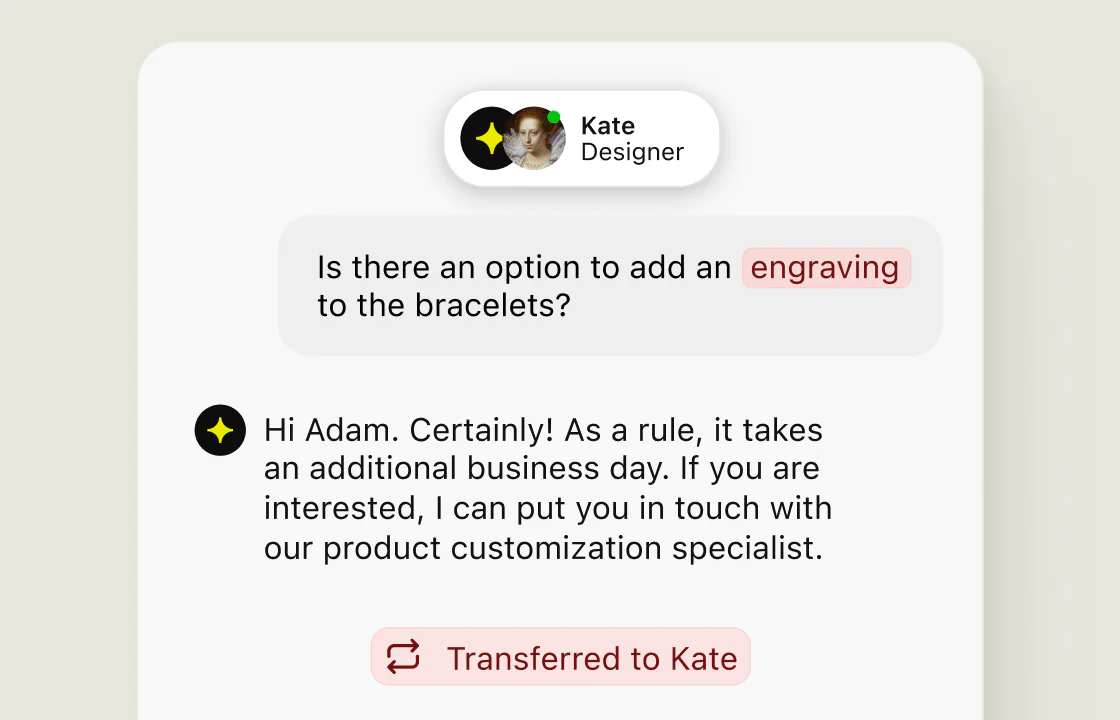
When a request needs judgment, AI Agent transfers the history with it. Your teammate sees what the customer said, what AI tried, and what should happen next.
Start from a template or describe the workflow in plain words. Begin with the questions, routing, and follow-ups your team repeats every day, then expand after you see the result.
Connect your website, help center, files, or in-app articles. AI Agent answers customer inquiries in your voice, with the tone and languages you choose.

Use the topic, keywords, customer details, page context, or channel to tag and route work. Urgent tickets can move first and product questions can reach the right team.

AI Agent stays available when your team is offline. It answers from your knowledge, gathers contact details, and creates a ticket when follow-up is needed.

Beyond answers: act on what the customer asked for, help your team reply, and keep every follow-up on schedule.

Skills can collect an order number, create a ticket, update customer data, transfer a chat, check another system through a webhook, or push a lead into your existing tools.

Reply suggestions surface answers from approved business content. A teammate can review, edit, and send the suggestion without searching across documentation.

Automations can send acknowledgements, request customer feedback, escalate work, create a follow-up ticket after a poor rating, or notify another team through Slack.

“When I started at Fuse, a tenant with a serious issue could wait weeks for a response. After onboarding Text, even as ticket volume grew, we got that down to a day.”
AI-powered automation reads each conversation, answers or acts, and brings in a person when judgment matters. Reports show what it adds to the customer experience.

Text reads the conversation and the customer data available to it, such as the page they are viewing, recent messages, open tickets, or connected order data.
AI Agent answers from your knowledge. When the customer needs an action, a Skill can collect details or run the workflow you defined.
You decide when AI transfers a chat. Your teammate gets the whole conversation, and can watch any AI chat and take over at any point.
AI handles the repetition, your team handles the judgment, and the customer never feels the switch. Watch AI chats live and step in at any moment.
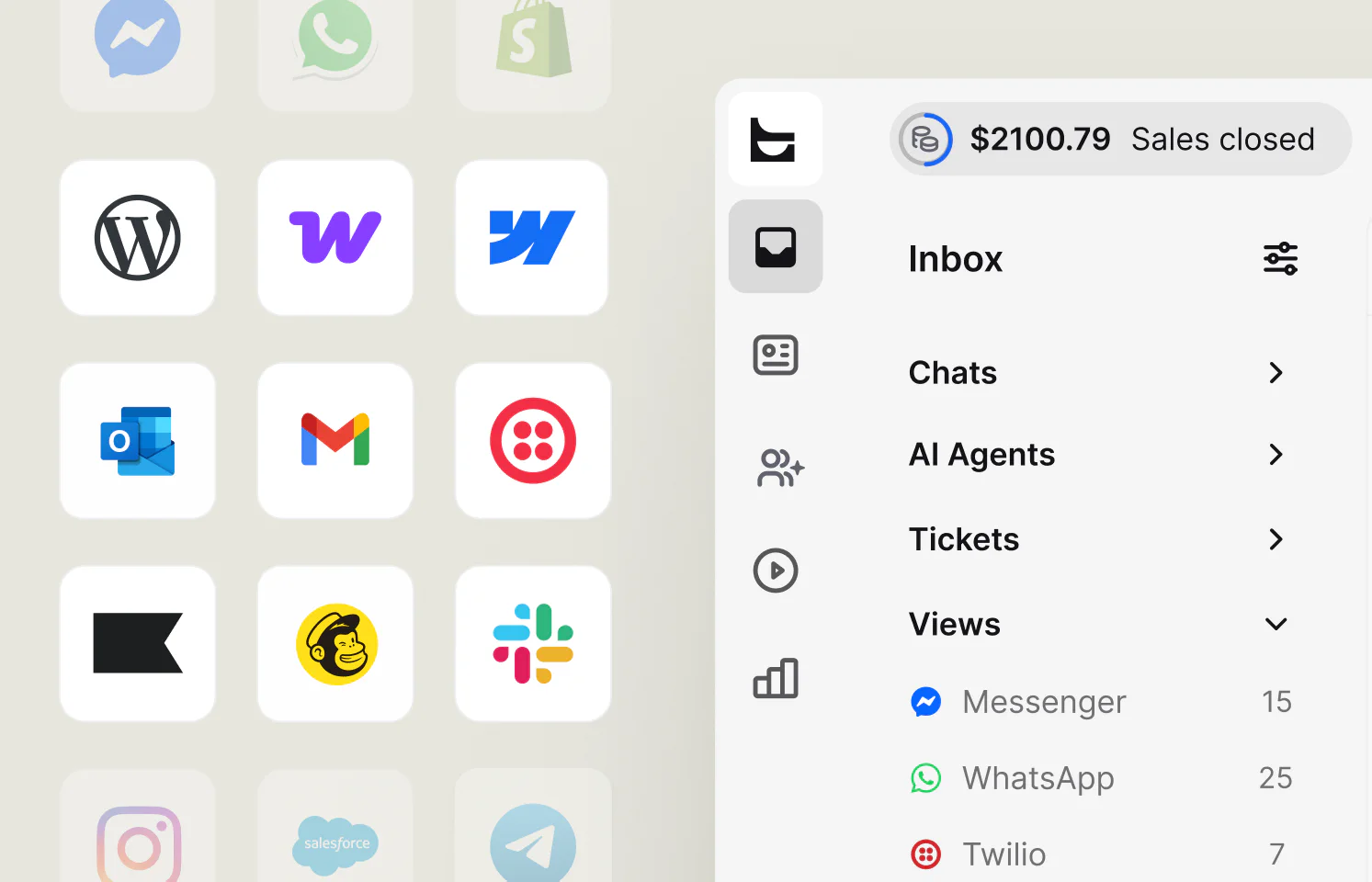
Chat, email, Messenger, WhatsApp, SMS, and tickets land in one place, with your apps connected alongside.
When a teammate steps in, the chat continues in the same thread with what AI already tried, so customers never repeat themselves.
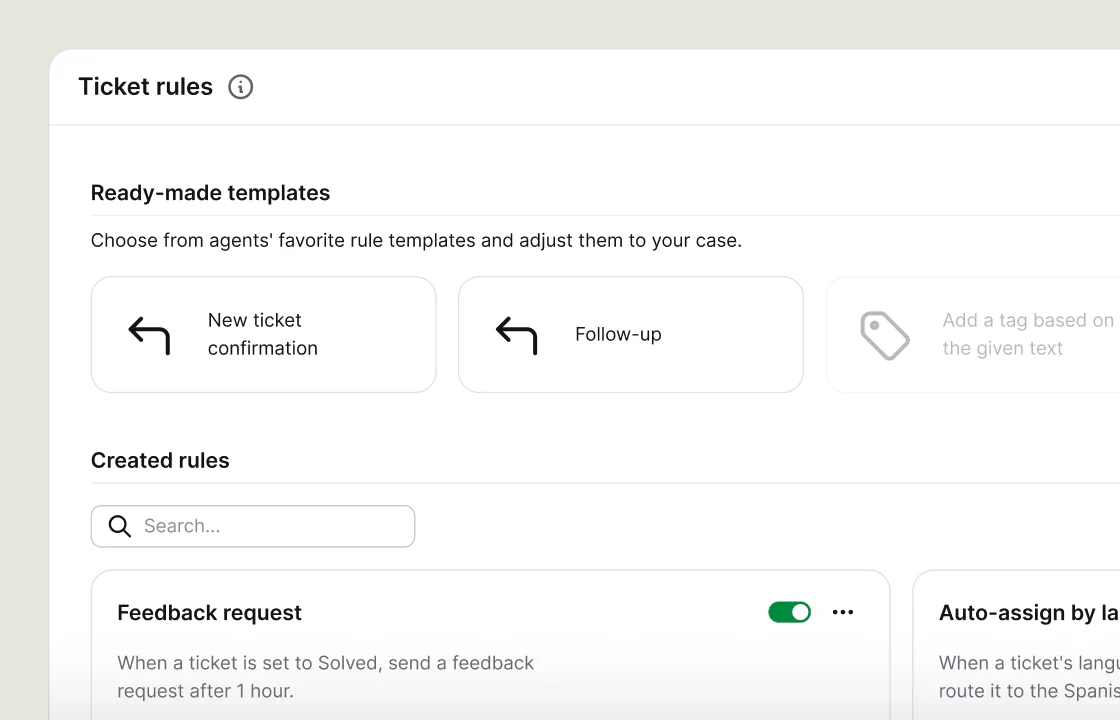
Ticket rules and Playbooks handle the process automation around each request, from confirmations to follow-ups and tags.
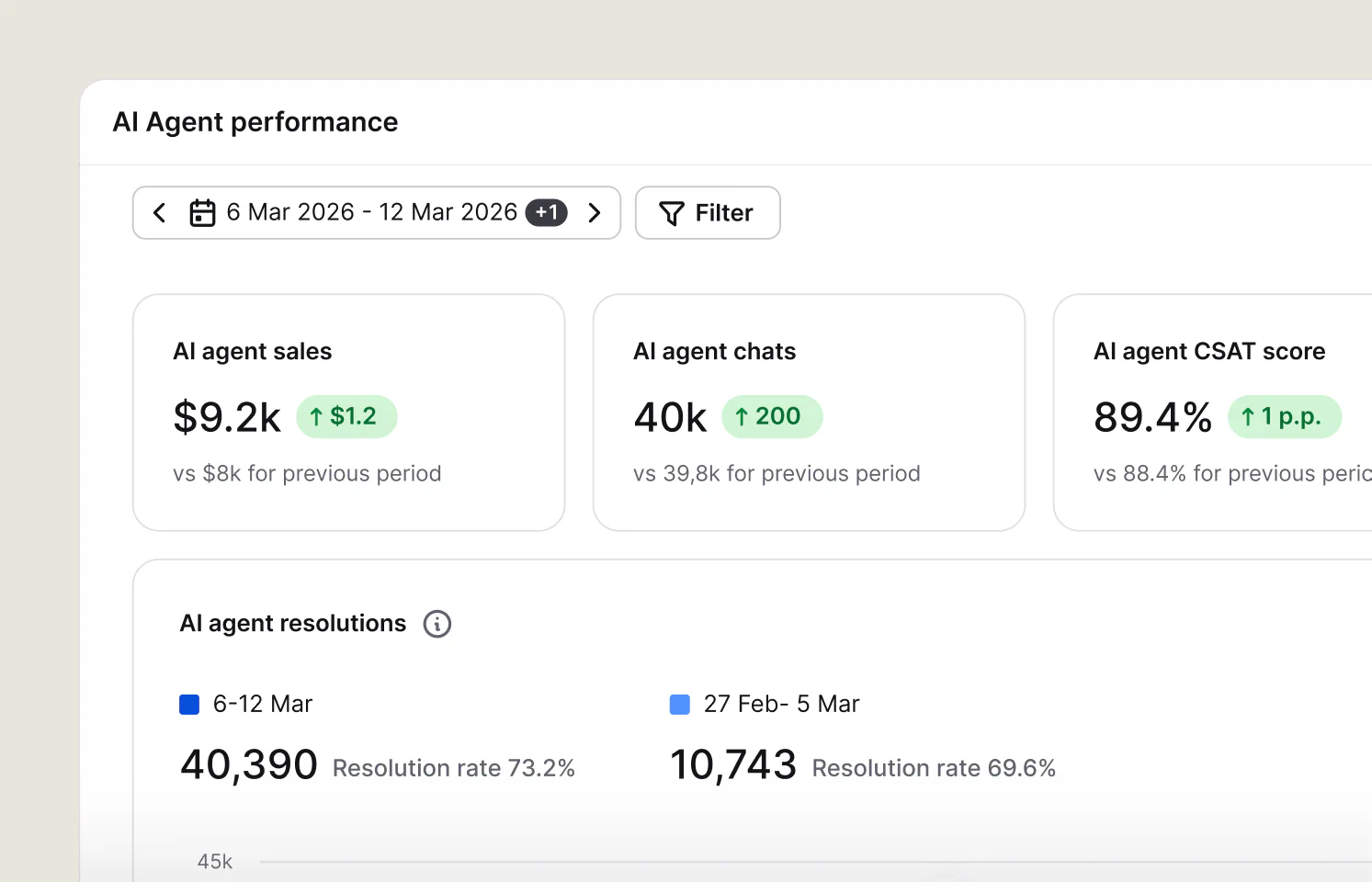
Reports show what AI resolved, what moved to a teammate, and the customer satisfaction, sales, and leads that followed.
Start from a template. Playbooks and Skills update your CRM, check your store,
and notify your team, with no code.
Find or update a contact, lead, or account when a chat starts or ends, and show the Salesforce profile to your team.
Connect SalesforceFind the HubSpot contact behind a chat and keep their details up to date without copying them by hand.
Connect HubSpotSend a message to the right channel when a VIP starts a chat, a ticket escalates, or a lead is ready.
Connect SlackGet products and orders from your store so AI Agent can answer order questions, and create customers from chats.
Connect ShopifyBuild your own automations: read and send messages, transfer and tag chats, and pull reports into your systems.
Explore the APIConnect AI assistants such as Claude or ChatGPT to Text to search tickets and chat transcripts, with no code to write.
MCP setup guideCustomer service teams do not need AI that improvises past the rules. They need AI they can shape, test, watch, and interrupt, with customer data kept behind roles and permissions.

Choose the knowledge sources AI Agent uses, and set its tone, length, languages, and instructions.
Preview answers before activation, including edge cases, unclear requests, and requests for a person.
Watch AI conversations live, take over any chat, and check Skill runs and workflow logs.
Text combines SOC 2 Type 2–audited security with GDPR and CCPA compliance.
The chat widget meets WCAG 2.2 AA accessibility standards.
 SOC2
SOC2
 PCI DSS – SAQ A
You do not need to redesign customer service in one rollout. Pick a repeated job with a clear result,
put it live, and expand from proof.
Give AI Agent your help center, product pages, and policy files. Measure AI resolution rate, transfers, AI CSAT, and ticket volume.
Tag requests, assign a team, set priority, or create follow-up work. Measure time to assignment, first response, backlog, and resolution time.
Answer what AI knows, collect details, and leave a complete ticket for your team. Measure missed chats, after-hours resolutions, and follow-up completion.
Surface suggestions grounded in company knowledge while teammates reply. Measure response time, handling time, suggestion usage, and quality.
Use page or order context to help a shopper choose or get past a checkout question. Measure engaged visitors, sales after chat, and order value.
Create a ticket from a low-rated chat, attach its transcript, and alert the owner. Measure follow-up completion, repeat contact, and customer rating.

“About 70% of our chats are with our AI agents. Now we know the exact numbers, which helps us a lot to evaluate how well chat performs.”
Response time shows whether support is healthy. With ecommerce tracking connected, Text also reports orders placed during or after a chat, including AI-handled ones.

Choose a high-volume question or manual handoff. Define the outcome before you build.
Add the knowledge and channel required, and a Skill only when the customer needs an action. Preview common questions, edge cases, and requests for a person.
Review AI conversations, transfers, customer ratings, Skill runs, and time returned to the team. Then expand to the next job.
It uses rules, workflows, and AI to handle repetitive tasks in customer support with limited manual effort. It answers common customer queries, routes requests, updates tickets, and collects customer data, then triggers the next step in other systems.
Machine learning and natural language processing read each customer query. AI answers from approved knowledge bases instead of a fixed script.

More than a chatbot, it acts in your CRM, help desk, and marketing tools, follows the customer journey across chat, email, and messaging, and hands over to human agents when judgment matters.

Reports compare AI and human conversations over time, so you can enhance efficiency and improve customer satisfaction at the same time.

Customer service automation software uses rules, workflows, and AI to handle repeatable service work with limited manual effort. It can answer common questions, route requests, update tickets, collect customer details, trigger actions, or help a person reply. Strong automation also knows when to hand the conversation to a teammate.
Common examples include answering FAQs, suggesting replies, tagging and routing tickets, sending acknowledgements, creating follow-up work, collecting contact or order details, escalating urgent cases, requesting feedback, and providing after-hours coverage. Start with a frequent task that has a clear outcome and a safe handoff path.
Look for AI that answers from your own knowledge bases, workflow automation that can create tickets and update records, routing rules, clear handoff to human agents, one inbox for every channel, integration capabilities with your CRM and other tools, and reports that show resolutions, customer satisfaction, and revenue.
The best results come when every automated step is visible to the team and easy to adjust. Teams that get there usually see significant benefits in four areas.
Cost savings without a bigger team. Automation handles the repetitive tasks that fill a queue: order status, password resets, return policies, and opening hours. Each automated answer lowers the cost per contact, so ticket volume can grow without a matching increase in headcount. Fuse handled 66% more tickets with the same team, and teammates spent the saved time on complex customer interactions that need judgment.
Faster answers and higher customer satisfaction. Customers get an instant response at any hour from an AI agent for customer service, and requests that need a person arrive with context attached. Shorter waits and fewer repeated questions lead to improved satisfaction scores, and consistent customer communications across channels mean fewer escalations caused by mixed messages.
Better customer retention. A customer who gets a fast, accurate answer is more likely to stay. Automation keeps follow-ups on time, flags low-rated conversations for review, and makes sure no request falls through the gaps. Proactive help on pricing or checkout pages can also keep a hesitant customer from leaving, so automation supports customer relationships instead of putting a wall between the customer and the business.
Customer data you can act on. Every automated conversation adds to the customer record: what they asked, what they bought, and how they rated the help. Patterns in customer behavior show which questions to answer proactively and which customer engagement moments lead to a sale. With a CRM integration, that context follows the customer into every future conversation.
These are the key benefits to track. The customer feedback you collect after each conversation shows where to automate next, and reports and analytics compare AI and human conversations side by side.
Compare automation tools by what they finish, not only by what they suggest. These six questions cover the key features that separate strategic implementation from a chatbot bolted onto the queue.
Can it finish work or only suggest a reply? Check whether it can resolve a request, collect details, update a record, or trigger the next step without a teammate copying data between tools. Tools that only draft replies still leave the work on your team.
Does it answer from your business knowledge? Ask which sources the AI can use, how they update, and whether answers stay grounded in approved content rather than general web data. You should be able to see which source an answer came from.
Can a person take over without starting again? Look for clear transfer rules, complete history, customer context, and a way to monitor active AI conversations in real time. Customers should never have to repeat themselves.
Does it offer seamless integration? Check integration capabilities with your customer relationship management (CRM) system, ecommerce platform, help desk, and messaging channels, so data flows without manual work. A chat API should cover anything the ready-made integrations do not.
Can your team test and inspect it? Preview tools, run logs, workflow history, permissions, and clear failure states make automation easier to trust and safer to expand. Start with one use case and check the logs before you add the next.
Does reporting stop at deflection? Efficiency matters, but a stronger case also covers satisfaction, qualified leads, retained customers, and sales connected to automated conversations. That is the real value finance teams want to see. To weigh options, start with the live chat software comparison.
AI reads the customer’s message and the context available to it. It uses approved knowledge to answer or decides that a Skill should run. If the request needs a person, it transfers the conversation according to the rules your team set.
No. A rule-based chatbot follows a fixed script and usually stops when a question falls outside it. Customer service automation software combines AI agents that understand natural language, workflow automation that acts in other systems, routing rules, and a clear handoff to human agents. A chatbot can be one part of it, but automation covers the whole request, from the first message to the follow-up.
It replaces repeatable steps, not the need for judgment. AI can handle routine requests while people take the cases that need empathy, negotiation, exception handling, or a business decision. Your team decides where that line sits.
Automation tuned only for maximum efficiency can feel cold. Start with narrow use cases, ground answers in your own content, and set clear transfer rules. Let teammates monitor and take over active conversations. Review conversations customers rate poorly, then adjust the knowledge or automation.
Yes. Text Skills can connect with supported apps, while webhooks can call an external API to read or update data in other systems. Playbooks connect with apps such as HubSpot, Mailchimp, and Slack, and qualified leads can reach your CRM with the chat summary attached. The exact setup depends on the system and the action you want to automate.
Start with the cost and time of the workflow before automation. Then track AI resolutions, transferred requests, response time, handling time, ticket volume, and CSAT. Where revenue tracking is available, include qualified leads, retained customers, and sales attributed to conversations, so you see the overall efficiency gain, not only cost per contact.
Customers get instant answers at any hour, and requests that need a person arrive with the full history, so nobody has to repeat themselves. Automated follow-ups, feedback requests, and alerts on low-rated conversations help your team fix problems before a customer leaves.
Any team that answers the same questions every day can benefit. Ecommerce stores automate order status, returns, and product questions. Software companies automate onboarding and account questions. Service businesses automate bookings and after-hours requests. The bigger the share of repeat requests, the faster automation pays back, but even a small team gains time when automation focuses on one frequent task first.
A team can begin with one AI Agent, a knowledge source, and a connected channel. The exact setup time depends on the content, integrations, and approval process. Text supports a use-case-led rollout, so the first automation does not require a full platform migration.
Yes. Text offers a 14-day free trial with no credit card required. You can connect a knowledge source, set up AI Agent, and test your first automation on real conversations before you choose a plan.
No, your LiveChat plan stays the same. The features and capabilities on this page are part of Text and are available under Text pricing plans. They are not included in LiveChat plans, including legacy LiveChat subscriptions. Availability, limits, and pricing depend on your Text plan. If you’re on a LiveChat plan and want these features, you can move to Text.