

Lead generation that starts with a visitor question
The AI Agent answers, asks about budget and timing to qualify leads, and saves each name and email to a customer profile.

The Text by LiveChat plugin adds an AI chatbot to your WordPress site.
It answers visitors 24/7 from your own content and collects contact details.
No credit card requiredFree 14-day trial

Trusted by 30,000+ companies worldwide


The AI Agent gives instant answers in each visitor’s language, qualifies leads, and fits the look of your WordPress site.
The AI Agent answers, asks about budget and timing to qualify leads, and saves each name and email to a customer profile.
The AI Agent answers FAQs about services, opening hours, delivery, and prices in all languages or only the ones you pick.

Pick a light or dark theme, your brand colors, and the side of the screen. You can also hide the widget on mobile.

The AI Agent learns from your sources and instructions, so your AI chatbot for WordPress can answer questions about your prices and policies.
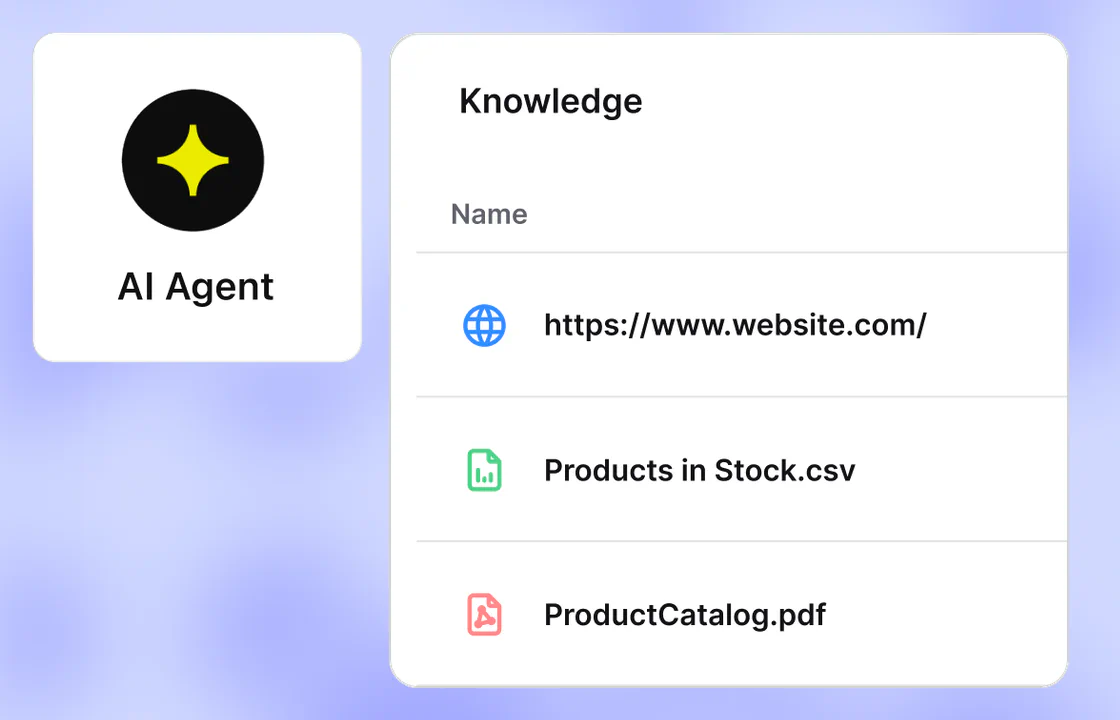
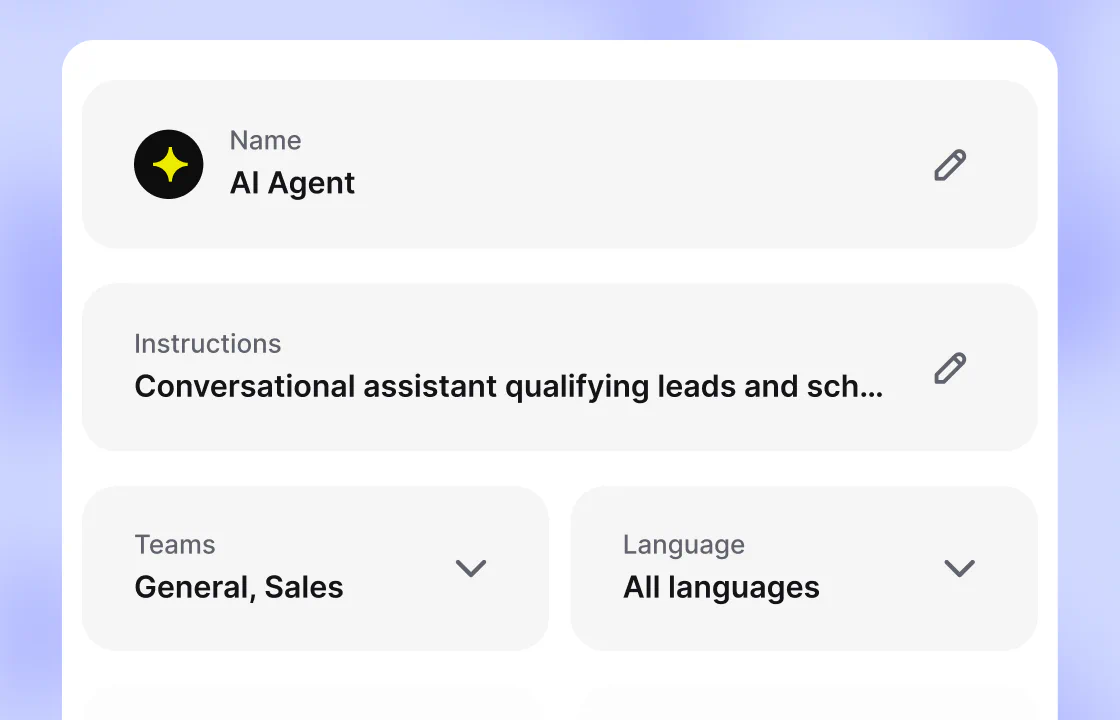
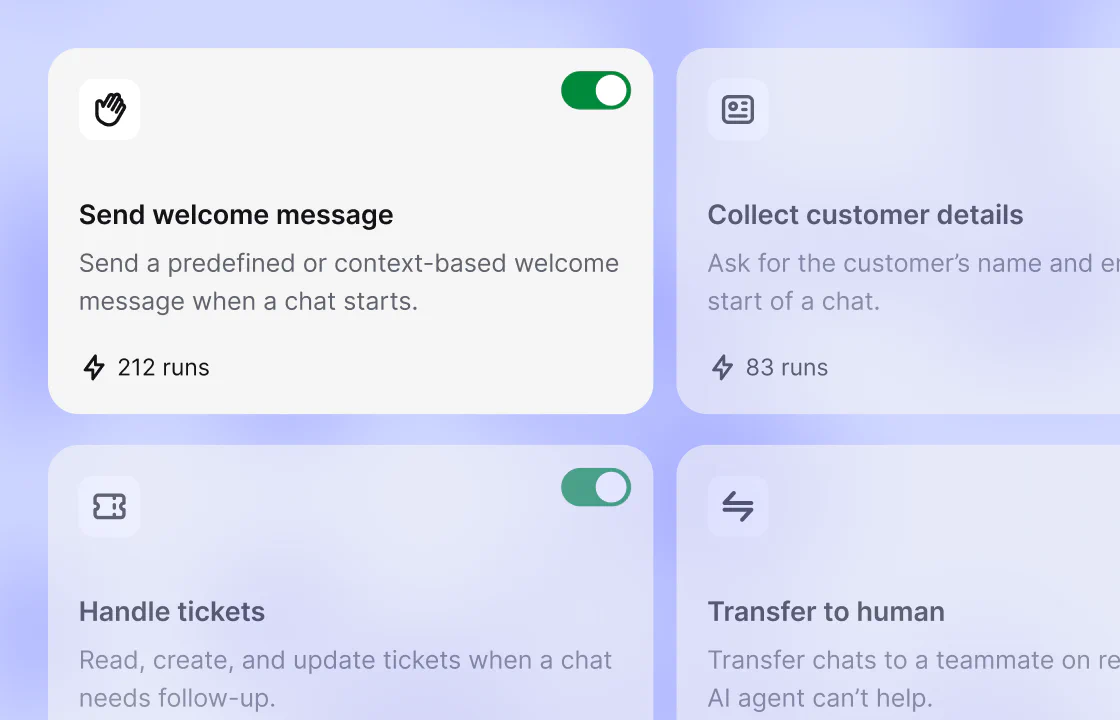
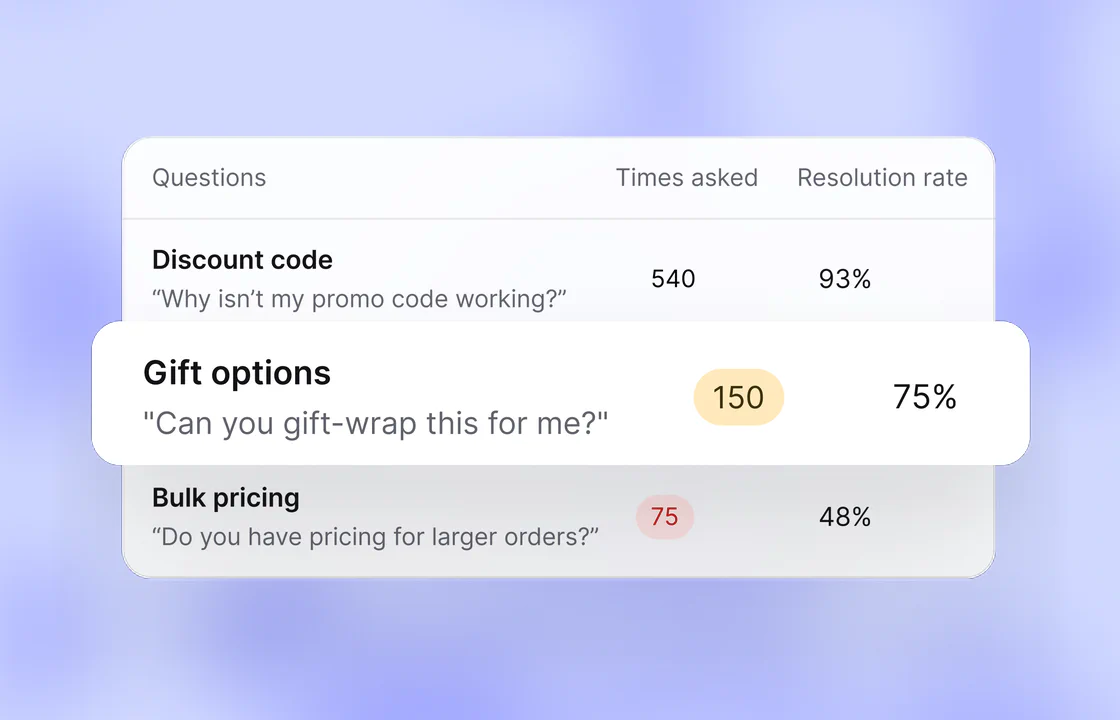
Add your whole site or single pages, and upload PDF, DOCX, CSV, or Markdown files. Text rescans your site on a schedule.
Describe the AI Agent’s job in plain words, pick a tone that fits your brand voice, and choose short or detailed replies.
Skills tell the AI Agent what to do when a visitor asks for something specific. Start from a template or write your own.
Test it in the preview widget before launch. Reports then rank the questions it couldn’t resolve, so you can add answers.
When the AI Agent can’t help, or a visitor asks for a human agent, it transfers the chat with the full conversation context.

The AI Agent hands the chat to the first available teammate or a team you choose. Your teammate sees everything the visitor said.

If no teammate is available within 30 seconds, the AI Agent can open a ticket for your team to answer later.
The AI chatbot plugin is free in the WordPress plugin directory. It adds the widget to your WordPress site in minutes, no coding skills required.
In Plugins, search for AI Chatbot by Text, then click Install Now and Activate. The setup guide covers a .zip upload.
Open the Text tab in the WordPress sidebar and click Connect Text. Sign in or create your account to finish the setup.
Open your site on a laptop and a phone and start a chat. Once the widget shows Connected in Text, visitors can reach you.
If your online store runs on WooCommerce, the plugin adds each shopper’s cart, total spent, and order count to your chats.

Sales reports count orders placed during a chat or within 30 days after it, and split AI Agent sales from your team’s.

See the product pages each shopper visited, and get in-chat alerts when someone hesitates before buying.

Check total visits, past chats and tickets, and the traffic source to tell a first-time visitor from a regular.

“We added over $1.5M in revenue in the first eight months. All from sales that started in the chat.”
Answer WhatsApp, Messenger, and SMS in the same inbox as website chats, and send new leads to your CRM. See every app in the Marketplace.
Cart contents and product details show next to each chat. Connect your store, and orders link back to the chat they came from.
WooCommerce integrationConnect your WhatsApp Business number and answer those messages in the same Text inbox as your website chats.
WhatsApp integrationMessages sent to your Facebook page land in the Text inbox next to website chats, ready for the AI Agent or a teammate.
Messenger integrationConnect your own Twilio account and reply to text messages from the inbox like any other conversation.
SMS with Twilio integrationA Playbook action creates a HubSpot contact from a chat, so a new lead reaches your CRM without copy and paste.
HubSpot integrationPlaybook workflows add new leads from your chats to Mailchimp, ready for your next email campaign.
Mailchimp integrationText is SOC 2 Type 2 audited and built for GDPR and CCPA compliance. Read the security overview, Data Processing Addendum, and Privacy Policy.
 SOC2
SOC2
 PCI DSS – SAQ A
It’s a plugin that adds a chat widget to your WordPress site and answers website visitors in natural language from content you choose. Whether you run a local service business or a WooCommerce store, it answers FAQs, qualifies leads, and hands the chat to a person when it’s time to close the sale.
An AI powered chatbot runs on conversational AI and large language models (LLMs), so visitors can ask questions in their own words. The widget’s buttons and labels come in 48 languages.
The chatbot automates the routine part of customer support and answers at any hour, so your team spends less time on repeat questions and fewer of them turn into support tickets.
In Text, the AI Agent works inside the same live chat your support team uses. When a teammate takes over, they see everything the visitor already said.
The setup requirements are a site on WordPress 6.0 or later with PHP 7.4 or later, and permission to add plugins in your WordPress dashboard. You also need a Text account, which you can create during setup. Install the chatbot plugin and connect it to Text, and the plugin places the widget code on your site for you.
Public web pages, uploaded files, and articles you write in Text. Add a whole site, one section, or a single page, and upload PDFs and other files up to 50 MB each. Pages must be public, because the scanner can’t read password-protected content. If an answer is wrong, add a short Q&A and the next reply uses the correction, or fix the source page and it’s picked up at the next rescan. The knowledge sources guide covers each type.
While the AI Agent is on, your AI chatbot for WordPress answers 24/7. If a visitor asks for a person and no teammate is available within 30 seconds, it can create a ticket for your team to answer later. With the AI Agent off, you pick what visitors see in the chat availability settings: an open chat, where messages wait for your team, or a form that turns each message into a ticket. Replies reach the customer by email when they’ve left an address.
Yes. If WooCommerce is active, the same AI chatbot plugin shows cart contents and product details in the chat, with nothing extra to set up. Connect your store in Text settings, and orders placed during or right after a conversation link back to it. Without WooCommerce, the WordPress chatbot works the same way on any WordPress website, minus the store data.
WooCommerce support is built into the plugin. Inside Text, you connect email, WhatsApp, Facebook Messenger, and SMS as channels, and SMS runs through your own Twilio account. Playbook automation can create a HubSpot contact from a chat or sync a customer profile to Klaviyo, and custom skills integrate other tools through a webhook. Stores that sell without WooCommerce can send a product catalog through the API, and the AI Agent recommends in-stock products as product cards in the chat.
The chatbot plugin is free to install from the WordPress plugin directory. Text is a paid service: signing up here starts a 14-day free trial of the plan you pick, with no credit card. All plans include the AI Agent and a monthly number of AI resolutions. Growth costs $79 per user a month billed annually, or $99 billed monthly, with 200 AI resolutions included each month. Essential costs $19 per user a month billed annually, or $25 monthly, with 10. Paid plans run from $19 to $99 per user a month, and Enterprise has custom pricing. Prices checked September 25, 2026. Compare pricing and usage limits for all plans on the plans and prices page.
Yes. The widget suggests questions that fit the page a visitor is reading, and the AI Agent reads images like screenshots and photos. Built-in skills send a greeting, collect contact details, share a discount code, create or update a ticket, and transfer the chat. Custom skills automate workflows you describe in plain words, like tagging a chat, adding a supervisor, or sending details to other tools through a webhook. They can also use the last five pages a visitor viewed, so replies are personalized to what they browsed. For lead capture without AI, pre-chat forms can collect leads by asking for a name and email before the chat starts, and post-chat forms collect ratings and customer feedback.
Text is the next product from the team behind LiveChat, built around the AI Agent and live chat to help you sell as well as support. New sign-ups here start on Text, so you get a Text account rather than a LiveChat account, and the WordPress AI chatbot plugin connects to it.
Ask real questions in the preview widget in Text. It marks where a transfer or a ticket would happen without creating one. After you install the AI chatbot plugin, send a message from your live WordPress website. If the WordPress chatbot doesn’t appear, clear the cache in your caching plugin and check that it shows Connected in Text.
No, your LiveChat plan stays the same. The features and capabilities on this page are part of Text and are available under Text pricing plans. They are not included in LiveChat plans, including legacy LiveChat subscriptions. Availability, limits, and pricing depend on your Text plan. If you’re on a LiveChat plan and want these features, you can move to Text.