Go to app
User Name
Upgrade Help Center

Buyer’s guide 2026

8 Tidio alternatives worth considering in 2026

Compare Tidio alternatives for live chat, AI support, and ecommerce. Start with Text by LiveChat for chat-attributed sales, Crisp for workspace pricing, or tawk.to for free live chat. This guide explains the trade-offs, usage costs, and what to test before you switch.

Written by Sylwia Kocur Updated 8 tools reviewed

Why switch from Tidio?

Tidio combines live chat, ticketing, Lyro AI, and automated Flows. A switch makes sense when another tool fits your workload, store operations, or budget better. Start with the problem you need to solve.

You need a different billing model

Compare human conversations, AI answers, and proactive automation for a normal month and a peak. If you only need human chat, consider free options; for self-hosting, include infrastructure and maintenance costs.

Your priority is revenue from conversations

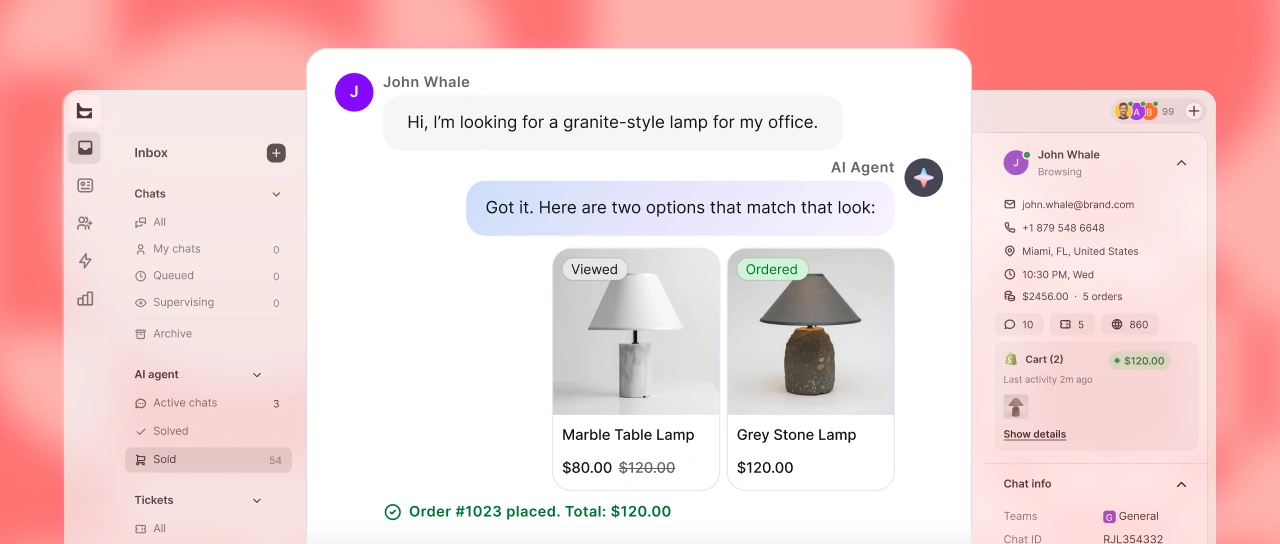
Both Text and Tidio offer sales reporting. Compare attribution rules, supported store connections, and how clearly each report shows the value of human and AI conversations.

You need deeper order support

For a Shopify store, seeing an order is different from editing it or issuing a refund. Test the exact action, permissions, and handoff your team needs.

8 alternatives at a glance

Entry prices don’t line up one to one. Vendors bill per seat, per workspace, or per ticket, and AI usage is often charged separately.

8 Tidio alternatives: pricing and capabilities
Platform Entry price Live chat Ticketing AI and automation Integrations Trial or free option
Crisp Small teams that want workspace pricing $45 /workspace/mo, 4 seats Website chat. Ticketing portal on Plus. AI allowances vary by tier. Omnichannel inbox and workflows from Essentials. Free plan available. Free plan for 2 agents.
tawk.to Free live chat with your own agents $0 for core live chat Free core live chat. Ticketing included. AI Assist has its own plans and usage limits. Website widget and integrations. Free core service.
Chatwoot Teams that need an open-source option $0 Hacker cloud plan, up to 2 agents Included in Hacker. Email and other channels require a paid cloud plan. Captain AI allowances depend on the paid plan. API channel on paid cloud plans. Free cloud and self-hosted options.
Gorgias Ecommerce support operations $10 /mo, Starter, 50 billable tickets Chat included in Starter. Metered by billable ticket volume. AI interactions billed separately. Commerce, store, and returns connections. 30-day trial; sending and feature limits apply.
Intercom Conversational and in-app support $29 /seat/mo, billed annually Messenger included. Shared inbox and tickets. Fin from $0.99/outcome; 10 Copilot conversations per full-seat agent/month included. Apps and connections; validate your specific stack. 14 days, no card.
Freshdesk Structured ticketing and self-service $19 /agent/mo, billed annually Check Freshdesk Omni packaging. Core shared inbox and ticket workflows. Freddy AI usage charges; Copilot is a paid add-on on Pro and Enterprise. Confirm app and channel requirements. 14-day trial.
Help Scout Inbox-centered service teams Free plan available Live chat and social messaging from Standard; not in Free. Shared inbox conversation management. AI Answers: $0.75/resolution after its trial; requires a paid plan. Check required apps and included allowances. Free plan available.

Tidio alternatives reviewed

For each tool: what it does well, what to watch out for, and when Tidio is still the better pick.

Crisp

Best for small teams that want workspace pricing

Crisp suits teams that want several agents included in one workspace subscription. Compare the tier that covers your inbox and automation needs with your Tidio workload.

Entry price
$45 /workspace/mo, 4 seats
Mini costs $45/workspace/month with 4 seats; Essentials is $95 with 10, and Plus is $295 with 20. Additional Plus seats cost $10/month each. Free supports 2 agents.
Trial
Free plan available.
AI costs
AI allowances vary by tier.
Full review: features, pros, and trial tips

Strengths

  • Several seats included in workspace price
  • Chat, inbox and automation on one platform

Keep in mind

  • Mini does not include the Essentials knowledge base and omnichannel feature set.
  • Ticketing portal and white labelling are listed on Plus ($295/workspace/month).

Consider Tidio instead if

Your team already relies on working Tidio Flows or Lyro, and the Crisp tier you need does not improve the total cost.

Read the full Text vs. Crisp comparison

How to test Crisp in a trial

Invite your full pilot team, connect one support channel, and run a busy-day scenario. Include AI credits and customer-profile limits in the comparison.

tawk.to

Best for free live chat with your own agents

tawk.to is a strong free Tidio alternative if your team answers chats itself. Its core chat service has no published limits on agents, chat volume, or websites.

Entry price
$0 for core live chat
Core software is free. AI Assist, branding removal, and staffed services have separate terms.
Trial
Free core service.
AI costs
AI Assist has its own plans and usage limits.
Full review: features, pros, and trial tips

Strengths

  • No per-agent bill for the core chat service.
  • Useful when staffing, rather than AI automation, is your main constraint.

Keep in mind

  • Free chat does not mean unlimited free AI.
  • Price any optional branding removal or staffed service separately.

Consider Tidio instead if

You want to keep your existing Lyro and Flows automation rather than rebuild it.

How to test tawk.to in a trial

Add two agents and test a handoff, an offline request, and your busiest expected chat period. Price AI separately if you need automated answers.

Chatwoot

Best for teams that need an open-source option

Chatwoot offers hosted plans and a self-hosted edition. Consider it when control over the application and hosting is part of your requirements.

Entry price
$0 Hacker cloud plan, up to 2 agents
Hacker includes website chat, 500 conversations per month, and 30-day retention. Self-hosted Community Edition has separate scope; hosting and maintenance are your responsibility.
Trial
Free cloud and self-hosted options.
AI costs
Captain AI allowances depend on the paid plan.
Full review: features, pros, and trial tips

Strengths

  • Choice of hosted or self-hosted deployment.
  • A free cloud plan lets a small team try website chat.

Keep in mind

  • Free cloud is limited to website chat and 2 agents.
  • Self-hosting needs backups, updates, monitoring, and technical ownership.
  • Captain AI is not included in the free self-hosted Community Edition.

Consider Tidio instead if

You prefer a managed service and do not have a specific reason to own the hosting.

How to test Chatwoot in a trial

Choose cloud or self-hosted first. Test the channels, retention, and operational work you need; do not assume every cloud feature is in Community Edition.

Gorgias

Best for ecommerce support operations

Gorgias is worth evaluating when Tidio conversations regularly turn into order-management work. Its ecommerce focus makes store actions a useful starting point for a trial.

Entry price
$10 /mo, Starter, 50 billable tickets
Starter costs $10/month with 50 billable tickets and 3 user seats, including email, chat, and social channels. Basic costs $60/month with 300 tickets. AI, voice, SMS, and overages add to the base subscription.
Trial
30-day trial; sending and feature limits apply.
AI costs
AI interactions billed separately.
Full review: features, pros, and trial tips

Strengths

  • Ecommerce-specific integrations
  • Ticket-volume pricing rather than a seat charge on each agent

Keep in mind

  • Starter includes 50 monthly billable tickets and 3 user seats.
  • AI, voice, SMS, and extra ticket volume can increase the total.

Consider Tidio instead if

Most requests are simple website questions and you do not need agents to manage orders inside the helpdesk.

Read the full Text vs. Gorgias comparison

How to test Gorgias in a trial

Run an order-status request and a refund request using test orders. Check available actions, permissions, and both ticket and AI charges.

Intercom

Best for conversational and in-app support

Intercom fits product teams that want support inside a web or mobile app. Compare its Messenger, help content, and Fin handoff with the experience you currently offer through Tidio.

Entry price
$29 /seat/mo, billed annually
Essential costs $29/seat/month billed annually. Advanced is $85 and Expert is $132 per seat/month on annual billing. Product Tours, Surveys, and Series are part of an optional add-on.
Trial
14 days, no card.
AI costs
Fin from $0.99/outcome; 10 Copilot conversations per full-seat agent/month included.
Full review: features, pros, and trial tips

Strengths

  • Messenger and helpdesk in one platform
  • Fin also works with supported external helpdesks; role and feature limits apply.

Keep in mind

  • The Workflows builder and multiple team inboxes require Advanced or Expert. Essential includes simple automations.
  • SSO and SLAs are listed on Expert; some channels are usage-priced.

Consider Tidio instead if

You mainly need website chat and ecommerce automation, with no requirement for in-app service workflows.

Read the full Text vs. Intercom comparison

How to test Intercom in a trial

Send a common question and an unusual one through Messenger. Watch where Fin stops and a teammate takes over, what the teammate sees, and which of those conversations Intercom counts as a paid outcome.

Freshdesk

Best for structured ticketing and self-service

Freshdesk is a candidate when email follow-up, ticket ownership, and a customer portal matter more than chat campaigns. Compare Freshdesk Omni separately if live chat is essential.

Entry price
$19 /agent/mo, billed annually
Growth starts at $19 per agent. Pro is $55 and Enterprise is $89 with annual billing.
Trial
14-day trial.
AI costs
Freddy AI usage charges; Copilot is a paid add-on on Pro and Enterprise.
Full review: features, pros, and trial tips

Strengths

  • Portal and knowledge base in Growth
  • On Pro or Enterprise, paid Copilot licenses can be assigned to selected agents.

Keep in mind

  • Custom dashboards and multiple SLA policies require Pro.
  • Sandbox, audit logs and skill-based routing require Enterprise.

Consider Tidio instead if

Website conversations and proactive Flows are central to your work and you do not need a ticket-focused replacement.

How to test Freshdesk in a trial

Create a test ticket by email, reassign it to another team, add an internal note, then reply as the customer so the ticket reopens. Check that the plan you're trying includes the rules and reports you need for that flow.

Help Scout

Best for inbox-centered service teams

Help Scout suits a team that wants shared-inbox collaboration and customer-facing help content. It is a useful Tidio alternative when requests need thoughtful replies over several days.

Entry price
Free plan available
Free supports up to 5 users and 100 contacts per month. Paid plans use per-user pricing; check the current billing selector for your quote.
Trial
Free plan available.
AI costs
AI Answers: $0.75/resolution after its trial; requires a paid plan.
Full review: features, pros, and trial tips

Strengths

  • Free plan for small teams
  • Inbox-focused collaboration with saved replies and tags

Keep in mind

  • Standard supports up to 25 users; Plus up to 50.
  • Additional inboxes and Docs sites cost extra beyond included allowances.

Consider Tidio instead if

You get more value from your existing website Flows and Lyro setup than from changing how the team handles email follow-up.

Read the full LiveChat vs. Help Scout comparison

How to test Help Scout in a trial

Have two teammates work on the same conversation: one takes ownership, uses a saved reply, and hands it to the other. Then check how your contacts and inboxes would count toward the plan's limits.

Text or Tidio: which fits your team?

Choose Text if

  • Your chats help shoppers decide what to buy
  • You want live chat, AI, and tickets in one inbox
  • You want to see which sales came through chat
Read the Text by LiveChat review

Stay with Tidio if

  • Lyro product recommendations and sales analytics already fit your store
  • Your usage fits the plan you pay for
  • Rebuilding working Flows would cost more than the change would save
Compare Text by LiveChat and Tidio

Text by LiveChat vs. Tidio

Tidio and Text charge on different units. A Lyro conversation is not the same as a Text AI resolution. Compare the same team, required features, and monthly workload before calling either product cheaper.

Start free trial
Text by LiveChat vs. Tidio: key differences and pricing
Text by LiveChat From $19/user/mo, billed annually Tidio Starter: $24.17/mo, billed annually
Key differences
What drives the subscription? Conversation and automation volumes Budget for billable conversations, Lyro conversations, and Flows visitors.
What counts as AI usage? A Lyro conversation Tidio defines this as a customer interaction with at least one Lyro reply.
Where should the trial start? Evaluate the setup you already have Use your current answers, Flows, and team workflow as the baseline.
Pricing
Entry paid plan, annual billing Starter: $24.17/month; 100 billable conversations.
Next published tier, annual billing Growth: from $49.17/month; from 250 billable conversations.
Recurring AI allowance The initial 50 Lyro conversations are one-off; a paid Lyro package renews monthly.
Additional AI usage Choose a Lyro conversation package for your required volume.
Proactive automation Flows uses a separate visitors-reached allowance.
Higher-volume plans Plus starts at $300/month plus usage; Premium is quoted.
Free access Free plan and 7-day paid-plan trial.

Build a complete cost comparison

Use the same team size and workload for each vendor.

Count the same workload

Record agents, customer conversations, AI-assisted conversations, and visitors reached by proactive automation for a typical month and a peak month.

Check what triggers a charge

Ask how handoffs, repeat messages, reopened conversations, and unanswered questions count. Compare billable outcomes, not only the price beside them.

Include the required tier

A lower entry price helps only if it covers your channels, reporting, routing, and retention. Request a quote for the configuration you will actually use.

Budget for the move

Allow for rebuilding flows, checking AI answers, training agents, and overlapping subscriptions. Keep these one-time costs separate from the monthly bill.

What about a 10-person team?

Ten Text Essential users cost $190 per month with annual billing, before extra AI usage. There is no useful Tidio equivalent based on seat count alone: enter human conversations, Lyro conversations, and Flows visitors in its calculator. Include your required features in both quotes.

About this comparison

Sylwia Kocur

Sylwia Kocur, Content Marketing Specialist at Text. Sylwia writes about Text’s products and updates. Before becoming a Content Marketing Specialist, she worked as a Product Expert.

Who publishes this guide

The company behind Text and LiveChat publishes this guide and has a commercial interest in Text, which appears first. Text is a separate product from legacy LiveChat. The other tools are grouped by use case, not ranked by score.

What we compared

Vendors’ published pricing, product documentation, and help-center articles, covering live chat, ticketing, AI, knowledge, integrations, reporting, and plan requirements. Seat, usage, and add-on charges are listed separately.

What the evidence supports

This is a documentation review, not a hands-on benchmark. Where we couldn’t verify a feature, we say so instead of marking it as missing.

Prices and updates

Product information and prices were checked on the date shown at the top of this guide. Plans change, so confirm the current package before you buy and test your own workflow in a trial.

Spotted an outdated price or product detail? Let us know

Common questions

What is the best Tidio alternative?

Choose by the job you need to improve: Text by LiveChat for conversations tied to sales, Crisp for workspace pricing, tawk.to for free human chat, Chatwoot for a self-hosted option, Gorgias for ecommerce operations, Intercom for in-app support, Freshdesk for ticketing, or Help Scout for shared-inbox service.

Compare all eight tools
What is the best free alternative to Tidio?

For a team that answers chats itself, start with tawk.to. Crisp offers a free two-agent plan. Chatwoot Hacker offers two agents and 500 monthly website-chat conversations, with 30-day retention. Free chat plans do not necessarily include the AI, channels, or reporting of paid plans.

See the free live chat option
Is there an open-source Tidio alternative?

Chatwoot offers a self-hosted Community Edition. Check its feature scope separately from Chatwoot Cloud. You still need to provide infrastructure, updates, backups, and someone responsible for operating it.

Compare Chatwoot
Which Tidio alternative should a Shopify store consider?

Shortlist Text by LiveChat for product conversations and chat-attributed sales, and Gorgias for order-focused support operations. Test product questions, order lookup, returns, and human handoff with your own store. Installing a widget alone does not prove that every order action is supported.

Review the ecommerce option
Can I replace Tidio on WordPress or WooCommerce?

Check both widget installation and the store connection. Text documents WordPress widget setup and sales tracking for WooCommerce. Test page performance, consent behavior, customer identity, and order attribution in your own installation before replacing Tidio.

Read Text WordPress setup ↗
Does a Tidio alternative cost less?

Sometimes. Free human chat may cover a simple use case, while workspace or per-user plans may suit another team. Compare the full workload and feature tier, including AI and automation. A low entry price is not evidence of a lower total bill.

Compare billing models
Are Tidio’s free Lyro conversations renewed every month?

The initial allocation of 50 Lyro conversations is one-off. Tidio says a paid Lyro package is needed for a renewing monthly allowance. Keep this separate from the human-conversation and Flows allowances in your comparison.

Is Text by LiveChat the same as LiveChat?

Text is a separate product from the company behind LiveChat, HelpDesk, and ChatBot. This guide evaluates Text. Legacy LiveChat pricing, features, and customer results should not be treated as Text’s.

Review Text by LiveChat
Can I move my Tidio history and chatbots automatically?

Confirm the destination’s supported import formats first. Text documents API-based ticket import, but this review does not establish an automatic Tidio transcript or Flows migration. Test a sample export and rebuild the automation you need before switching.

When should I stay with Tidio?

Stay if your existing chat, Lyro answers, and Flows meet your needs at a cost you accept. Change tools when a pilot demonstrates a specific gain in your workflow, total cost, or ability to measure sales from conversations.

Compare against your current setup
Are the features on this page included in my LiveChat plan?

No, your LiveChat plan stays the same. The features and capabilities on this page are part of Text and are available under Text pricing plans. They are not included in LiveChat plans, including legacy LiveChat subscriptions. Availability, limits, and pricing depend on your Text plan. If you’re on a LiveChat plan and want these features, you can move to Text.

Try Text by LiveChat free

Compared the options and want to see how Text by LiveChat handles your Tidio workflows? Run one real workflow with your team for 14 days.

Start free trial

Free 14-day trial  •  No credit card required