

Add the chat widget
Paste one code snippet, or install it with the Shopify app, WordPress, Webflow, or Google Tag Manager.
Answer shoppers while they browse, let an AI Agent cover nights
and weekends, and see every order that started in a chat.
Free 14-day trialNo credit card required

Trusted by 30,000+ companies worldwide, from one-person shops to global brands


Answer every shopper, day and night, without hiring a dedicated support team.
Live chat
Shoppers asking about sizes or delivery are close to buying. Answer them in the live chat window, on the page they’re reading.

AI Agent
The AI Agent answers after your team logs off, so nobody works night shifts. On Growth, chats follow your working hours.

Inbox
Chats, AI Agent conversations, and tickets sit in one inbox, so your team sees what is still open.

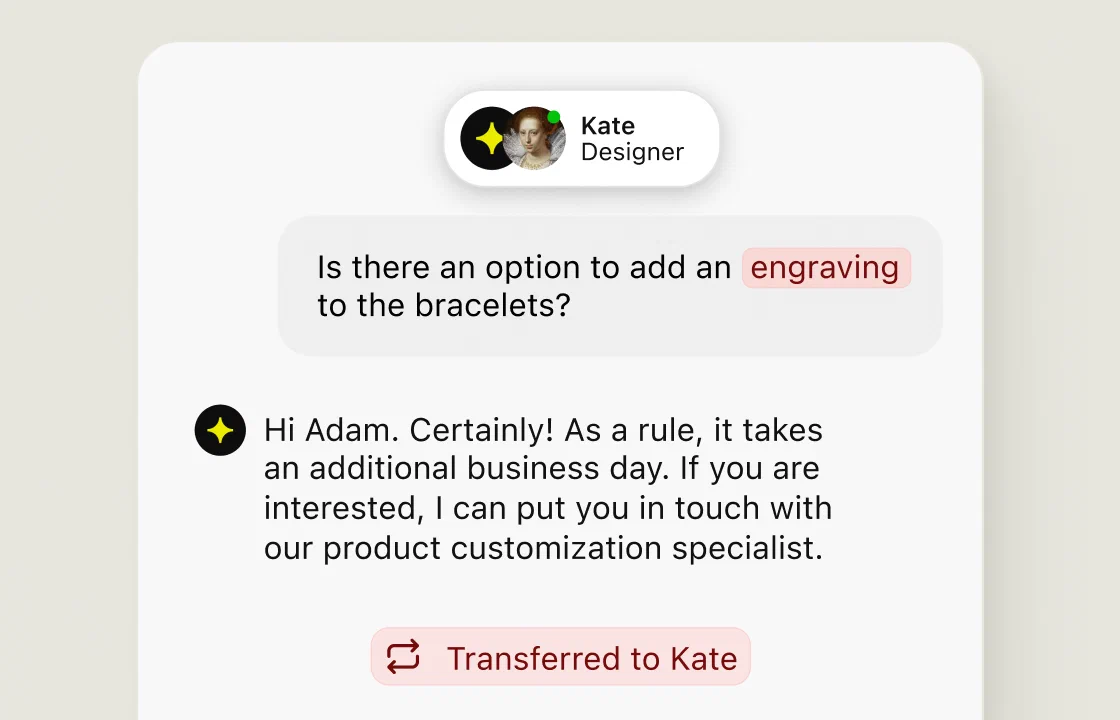
The AI Agent gives instant support on routine questions, so your team steps in only when a chat needs a person.
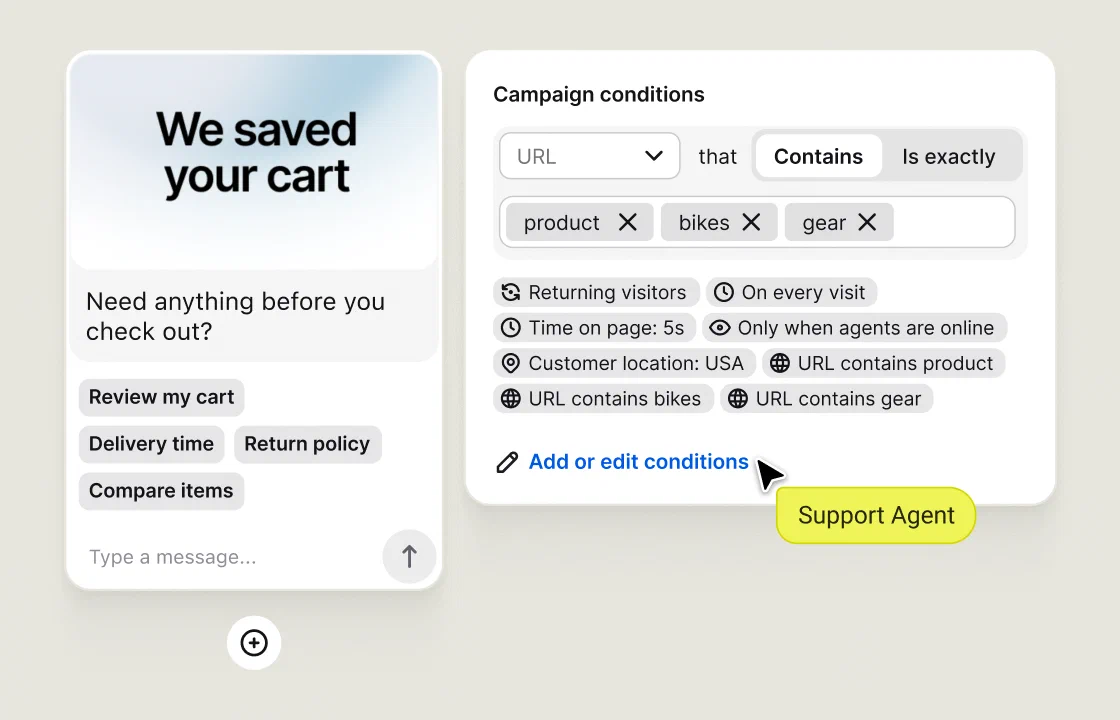
Greet website visitors with proactive chat invitations based on the page, time on page or product page visit.
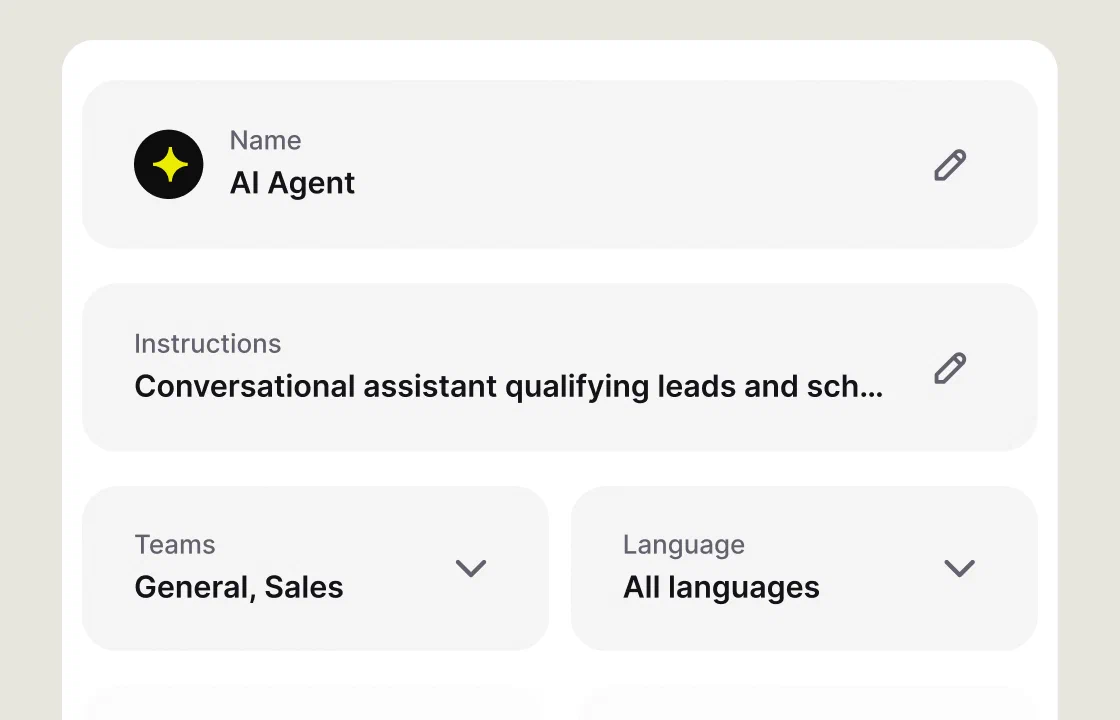
Write its instructions and pick its teams. The AI Agent answers from your website and files, in the customer’s language.
The customer never repeats themselves. Message sneak peek shows chat messages as they’re typed.
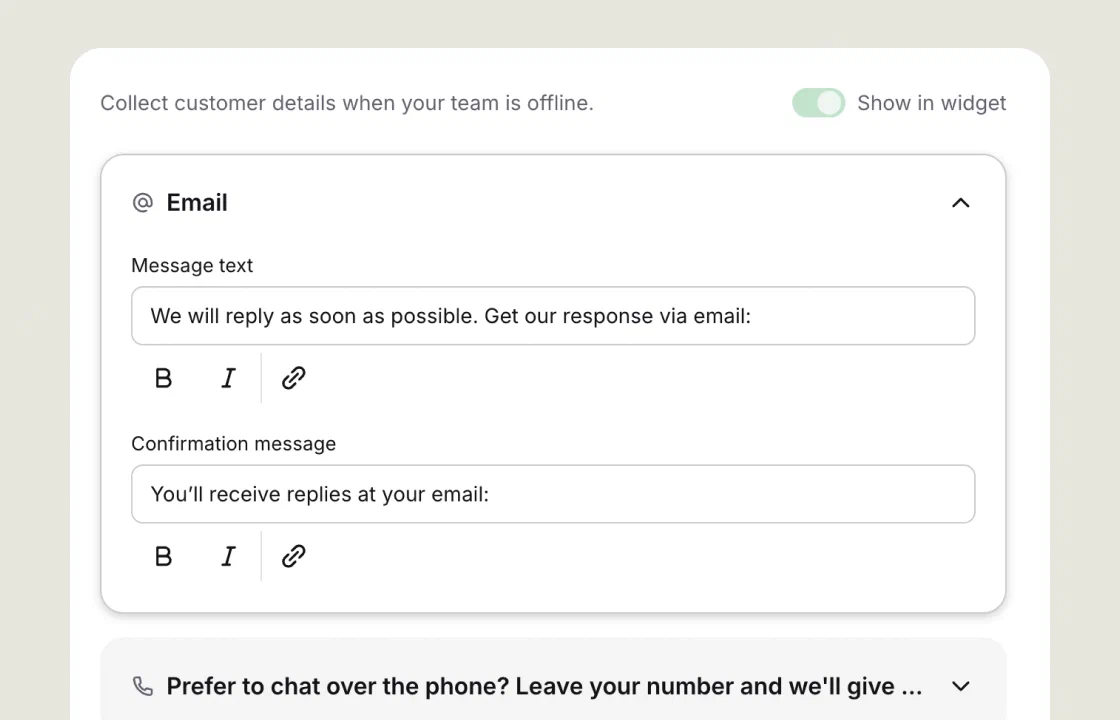
With the AI Agent off, the offline form collects an email, so you can reply in the morning.
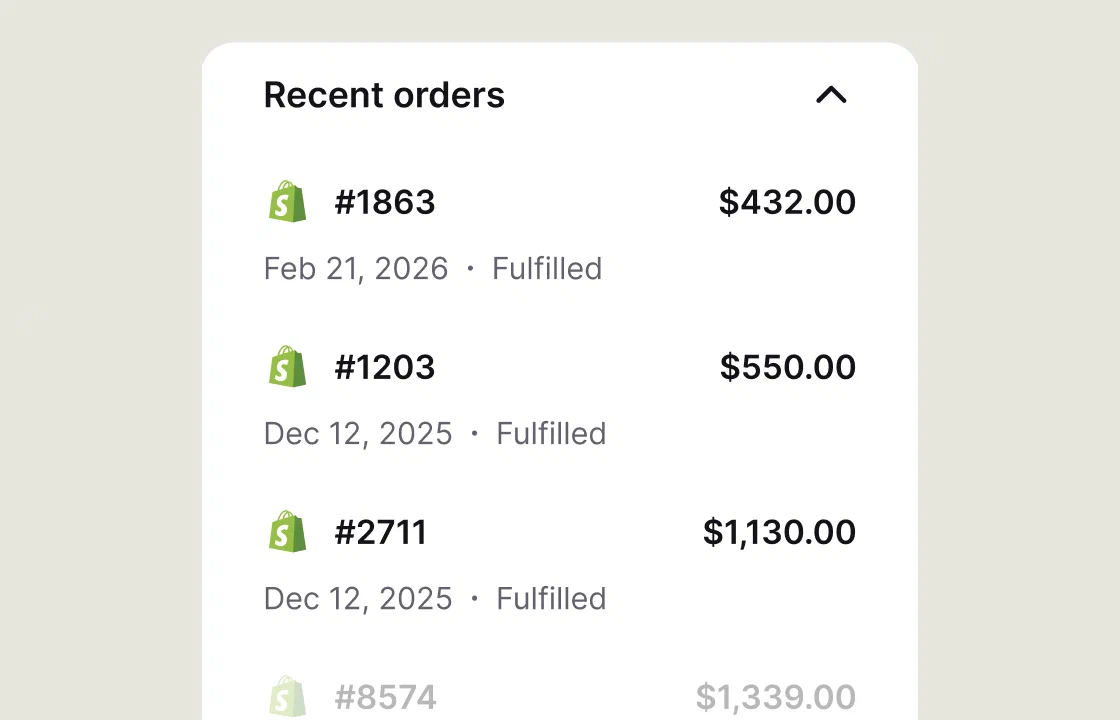
With Shopify connected, recent orders sit next to the chat, so the follow-up starts from what they bought.

“Thanks to the AI agents, we can let the chat campaigns be online
even during the evenings, nights and weekends.”
Every plan comes with the essential features a small team needs. Growth adds advanced features like chat routing and agent reports.

See who is on your site right now, which pages they’ve opened, and start a chat with anyone who hesitates.

Direct customers to the right team based on the page, domain, or visitor’s country.

Show the chat widget in any of 48 languages. The AI Agent replies in the customer’s language.

Website chat, email, WhatsApp, Facebook Messenger, and SMS through Twilio land in one inbox.

The Sales closed counter adds up Shopify and BigCommerce orders placed during chat, next to chat and satisfaction reports.

“We added over $1.5M in revenue in the first eight months.
All from sales that started in the chat.”
All you need is a website and one person to answer chats. Add the widget without a developer, teach the AI Agent from content you already have, and invite teammates whenever you need them.
Paste one code snippet, or install it with the Shopify app, WordPress, Webflow, or Google Tag Manager.
Add your website address and files. The AI Agent learns your products, prices, and policies and answers from them.
Give every teammate who answers chats a seat and turn on mobile notifications, so nobody misses a chat.
Install Text by LiveChat
Connect Shopify, WordPress, WhatsApp, Messenger, and other third party integrations in a few clicks.
Add Text by LiveChat to your Shopify store and answer customer questions with live chat.
Add to ShopifyConnect WhatsApp to Text by LiveChat and reply to customer messages from one inbox.
Connect WhatsAppConnect Facebook Messenger to Text by LiveChat and manage customer messages.
Connect MessengerConnect AI assistants to Text using MCP to retrieve data and generate reports.
Connect Text MCPInstall the Text by LiveChat WordPress plugin and start helping customers through live chat.
Install WordPress pluginAdd Text by LiveChat to your website through your existing Google Tag Manager setup.
Install with GTMEvery plan includes an AI Agent and a shared inbox, from $19 per user a month billed annually. Try either plan free for 14 days.
For small teams earning their first revenue from chat.
$19
per user
per month
Billed annually, or $25 billed monthly
Plan includes:
For scaling teams that want chat to drive revenue.
$79
per user
per month
Billed annually, or $99 billed monthly
Everything in Essential, plus:
SOC 2 Type 2 audited, GDPR and CCPA compliant, with a widget that meets WCAG 2.2 AA.
 SOC2
SOC2
 PCI DSS – SAQ A
An AI Agent answers first, every channel stays in one inbox, and the chat widget matches your brand, so a small team can support customers without adding more tools.
The AI Agent gives automated support from your website and knowledge base. Live chat conversations that need a person go to a teammate for personalized support.

Customer conversations from all your communication channels, like WhatsApp and social media messaging, land in one inbox with customer data and past customer interactions.

The chat interface takes your brand color and a light or dark theme. Campaigns open a live chat to engage customers before they leave.

The right live chat software is the one your team opens every day. A tool nobody checks won’t improve customer support. Compare live chat tools and live chat software providers on the details: price per user and the gap between monthly and annual billing, a free plan or a free trial, chat limits on lower tiers, whether AI features are included or billed per use, and multi language support if you sell abroad. Look for a user interface a new teammate can learn in a day, check the integration capabilities with your store and CRM, and ask whether cheaper plans come with round-the-clock help or limited customer support.
For small businesses with one website and light traffic, a simple chat solution is often enough, and free live chat platforms with unlimited agents and basic features will do. Once chats start deciding sales, you need more: an AI Agent, reports beyond a basic chat overview, and advanced analytics on what chats earn. One customer messaging platform turns chat and email into a unified customer service experience. Read reviews on software review sites, try the live chat apps for phones, and see our live chat comparison for the best live chat apps, vendor by vendor.
Text has no free version. Every account starts with a 14-day free trial of the plan you pick, with no credit card. After that, Essential costs $19 per user a month billed annually. A basic chat tool or other free software can cover a hobby site.
Text is the new platform from the team behind LiveChat, built for businesses that want live chat and AI to sell as well as support. New sign-ups on livechat.com start on Text. Existing customers keep their LiveChat accounts and plans as they are.
Yes. With Text for mobile, you get a notification for every new chat, reply to chats and tickets, and see who is on your site. Customer support teams at small businesses are often one or two people, so agent availability can’t depend on a desk. Chats are real time messaging, and the app lets you provide customer support away from your desk.
Yes. With the ticket form on, messages sent after hours arrive as tickets, and ticket management happens in the same inbox as your chats. You assign each ticket to a teammate and follow up by email.
Check the reports. They count your chat sessions, show which chat interactions a campaign started, and track customer satisfaction and customer feedback from chat ratings. On Growth, you also see how each teammate performs. A campaign on a page where shoppers hesitate, like checkout or shipping, can enhance customer engagement, and the reports show whether it did.
No. The AI Agent is included on every plan and handles lead generation inside the chat. Its Collect customer details skill asks for a name and email during the conversation and saves them to the customer profile. Outside business hours it keeps collecting details, and campaigns greet visitors on your pricing or contact page. Read more about lead generation with live chat.
Text live chat software is billed per user, so your total grows with the number of teammates who answer chats. Prices in USD:
| Team | Plan | Billed annually, per month | Billed monthly |
|---|---|---|---|
| 2 users | Essential | $38 | $50 |
| 5 users | Essential | $95 | $125 |
| 2 users | Growth | $158 | $198 |
| 5 users | Growth | $395 | $495 |
Extras: when the monthly AI resolutions run out, the AI Agent stops until you add a package of 50 more. A package costs $49.50 on Essential or $49.50 on Growth. SMS sent through your Twilio account is billed by Twilio.
No, your LiveChat plan stays the same. The features and capabilities on this page are part of Text and are available under Text pricing plans. They are not included in LiveChat plans, including legacy LiveChat subscriptions. Availability, limits, and pricing depend on your Text plan. If you’re on a LiveChat plan and want these features, you can move to Text.