
Chats Exporter
Effortlessly export and archive your LiveChat conversations with our Chats Exporter tool
- LiveChat

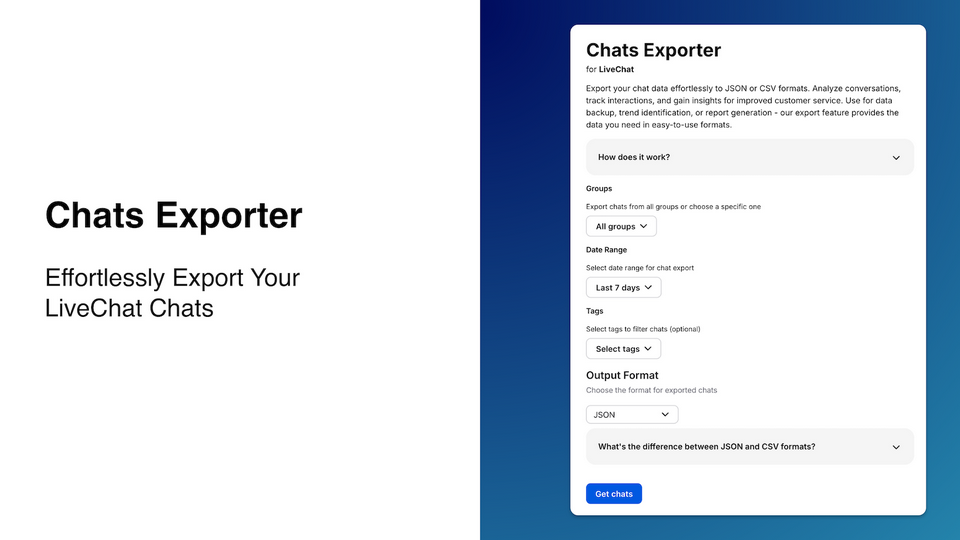
Effortlessly export and archive your LiveChat conversations with our Chats Exporter tool. This powerful application allows you to:
Export chats in JSON format for comprehensive archiving and backup
Generate CSV files containing essential chat metadata for quick analysis
Choose your preferred format based on your specific needs
Streamline data management and gain valuable insights from your chat history
Whether you need a full JSON backup for detailed record-keeping or a concise CSV overview for performance analysis, Chats Exporter simplifies the process of extracting and preserving your valuable chat data.
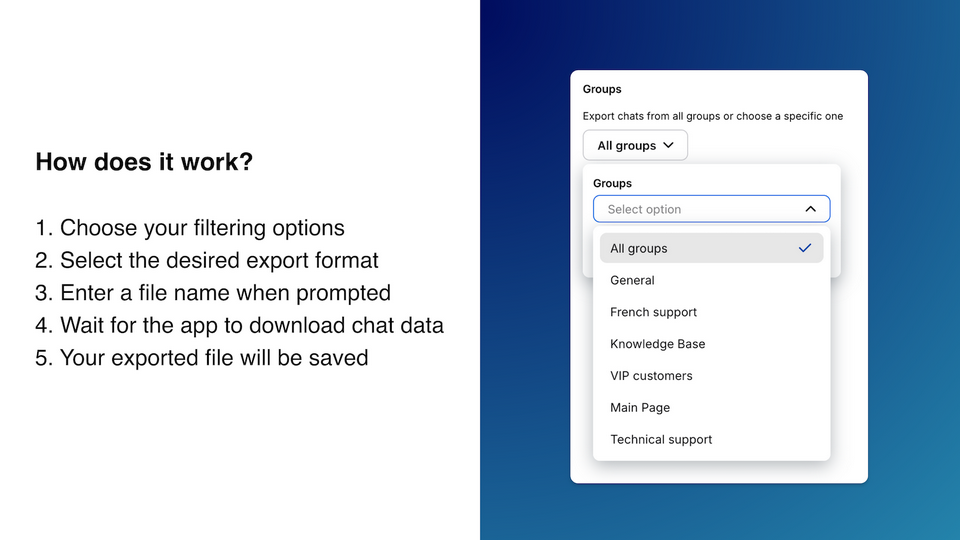
How it works?
-
- Open the app
- Choose your filtering options (Groups, Date Range, Tags)
- Select the desired export format (JSON or CSV)
- Enter a file name when prompted
- Wait for the app to download and process the chat data
- Your exported file will be saved in the chosen format
Key features
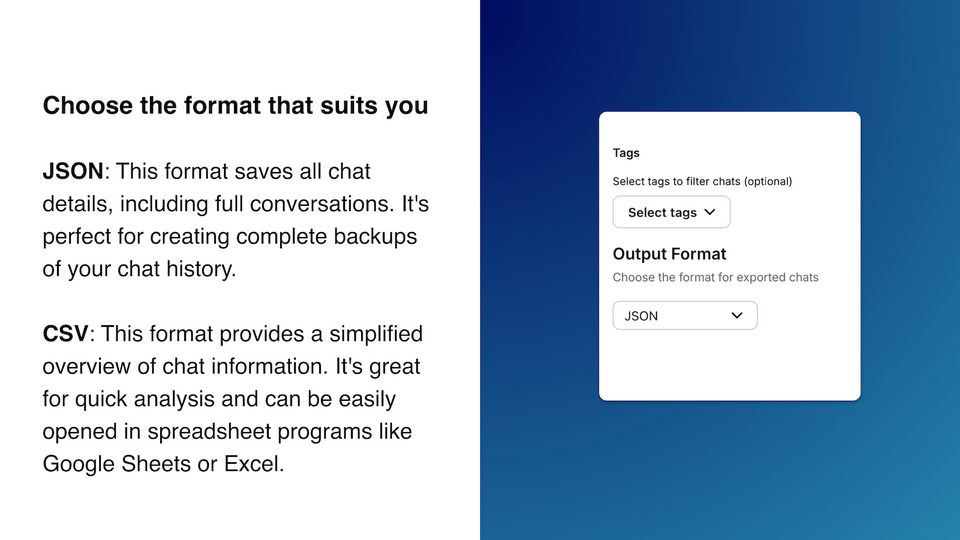
Choose JSON format to download your full chat history
Choose CSV format, import it to Excel or Google spreadsheet, filter and check how your agents perform
Download chat histories from a specific group, filter using tags and choose any export time range
Benefits
Keep a backup copy of your customer conversations
Improve customer experience by analyzing data in the tool of your choice
App terms
Legal Terms
By installing this app, you agree to the Marketplace Terms and App Privacy Policy.
Support
How to use this app
Follow the app tutorial with setup instructions on how to use and properly configure this app with your LiveChat account. To get help and support contact Tweak Chat. You can also suggest improvements or request new features in the upcoming versions of Chats Exporter.
Frequently asked questions
What does the “Verified” status mean?
In LiveChat, we always appreciate creative and problem-solving apps, so at our own sole discretion, from time to time, we may grant some applications the “Verified” status (represented by a badge or so-called badged applications). The “Verified” status confirms only that an application went through our usability review from the user's perspective. In any case, it is the Application Provider who has full responsibility for the application and its security level towards clients and any other third party.