
Product Cards
Beautiful product recommendations connected with your store's inventory and available directly in the chat window.
- LiveChat
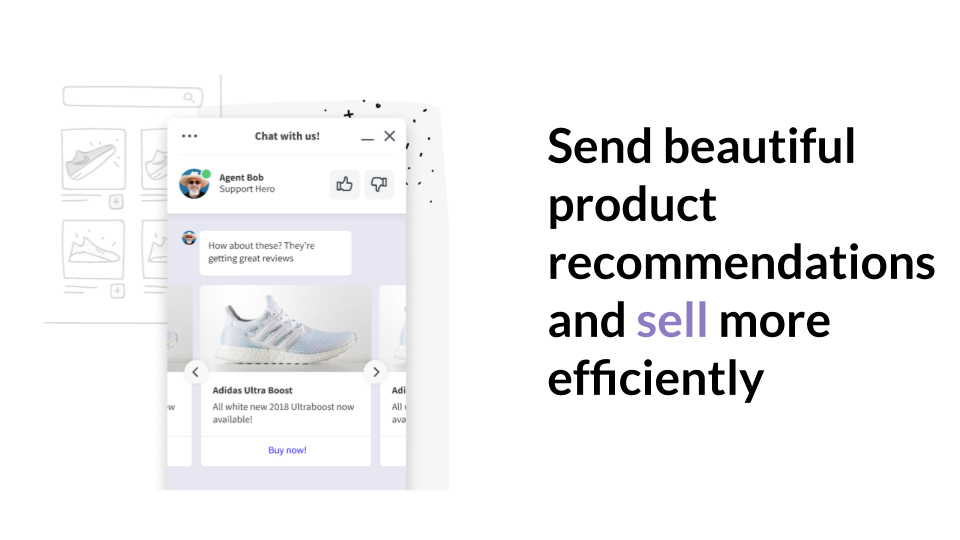
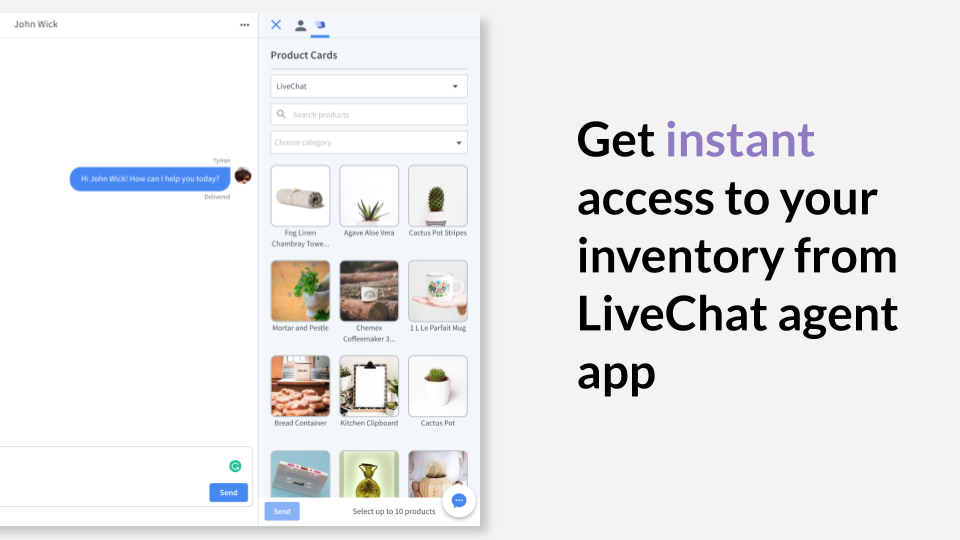
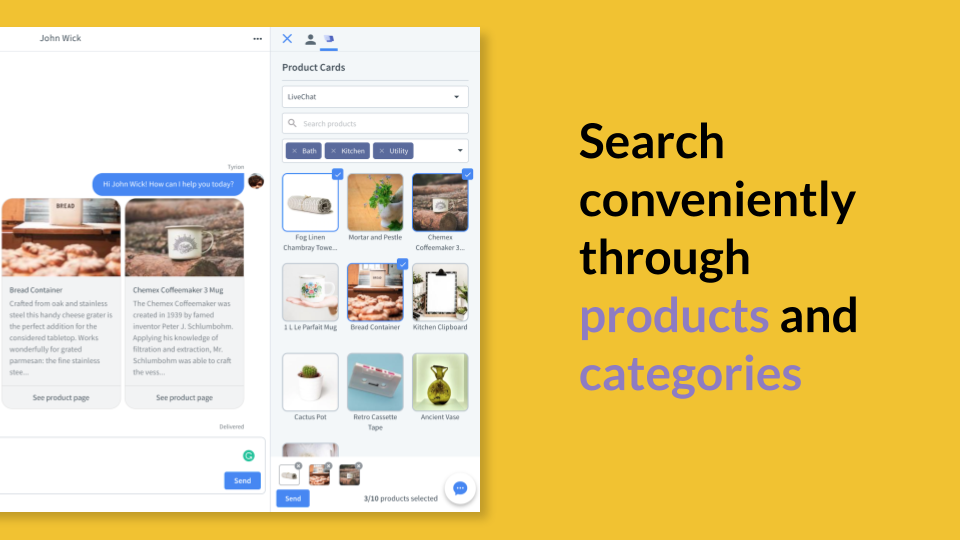
Use LiveChat Product Cards for E-commerce to share beautiful product recommendations with clients directly in the chat window. Add the app to your LiveChat to close sales more efficiently!
The Product Cards application provides you with easy access to your inventory and allows you to share beautifully designed product recommendations with clients. So, whenever they need help finding certain products, using Product Cards is the best way to go!
NOTE: To use this app you need to set up a backend service. If you don't know how to do it yourself, contact your developer before purchasing. Click on 'Configuration tutorial' link to access the documentation.
Key features
Just click on the LiveChat Product Cards icon placed in the Chats section and access your store inventory. Finding product(s) you want to offer your clients takes a few seconds literally.
LiveChat Product Cards allow for uploading and sending up to 10 cards. If you want to recommend more offers to customers, just upload a new set of cards and send them in the next message.
LiveChat Product Cards make product recommendations look so much better. Use them and give customers a beautiful sneak-peek into your offer and see sales levels skyrocket!
Benefits
With Product Cards on board, you can offer personalized service and speed up the shopping process. In turn, customers quickly get what they need and feel they are taken care off.
With LiveChat Product Cards, you have a bigger chance to keep a person in the chat window, assist them throughout the purchasing process, and support the conversation.
Using LiveChat Product Cards is a great way to turn conversations into new sales opportunities and put a smile on your customers' faces.
App terms
Legal Terms
By installing this app, you agree to the Marketplace Terms.
Support
How to use this app
Follow the app tutorial with setup instructions on how to use and properly configure this app with your LiveChat account. To get help and support contact Text. You can also suggest improvements or request new features in the upcoming versions of Product Cards.
Frequently asked questions
What does the “Verified” status mean?
In LiveChat, we always appreciate creative and problem-solving apps, so at our own sole discretion, from time to time, we may grant some applications the “Verified” status (represented by a badge or so-called badged applications). The “Verified” status confirms only that an application went through our usability review from the user's perspective. In any case, it is the Application Provider who has full responsibility for the application and its security level towards clients and any other third party.