
Mollie Payments
Integrate with Mollie to process payments directly in your chat service
- LiveChat
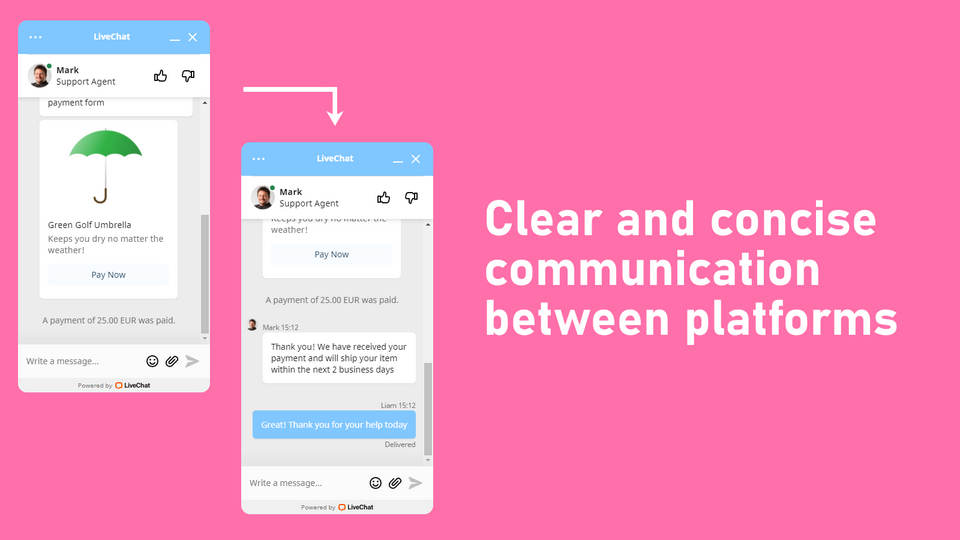
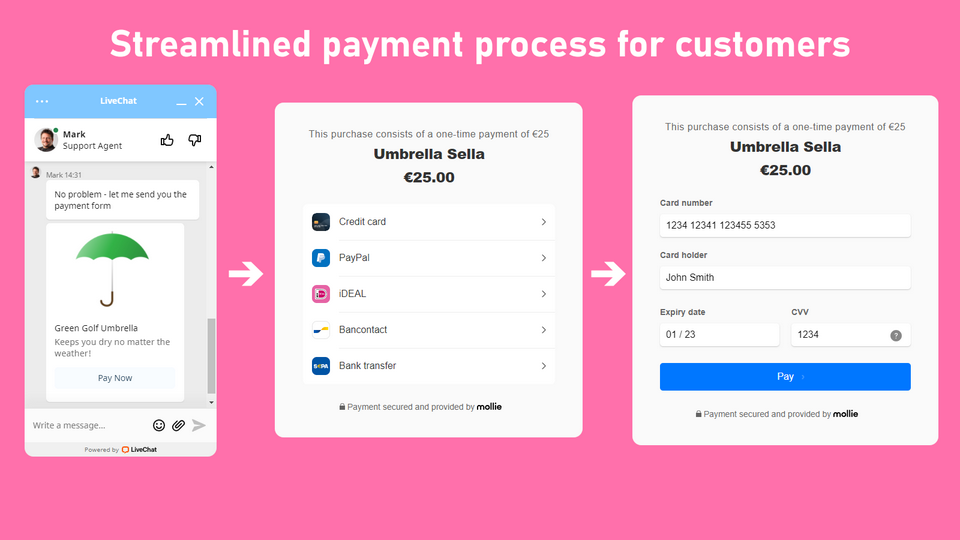
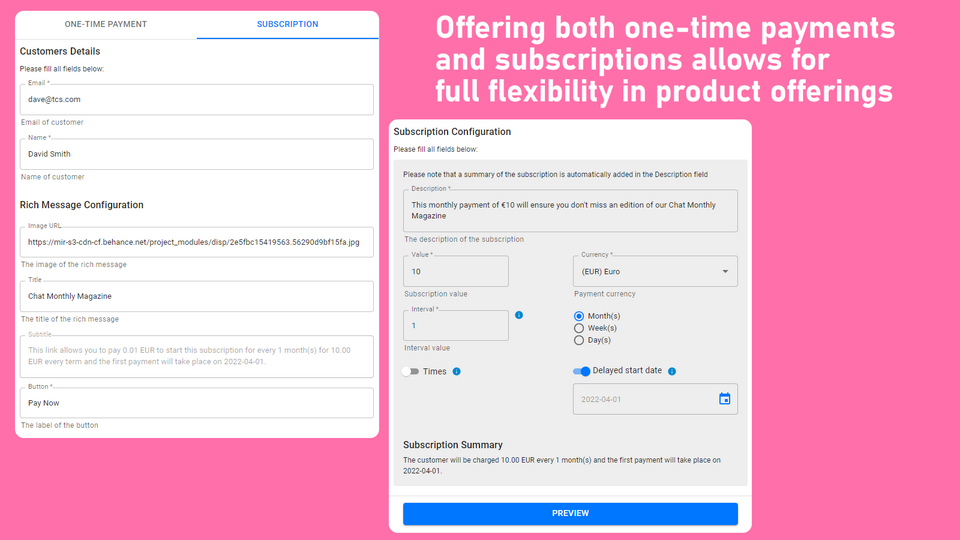
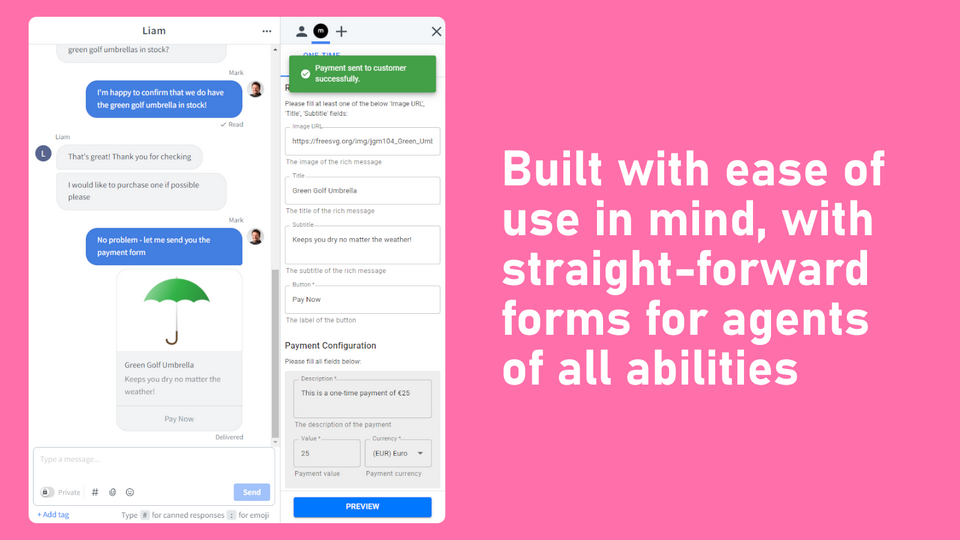
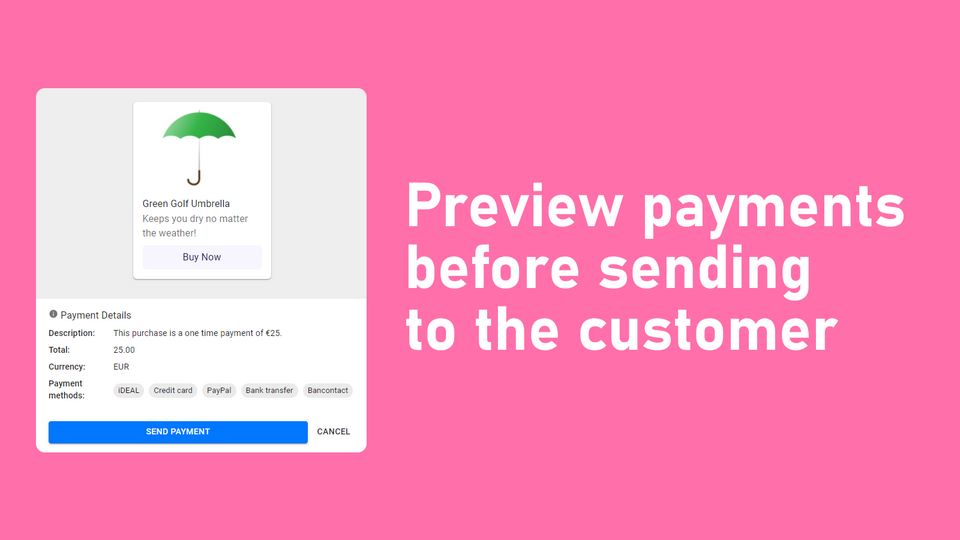
Mollie simplifies online payments to help companies scale quickly and efficiently. With Mollie Payments for LiveChat, you can handle payments directly in your chat service.
This integration gives your agents everything they need to provide support regarding payments. Within the LiveChat environment, agents can send secure one-time payment links and check details about placed orders. In other words, Mollie Payments for LiveChat guarantees your customers a seamless experience – they can get answers and place orders without leaving the chat.
Mollie Payments for LiveChat is hosted and supported by The Chat Shop.
Key features
Request one-time payments from customers by sending links as rich messages through the chat.
Answer questions quickly using the data provided by Mollie, such as payment details, order information, and transaction status.
Payments are processed in the PCI-DSS compliant Mollie Checkout, which means your customers can be assured their details are handled safely.
Benefits
Use the chat to help customers find products or services and enable them to place an order right away.
Include payments support in your chat service to simplify the experience for both agents and customers.
Connect or create your Mollie account with the click of a button to start accepting payments through the chat.
App terms
Legal Terms
By installing this app, you agree to the Marketplace Terms and App Privacy Policy.
Support
How to use this app
Follow the app tutorial with setup instructions on how to use and properly configure this app with your LiveChat account. To get help and support contact The Chat Shop. You can also suggest improvements or request new features in the upcoming versions of Mollie Payments.
Frequently asked questions
What does the “Verified” status mean?
In LiveChat, we always appreciate creative and problem-solving apps, so at our own sole discretion, from time to time, we may grant some applications the “Verified” status (represented by a badge or so-called badged applications). The “Verified” status confirms only that an application went through our usability review from the user's perspective. In any case, it is the Application Provider who has full responsibility for the application and its security level towards clients and any other third party.