
Calendly
Booking system integrated with chat on your website
- LiveChat
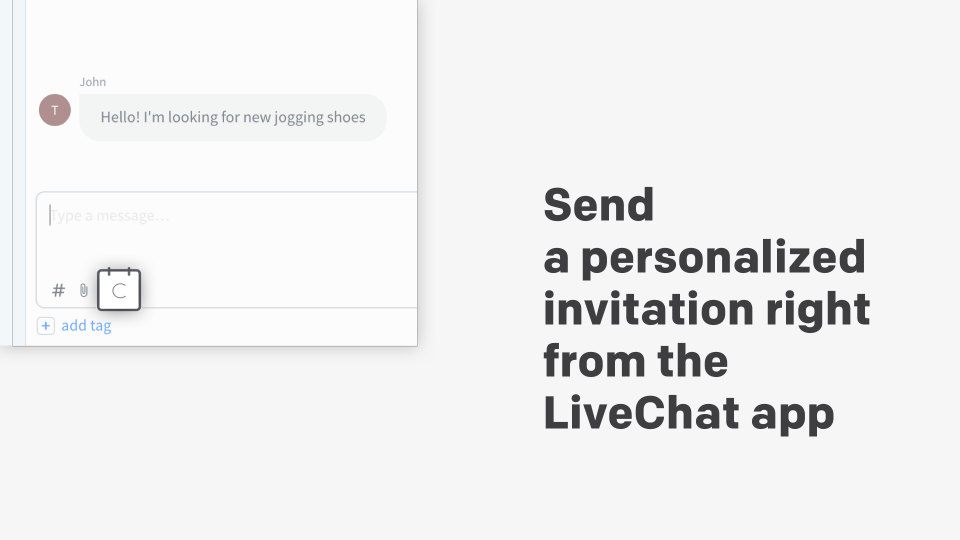
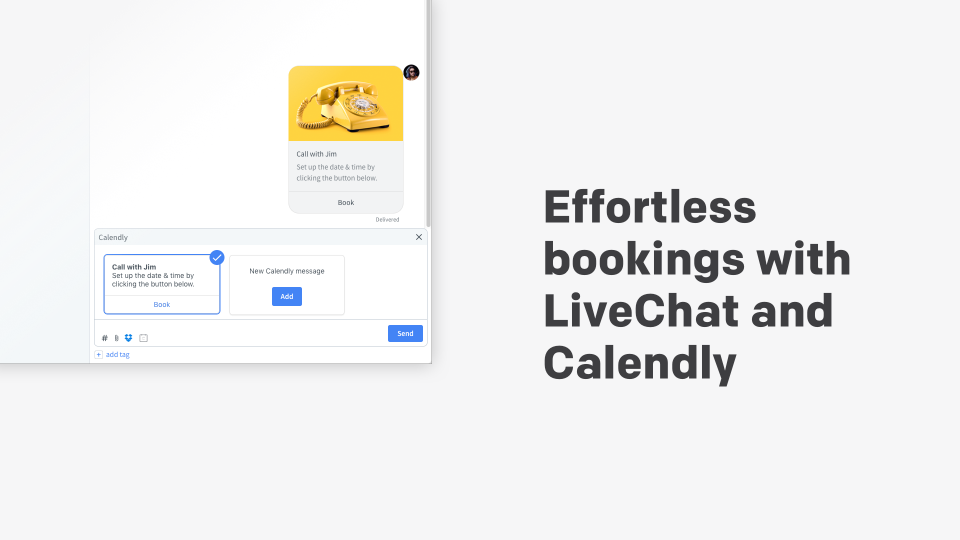

With the Calendly app, scheduling meetings with your site visitors is really easy. Whether it’s a screen-sharing session or a sales demo, your leads and customers can schedule with you directly in the chat widget. No need to send emails back and forth to pick a suitable date.
Key features
You can send a personalized invitation right from the LiveChat app with just a few clicks.
Once you create an invitation template, you can reuse it later on.
Display availability in your invitee's time zone with intelligent time zone detection
Benefits
With the Calendly app, scheduling meetings with your site visitors is really easy.
Allow your customers to schedule directly from your chat widget
App terms
Legal Terms
By installing this app, you agree to the Marketplace Terms.
Support
How to use this app
Follow the app tutorial with setup instructions on how to use and properly configure this app with your LiveChat account. To get help and support contact Text. You can also suggest improvements or request new features in the upcoming versions of Calendly.
Frequently asked questions
What does the “Verified” status mean?
In LiveChat, we always appreciate creative and problem-solving apps, so at our own sole discretion, from time to time, we may grant some applications the “Verified” status (represented by a badge or so-called badged applications). The “Verified” status confirms only that an application went through our usability review from the user's perspective. In any case, it is the Application Provider who has full responsibility for the application and its security level towards clients and any other third party.