


The most important moment on a WordPress site often lasts less than a minute. A visitor hesitates on a pricing page. Scrolls back up. Opens a new tab. Looks for reassurance that they’re making the right decision. That moment decides whether they convert, abandon the page, or postpone the purchase entirely.
Live chat exists for that exact moment. Not as a generic support tool, but as a real-time way to answer doubts, remove friction, and keep momentum going. When it works, it feels invisible. When it doesn’t, it slows the site down, interrupts the experience, or shows up too late to matter.
In 2026, live chat is no longer just about answering questions after something goes wrong; it's part of your conversion flow. The best live chat plugins for WordPress are fast, context-aware, easy to customize, and smart enough to know when to step in and when to stay out of the way.
Choosing the right one isn’t a support decision anymore. It’s a revenue decision.
In this article, you’ll learn:
- Why live chat plays a critical role at key conversion moments on WordPress sites
- What features actually matter when choosing a live chat plugin in 2026
- Which live chat plugins perform best for different WordPress use cases
- How AI and automation fit into modern live chat without hurting conversions
Let’s take a closer look at which live chat plugins help turn hesitation into action, and which ones quietly get in the way.
Best live chat plugin for WordPress: why they matter for your site
Live chat plugins matter because they change what happens while a visitor is still deciding. Unlike email forms or contact pages, live chat meets people in the moment when questions appear, and hesitation sets in. That timing has a direct impact on satisfaction, trust, and conversions.
One of the clearest advantages is speed. Email support trains customers to wait. Forms delay answers even further. Live chat shortens that gap to seconds. Visitors get clarification while the page is still open, the product is still in view, and intent is still high. Faster answers reduce frustration and consistently lead to higher customer satisfaction, especially for first-time buyers who need reassurance before committing.
That speed also shows up in engagement and conversion rates. On WordPress sites, the most valuable interactions often happen on product, pricing, and checkout pages. These are the moments where small uncertainties stop progress. Live chat gives visitors a low-effort way to ask a quick question instead of leaving the site to search for answers elsewhere.

When questions are resolved immediately, visitors stay focused and move forward rather than drifting away. Live chat plugins help answer customer queries instantly, reducing the need for follow-up emails and keeping the customer journey smooth.
Live chat also reduces overall support workload. Real-time conversations solve issues before they turn into tickets. Simple questions never reach the inbox. Clarifications happen once, not through multiple back-and-forth emails. Over time, this reduces ticket volume and helps support teams spend more time on complex issues rather than repetitive requests.
In 2026, another factor makes live chat even more important: the combination of AI assistance and human support. Modern chat plugins use AI to handle common questions, look up orders, and provide instant basic guidance. Chat automation streamlines repetitive interactions, freeing up chat agents to focus on more complex customer issues.
At the same time, the best live chat solution balances automation with the ability for chat agents to step in when needed. This human escape hatch matters. Visitors want automation to be helpful, not obstructive.
The strongest WordPress live chat plugins strike a balance. AI handles speed and scale. Human agents handle nuance and trust. That balance runs through every decision in this guide and separates chat tools that boost conversions from those that quietly add friction.
Introduction to live chat
Live chat has quickly become a must-have for any business looking to deliver a modern, responsive customer experience on their WordPress website. A live chat plugin adds a chat widget directly to your site, giving visitors an easy way to reach out and get real-time support, right when they need it most. This instant connection not only boosts customer satisfaction but also helps answer questions that might otherwise block a sale or lead.
The best live chat plugin for your WordPress site does more than just open a chat window. It can be customized to match your brand, offer advanced features like chat routing and automation, and scale as your business grows.
Whether you’re just starting out with a free plan or looking for a fully customizable chat widget with robust analytics, the right chat plugin can transform how you engage with website visitors. By meeting customers in the moment, live chat helps you resolve issues faster, build trust, and drive more conversions, all while keeping your support team connected and efficient.
How do live chat plugins work?
Live chat plugins embed a chat widget on your WordPress website, making it easy for site visitors to start a conversation with your support team at any time. Once installed, the chat widget can be tailored to fit your site’s look and feel, ensuring a seamless experience for your visitors.
When someone initiates a chat, your support team receives an instant notification and can respond in real time, providing the kind of instant support that today’s customers expect.
Most live chat plugins offer essential features like chat history, so both your team and your visitors can refer back to previous conversations for context.
Advanced chat plugins go even further, offering integrations with popular messaging apps like Facebook Messenger and Apple Business Chat, as well as unlimited chat history for ongoing support. Some solutions include video chat, phone support, and other tools to create a truly comprehensive support experience.
For businesses that want to deliver top-notch customer support, many live chat plugins also offer advanced analytics to measure customer satisfaction, monitor chat performance, and track key metrics such as response times and chat volume.
This data helps you continually improve your live chat support and ensure that your website visitors get the help they need, when they need it.
By integrating a live chat plugin into your WordPress website, you’re not just adding another support channel; you’re creating a direct, real-time connection that can turn visitors into loyal customers.
Must-have features in a WordPress live chat plugin
Not every feature moves the needle.
In 2026, the best live chat plugins for WordPress focus on removing friction at key moments instead of piling on options. A user-friendly chat solution and a well-designed chat interface are essential for a positive customer experience, enabling both visitors and support agents to interact smoothly.
These are the capabilities that consistently make a real difference.
Real-time messaging and visitor context
Live chat only works when it’s truly immediate. By monitoring visitors and analyzing their behavior, agents can track real-time interactions and gain insights into each visitor’s journey, enabling them to provide more personalized and effective support.
A strong plugin delivers fast message delivery and shows agents who they’re talking to, where they are on the site, and what they’ve already viewed. Context turns a generic reply into a helpful one and prevents visitors from repeating themselves.
Customizable chat widget that fits your site
A live chat widget shouldn’t look like an afterthought. The best plugins let you customize chat widget appearance to match your site's branding, including branded chat widgets and other branding options. You can adjust colors, placement, greetings, and behavior so the chat feels native to your WordPress theme. When chat blends into the design, visitors trust it more and engage without hesitation.
Proactive triggers without being pushy
Modern chat plugins don’t wait passively. They can trigger messages based on behavior, such as time on page or scroll depth. Proactive chat triggers can also help qualify leads by engaging visitors who show buying intent, allowing your team to identify and prioritize potential customers for follow-up. Used carefully, proactive chat helps visitors avoid getting stuck. Used poorly, it becomes noise. Good plugins give you control over timing, targeting, and frequency.
AI automation for repetitive questions
AI chat is increasingly used to handle common requests. With AI-powered chat automation, businesses can answer customer queries instantly and efficiently, streamlining support and improving response times. Order status checks, basic product questions, and policy clarifications no longer need human attention every time.
Clear path to a human agent
Automation only works when it knows its limits. Every effective live chat plugin includes an obvious way to reach a real person, specifically, chat agents who are essential for handling complex or sensitive questions that automation cannot resolve. This human escape hatch builds trust and prevents frustration when a question becomes nuanced or sensitive.
Multi-channel messaging in one inbox
Website chat rarely lives alone anymore. Many WordPress businesses also support customers through email, Messenger, WhatsApp, or social platforms. Plugins that unify these conversations into a single inbox reduce tool switching and preserve context across channels.
Analytics that improve decisions
Live chat data matters only if it’s actionable. Integrating with Google Analytics and utilizing chat transcripts allows businesses to gain deeper insights into customer interactions, monitor support quality, and identify areas for improvement. Useful plugins show response times, satisfaction scores, resolution rates, and chat volume trends.
LiveChat provides detailed analytics and reporting tools to track customer satisfaction and refine support workflows. These insights help teams refine triggers, improve automation, and decide when to add or adjust support coverage.
Performance and WordPress compatibility
A live chat plugin runs on every page, so performance matters. Well-built plugins load quickly, respect caching, and don’t interfere with themes or builders. Speed and stability are features, even if they don’t show up on pricing pages.
Together, these features shape how live chat supports conversions rather than distracts from them. Later in the article, you’ll see how different plugins prioritize these elements, and why that balance matters more than any single capability.

How to choose the right live chat plugin for your WordPress site?
Choosing a live chat plugin for WordPress can feel deceptively simple. Most options promise instant messaging, automation, and easy setup. Many look interchangeable at first glance. But once a plugin is live on your site, the differences become obvious very quickly.
Comparing the best chat plugin and best live chat solution for your specific needs is essential to ensure you get the right fit for your business.
Some tools fit naturally into your pages and workflows. Others slow down the site, confuse visitors, or create extra work for your team. That’s why the decision shouldn’t start with features or pricing. It should start with how your site actually works and where live chat needs to support conversions rather than interrupt them.
There are many WordPress chat plugins and live chat solutions available, including other chat plugins and other live chat plugins that integrate with popular messaging apps and offer a range of features. Top WordPress live chat plugins include Tidio, LiveChat, Tawk.to, Crisp, HubSpot, and Zendesk.
A good live chat plugin adapts to your WordPress setup, not the other way around. It respects your design, integrates with the tools you already use, and supports your team’s real capacity. Most importantly, it helps visitors move forward at the moments where hesitation usually stops them.
Before comparing specific plugins, it helps to step back and define what “right” actually means for your site. The points below focus on practical considerations that matter long after installation, as chat volume grows and expectations rise.
- Your site’s primary goalAn ecommerce store needs fast answers on product, shipping, and returns. A SaaS site needs pricing clarification and onboarding help. A service business often needs lead qualification. The plugin should support your main conversion moments, not distract from them.
- Your support team’s size and availabilitySolo founders and small teams benefit from automation and AI-assisted replies. Larger teams place greater emphasis on routing, collaboration, and reporting. Choose a plugin that matches how many people will actually use it day to day.
- How much automation do you want right now?Some teams want AI to handle most repetitive questions immediately. Others prefer to start simple and layer automation later. A good plugin lets you grow into automation instead of forcing it upfront.
- Integration with your existing toolsLive chat shouldn’t live in isolation. Think about CRM, ecommerce platforms, email, and analytics. Plugins that integrate smoothly reduce manual work and maintain customer context.
- Impact on site speed and performanceA slow chat widget can hurt conversions more than help them. Test how the plugin loads on real pages, especially on mobile. Performance issues often show up after installation, not before.
- Customization and brand alignmentThe chat widget should feel like part of your site, not a bolt-on. Branding, tone, and behavior all influence trust when a visitor decides to engage.
- Pricing structure as chat volume growsFree plans work early on, but limits appear quickly. Look ahead at how pricing scales with conversations, agents, or AI usage to avoid surprises later.
Choosing based on these criteria makes the comparison phase much clearer. Instead of trying to evaluate every available plugin, you can quickly eliminate options that don’t align with your goals, team structure, or performance requirements.
The right live chat plugin should feel supportive, not demanding. It should reduce friction for visitors and simplify your team's work. When those two things happen together, live chat becomes less about managing conversations and more about guiding decisions, which is exactly where it delivers the most value on WordPress sites.
Best live chat plugins for WordPress in 2026
Once you know what to look for, the shortlist becomes much clearer. The plugins below stand out because they solve real problems WordPress site owners face in 2026: speed, scale, automation, and conversion support, not because they try to do everything at once.
Live chat software and live chat functionality are now essential for WordPress sites, including online stores, as they enable real-time customer support, boost sales conversion, and reduce support tickets by allowing direct communication with website visitors.
Additionally, live chat can help businesses cater to international audiences by offering multilingual support.
LiveChat
LiveChat is a long-established option for WordPress sites that need stability, performance, and strong reporting. It’s commonly used by ecommerce and SaaS teams where live chat plays a direct role in sales and retention.
What sets LiveChat apart is its depth in agent workflows and analytics. Features like intelligent routing, canned responses, and detailed reports help teams respond faster and stay consistent as volume grows. It also integrates with a wide range of tools, including CRMs, ecommerce platforms, and analytics software, which makes it easier to fit into existing stacks.
LiveChat works best for teams that already have some structure in place and want a reliable, conversion-focused chat solution that scales smoothly.
Standout Features
- Advanced chat routing and agent workflows for larger teams
- Detailed analytics focused on response time, CSAT, and conversions
- Broad integration ecosystem for CRMs, ecommerce, and analytics tools

Tidio
Tidio is often the go-to choice for smaller WordPress sites and ecommerce stores that want automation without complexity. Its AI bots handle common questions such as shipping, returns, and basic product information, helping reduce the manual workload early on.
The platform offers a generous free plan, making it easy to test live chat and AI on a real site. Setup is simple, and most features work out of the box without heavy configuration. As businesses grow, Tidio’s paid plans unlock more advanced automation and integrations.
Tidio is a strong fit for teams that want quick wins and minimal setup, especially in ecommerce environments.
Standout Features
- AI bots that handle common ecommerce questions automatically
- Generous free plan for small WordPress sites
- Simple setup with minimal configuration required

Crisp
Crisp focuses on simplicity and multi-channel communication. Instead of treating website chat as a standalone channel, it brings together chat, email, Messenger, and Instagram DM in one inbox. This helps teams keep context when conversations move between platforms.
One of Crisp’s standout features is co-browsing, which allows agents to see what customers see and guide them in real time. That’s especially useful for onboarding, troubleshooting, and high-touch support scenarios. The interface is clean and intuitive, which makes it easy for teams to adopt quickly.
Crisp works well for SaaS products, agencies, and service businesses that value conversation quality and multi-channel clarity.
Standout Features
- Unified inbox for website chat, email, and social channels
- Co-browsing for real-time guidance and troubleshooting
- Clean, user-friendly interface that’s easy for teams to adopt

Tawk.to
Tawk.to is known primarily for being free, even at high chat volumes. It supports unlimited agents and conversations, which makes it appealing for content-heavy WordPress sites or businesses that receive a large number of inquiries but have limited budgets.
The feature set covers the basics: real-time chat, offline messages, and basic customization. However, advanced automation, AI features, and in-depth analytics are limited compared to those offered by paid platforms. For many teams, Tawk.to is a starting point rather than a long-term solution.
It’s best suited for early-stage sites or businesses that need live chat coverage without upfront costs.
Standout Features
- Completely free with unlimited agents and conversations
- Lightweight chat widget suitable for high-traffic sites
- Basic customization without added complexity

HubSpot Chat
HubSpot Chat is tightly integrated with HubSpot’s CRM and marketing tools. For WordPress sites already using HubSpot, this creates a smooth flow from chat conversations to lead records, follow-ups, and campaigns.
The chat functionality itself is straightforward and easy to install, but it’s not as feature-rich as dedicated live chat platforms. Automation and customization options are more limited unless paired with other HubSpot products.
HubSpot Chat is ideal for marketing-driven teams that prioritize lead capture and CRM alignment over advanced chat workflows.
Standout Features
- Native integration with HubSpot CRM and marketing tools
- Automatic lead capture from chat conversations
- Easy WordPress installation with minimal maintenance

Text® App
Text App takes a more unified approach to live chat on WordPress. Instead of adding another isolated plugin, it combines live chat, AI-powered answers, and support workflows in a single workspace. This reduces tool sprawl and helps teams manage conversations more efficiently as volume increases.
AI handles repetitive questions instantly, while complex or sensitive conversations move smoothly to human agents. This balance keeps response times low without frustrating users who need real help. For WordPress teams managing both support and sales conversations, this setup helps live chat drive conversions and improve the long-term customer experience.
Text App is particularly well-suited for teams that want to scale without constantly adding new plugins or switching between tools.
Standout Features
- AI-powered answers combined with live human support in one workspace
- Smooth handoff between automation and real agents
- Unified approach to live chat, support workflows, and customer context
Live Chat plugins compared
Many live chat plugins offer a free version, and some even include unlimited chats. This makes them especially attractive for small businesses or those seeking a cost-effective solution.
Additionally, many live chat plugins offer features like chat routing, canned responses, and AI-powered chatbots, which can streamline customer support and improve response times.
Many live chat plugins offer free versions or trials, making them accessible for small businesses.
| Plugin | Best for | AI support | Multi-channel inbox | Free plugin |
|---|---|---|---|---|
| LiveChat | Growing ecommerce & SaaS teams | Limited | Yes | Free trial |
| Tidio | Small businesses & ecommerce | Yes | Yes | Free version (unlimited chats) |
| Crisp | SaaS & service businesses | Limited | Yes | Free version |
| Tawk.to | Budget & high-volume sites | No | Limited | Free live chat plugin (unlimited chats) |
| HubSpot Chat | CRM-focused marketing teams | Limited | Yes | Free plugin |
| Text App | Teams scaling support & sales | Yes | Yes | Free trial |
Each of these tools can be the right choice in the right context. The key is matching the plugin to your WordPress site’s goals, traffic patterns, and team structure, not just picking the most popular name. In the next section, we’ll look more closely at how security, compliance, and reliability factor into that decision.
Security, compliance, and reliability
Live chat sits at a sensitive intersection of customer data, real-time communication, and business operations. That makes security and reliability more than technical checkboxes. For WordPress site owners, they directly affect trust, compliance, and long-term stability.
Any live chat plugin you install runs on every page and processes customer conversations in real time. That means it needs to handle data responsibly from the first message to long-term storage. At a minimum, this includes encrypted connections, secure data centers, and clear access controls for agents. Without these basics, even a well-designed chat experience can become a liability.
Compliance matters just as much. Many WordPress sites serve users across regions, which brings requirements like GDPR and CCPA into play. A reliable live chat plugin should support consent management, data export, and deletion requests without manual workarounds. When these tools are missing or unclear, compliance becomes a burden for your team instead of a built-in safeguard.
Reliability is often overlooked until something breaks. Live chat outages don’t just affect support. They interrupt active conversations at the exact moments visitors are deciding whether to trust your business. Established providers tend to perform better here because they’ve already solved issues around uptime, scaling during traffic spikes, and handling peak loads without degrading performance.
Support infrastructure also contributes to reliability. Strong documentation, responsive support teams, and predictable update cycles reduce risk when WordPress versions change or new features roll out. Plugins that update frequently without stability guarantees can introduce more problems than they solve.
Security, compliance, and reliability rarely drive excitement, but they quietly determine whether live chat strengthens trust or undermines it. In the next section, we’ll look at customization and branding, and why how your chat looks and behaves can be just as important as its security.
Customization and branding on WordPress
Customization matters more on WordPress than on most platforms because no two sites look alike. Themes, fonts, layouts, and page builders vary widely, and a live chat widget that ignores those differences immediately feels out of place.
When chat doesn’t fit on the page visually, visitors hesitate to use it. Customization options for chat widget appearance are essential, allowing you to create branded chat widgets and tailor the look and feel to match your site’s branding.
The most effective live chat plugins let you match the widget to your WordPress theme without extra code. Colors, fonts, button styles, and placement should mirror the rest of the site so chat feels like a natural extension of the interface. Subtle alignment goes a long way. Visitors are more likely to start a conversation when the widget feels familiar rather than intrusive.
Branding also shows up in how the conversation starts. The first message sets the tone and shapes expectations before a visitor types a single word. A well-written greeting can calm uncertainty or invite a quick question at exactly the right moment.
Here’s how customization tends to play out in practice:
- When chat feels native: the widget matches the site’s design, the greeting sounds human, and entry is effortless. Visitors engage without thinking about the tool itself.
- When chat feels promotional: Bright colors, aggressive pop-ups, and sales-heavy copy draw attention to the widget rather than the conversation. Engagement drops, even if traffic stays high.
- When chat feels gated: Long pre-chat forms ask for email, name, and intent before a question can be asked. This works for lead qualification, but often hurts conversions on pricing and product pages.
- When chat feels flexible: Visitors can start chatting immediately, while agents gather context naturally during the conversation. Trust builds faster, especially with first-time visitors.
This balance becomes especially important when deciding how much control you actually need. Some tools, like Olark, are highly customizable live chat plugins that allow businesses to personalize the chat widget's style and automate responses.
Olark's standout feature is its powerful real-time chat analytics, which provide insights into customer interactions and agent performance. Other platforms take a lighter approach, providing enough flexibility to match branding while keeping setup and maintenance simple.
For many WordPress teams, simpler setups perform better. Less configuration means fewer things to break when themes update or traffic spikes. The goal isn’t perfect customization. It’s a chat experience that feels intentional, trustworthy, and easy to use.
When customization prioritizes clarity over complexity, live chat blends into the page and does its job quietly, helping visitors move forward without friction.
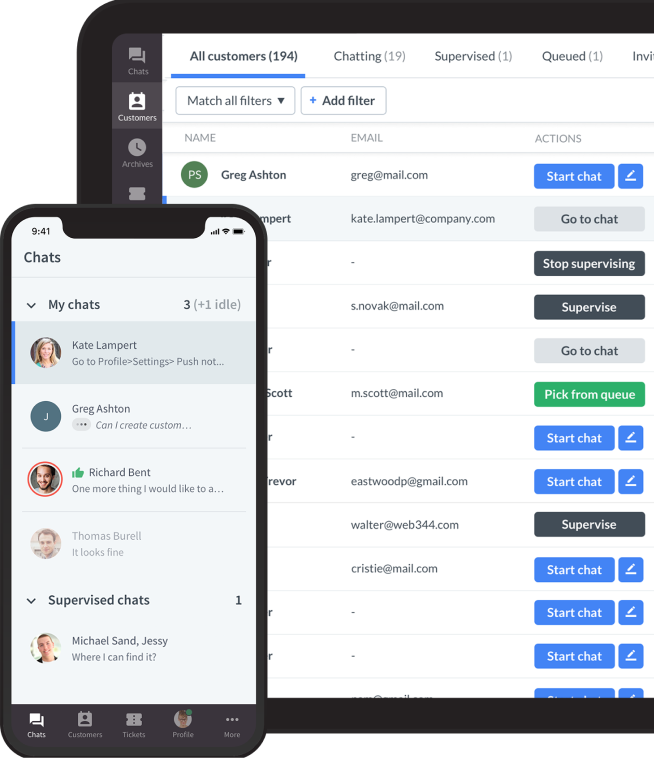
Connect with customers
LiveChat® is a complete customer service platform that delights your customers and fuels your sales.
Trusted by 36,000+ companies

Mobile experience and performance
Mobile traffic now accounts for the majority of visits on many WordPress sites, making live chat performance on smaller screens impossible to ignore. A user-friendly chat solution with a responsive chat interface is essential for delivering a seamless experience to mobile users.
A chat widget that works well on desktop but feels cramped, slow, or intrusive on mobile does more harm than good. On phones, visitors are less patient, more easily distracted, and quicker to abandon a page when something feels off.
Live chat needs to adapt to that reality rather than fight it.
Responsive chat design for small screens
On mobile, every pixel matters. A well-designed live chat plugin adjusts automatically to screen size, orientation, and touch interactions without covering important content or interrupting navigation.
Buttons need to be easy to tap, text must remain readable, and the chat window should feel like a natural extension of the page rather than an overlay competing for attention. When chat respects the site's layout, visitors are more likely to engage rather than close it out of frustration.
Page speed and load impact
Live chat scripts load on every page, making performance a critical consideration, especially on mobile networks where speeds vary widely. Poorly optimized widgets can delay page rendering, increase bounce rates, and quietly hurt conversions.
WordPress site owners should test how chat loads under real conditions, including slower connections and high traffic periods. Performance isn’t just a technical concern here; it directly affects whether visitors stay long enough to start a conversation.
Mobile tools for support teams
Mobile optimization also applies to the people answering chats. Many teams rely on mobile apps or browser-based dashboards to stay responsive outside office hours. Reliable mobile tools make it easier to handle conversations quickly, maintain context, and avoid missed messages. When agents can respond confidently from their phones, live chat becomes more flexible and dependable, especially for global audiences or small teams.
Messaging apps and mobile continuity
For many mobile users, messaging apps like WhatsApp or Messenger feel more natural than website-only chat. Plugins that support these channels allow conversations to continue even after visitors leave the site.
This continuity matters when decisions aren’t made in one session. When keeping context across channels, businesses avoid forcing customers to start over and create a smoother experience that matches how people actually communicate on mobile.
A strong mobile live chat experience feels intentional rather than adapted as an afterthought. It loads quickly, stays out of the way, and works just as smoothly for agents as it does for visitors. When performance and usability align, live chat supports conversions on mobile without becoming a distraction.
Analytics and reporting that actually change how you use chat
It’s easy to treat live chat analytics as a dashboard you glance at once a week. But on WordPress sites, chat data, including chat transcripts and past chat history, can explain why visitors hesitate, where pages create confusion, and which conversations quietly unlock conversions.
Chat transcripts can be anonymized, integrated with other tools, and used to monitor and improve customer service, making them essential for analyzing and enhancing your support experience. The difference comes down to how the data is framed and used.
Seeing patterns instead of isolated chats
Individual conversations rarely tell the full story. Reporting becomes useful when it reveals patterns across dozens or hundreds of chats. For example, if multiple visitors ask the same question about cancellation terms or delivery timelines, that’s not a support issue; it’s a content gap.
The most useful signals here include:
- Repeated questions across multiple sessions
- Spikes in chat volume on specific pages
- Similar objections raised by different visitors
Understanding where chat helps, and where it doesn’t
Not every chat interaction is a win. Strong analytics highlight when conversations lead to resolution and when they stall or move elsewhere. For instance, chats on pricing pages may convert quickly, while chats on technical pages often escalate to email.
Key indicators to watch:
- Resolution vs. escalation rates
- Average conversation length by page type
- Drop-offs after the first response
Using feedback as a diagnostic tool
Customer ratings and comments aren’t just satisfaction scores. When reviewed alongside transcripts, they show how tone, clarity, and timing affect perception. A correct answer delivered poorly often scores lower than a shorter, more human response.
Signals that matter most:
- Post-chat ratings paired with comments
- Mismatch between fast replies and low satisfaction
- Repeated tone-related feedback
Measuring automation with restraint
Automation metrics matter most when they show balance. A high AI resolution rate looks good until customers repeatedly ask to speak to a human. Analytics that surface these moments help teams tune their automation rather than overuse it.
Important automation signals include:
- AI resolution rate vs. escalation rate
- Number of bot messages before handoff
- Common questions automation fails to resolve
Connecting chat to on-site behavior
Some of the most valuable insights come from where chats begin. If many conversations start on checkout or pricing pages, the analytics point directly to hesitation or missing reassurance.
Watch closely for:
- Pages with the highest chat initiation rate
- Conversion steps that trigger questions
- Repeat concerns tied to the same content
Good analytics don’t just describe what happened. They influence what happens next. When reporting is clear and actionable, live chat becomes a feedback loop that reveals how visitors think, where they hesitate, and what helps them move forward, not just a record of conversations that already ended.
Connect with customers
LiveChat® is a complete customer service platform that delights your customers and fuels your sales.
Trusted by 36,000+ companies
Live Chat is becoming a core part of how WordPress sites convert
Live chat plugins are changing faster than most WordPress site owners realize. What used to be a simple support widget is evolving into a core layer of the on-site experience, one that shapes trust, answers doubts in real time, and influences whether visitors move forward or drop off.
Selecting the best live chat plugin, best chat plugin, or best live chat solution for your WordPress site is crucial for delivering exceptional customer support, increasing engagement, and driving conversions.
Looking ahead, the direction is clear. Live chat in 2026 and beyond will continue to blend automation with human support, connect more closely to on-site behavior, and rely on better data to guide decisions. The tools that win won’t be the loudest or the most complex. They’ll be the ones that show up at the right moment, stay out of the way when they’re not needed, and scale without breaking performance or trust.
For WordPress teams, that means choosing a live chat solution that’s built for growth, not just quick installation. One that handles higher traffic, supports proactive conversations, offers deep analytics, and balances AI with easy access to real agents. When live chat works this way, it stops being a cost center and becomes conversion infrastructure.
If you’re ready to treat live chat as more than a plugin, LiveChat is a strong place to start. With fast performance, advanced analytics, proactive messaging, and seamless WordPress integration, LiveChat helps you meet visitors at their moment of hesitation and turn that moment into action.
Explore how LiveChat works on WordPress and see how real-time conversations can drive better experiences and better results.