


Two WordPress sites can use the same plugins and still do completely different things. One focuses on content and SEO. Another sells physical products. A third runs online courses or digital downloads. The difference isn’t the tools themselves. It’s how they’re combined.
That’s why this article doesn’t try to define a single “correct” WordPress setup. Instead, it treats plugins as building blocks. Each category serves a clear purpose: visibility, speed, security, sales, communication, and, depending on your goals, some blocks matter more than others. The result is a setup that adapts to what your site actually needs, not what’s trending in plugin directories.
This guide presents a modular WordPress plugin stack for 2026. It starts with the essentials, then shows how ecommerce, live chat, reviews, analytics, and even digital products fit into the same framework.
In this article, you’ll learn:
- Which WordPress plugins form a strong foundation for SEO, performance, and security
- How to build a fast, stable site without overloading your plugin stack
- Where live chat fits into ecommerce and customer communication
- How reviews and analytics support trust and better decisions
The catalog is intentionally open. You won’t need every plugin listed here. But understanding how each category works makes it much easier to build a site that’s fast, stable, and ready to grow.

Top 14 Best plugins for WordPress in 2026
Building a WordPress site in 2026 isn’t about installing as many plugins as possible. It’s about choosing the right combination of tools and understanding the role each one plays. Two sites can use the same plugins and still achieve completely different outcomes, content growth, ecommerce revenue, or digital products, depending on how those tools are used together.
That’s why the plugins below are grouped by function, not popularity. Each category solves a specific problem, from visibility and speed to security, communication, and trust. Some plugins form the foundation every site needs.
Others only become relevant once your site grows or starts generating revenue. Curated lists of popular WordPress plugins help users quickly identify the right tools for their specific needs and ensure they are choosing well-supported solutions.
Before diving in, a few practical principles are worth keeping in mind:
- Install plugins in layers, not all at once. Start with SEO, performance, and security before adding ecommerce, chat, or automation. This makes troubleshooting far easier later.
- Test plugins one category at a time. After installing or updating a plugin, check page speed, layout consistency, and core user flows. Small issues compound quickly when multiple tools change at once.
- Avoid overlapping functionality. Two plugins that do “almost the same thing” often cause conflicts and slowdowns. Choose one clear owner per function.
- Treat performance and compatibility as ongoing work. Even well-chosen plugins need tuning as your site evolves, traffic grows, and new features are added.
This list isn’t meant to lock you into a fixed setup. Think of it as a modular toolkit that includes the best free WordPress plugins and popular plugins trusted by the community.
You can start with the essentials and expand as your goals evolve. Whether you’re building a content-focused site, an online store, or a platform for selling courses, the sections that follow explain why a plugin belongs in your stack, not just what it does.
We’ll start with the layer every successful WordPress site depends on: visibility and structure.
SEO and link management plugins for WordPress
Before performance tweaks, conversion experiments, or monetization strategies come into play, a WordPress site needs a solid foundation in search visibility and content structure. If search engines struggle to understand your pages or users can’t move through your content naturally, every other optimization delivers diminishing returns.
That’s why SEO and link management plugins belong at the very beginning of your stack.
After Yoast, another top contender for the best WordPress SEO plugin is All in One SEO. This popular WordPress SEO plugin is widely recognized for its comprehensive SEO features and user-friendly interface. All-in-One SEO allows users to perform on-page optimization by easily adding meta titles, descriptions, and keywords.
The plugin also provides on-page analysis and site audits to help identify potential SEO issues, making it a powerful SEO plugin for improving WordPress SEO. Additionally, All in One SEO supports WooCommerce, enabling online stores to boost their search rankings with dedicated tools and schema support. Its clear explanations and intuitive design make it accessible for beginners and advanced users alike.
Plugins for managing WordPress code snippets can also be used alongside SEO tools to insert custom SEO enhancements or structured data, giving you more control over how your site appears in search results.
Yoast: on-page structure and search clarity
Yoast focuses on the fundamentals that determine whether your content is discoverable and readable. It helps you shape pages around clear signals: titles, meta descriptions, headings, internal links, and content hierarchy. This isn’t about chasing algorithms. It’s about making your site understandable at scale.
As your site grows from a handful of pages to dozens or hundreds, consistency becomes critical. Yoast enforces that consistency. Every article, product page, or landing page follows the same structural logic, which makes indexing more reliable and content maintenance far easier over time.
Another advantage is decision support. Yoast surfaces issues early, such as missing metadata, weak internal linking, or unclear focus topics. Fixing these problems later, when traffic and content volume increase, is always more expensive.

Pretty Links: control over internal and affiliate paths
Pretty Links addresses a different but equally important part of SEO: link control. Over time, WordPress sites accumulate links everywhere. Blog posts reference older articles. Product pages link to campaigns. Affiliate URLs appear across multiple pages.
Without a management layer, links become fragile. Updating destinations means manual edits. Tracking performance becomes guesswork. Pretty Links centralizes this logic. You create clean, readable URLs that can be reused, redirected, or updated without touching the original content.
Another useful tool for managing URL redirects and preventing broken links is the Redirection plugin, which makes redirection management simple and helps maintain a healthy site structure.
This is especially useful for:
- Internal linking strategies that evolve over time
- Affiliate marketing and sponsored content
- Campaign-specific URLs that need flexibility
From an SEO perspective, controlled links reduce errors, prevent broken paths, and support clearer site architecture.

Why SEO comes before traffic, not after
A common mistake is treating SEO as something to “add later,” once traffic appears. In reality, SEO plugins define how website traffic arrives in the first place by improving your site's visibility and discoverability in search engines. They influence how pages are indexed, how authority flows internally, and how users navigate between related content.
There’s little value in optimizing performance or refining conversion funnels if search engines and users can’t reliably find your pages. Visibility and structure come first. Everything else builds on top of that.
SEO and link management plugins at a glance
| Plugin | Primary role | Best used for |
|---|---|---|
| Yoast | On-page SEO and content structure | Titles, meta descriptions, headings, internal links |
| Pretty Links | Link management and redirection | Internal links, affiliate URLs, campaigns |
| Combined value | Visibility and navigational clarity | Scalable SEO foundation for growing sites |
Performance and caching plugins for WordPress
Speed shapes how people experience your site long before content or design matters. Slow pages increase bounce rates, weaken SEO signals, and quietly undermine conversions. The configuration and performance of your web server also play a crucial role in site speed, security, and the effectiveness of caching and image optimization plugins.
To address these issues, using a WordPress caching plugin is essential. A good caching plugin can dramatically improve your website’s speed and performance by storing static versions of your pages, reducing server load, and delivering content to visitors faster. Popular caching plugins like WP Rocket, W3 Total Cache, and LiteSpeed Cache are widely recommended for optimizing WordPress sites.
Performance optimization plugins like these significantly enhance website loading speed, improve core web vitals, and enhance the user experience.
In WordPress, performance issues rarely come from a single cause. They’re usually the result of unoptimized images, unnecessary scripts, and plugins that don’t play well together.
That’s why performance and caching tools should focus on speed without sacrificing usability or design.
EWWW and Smush: image optimization without visual compromise
Images are often the heaviest elements on a WordPress page. High-resolution photos, banners, product galleries, and page builder sections can quickly push load times beyond what users tolerate.
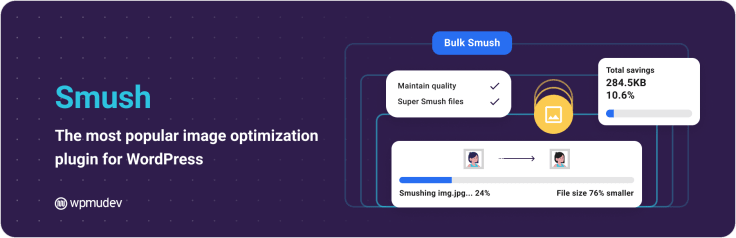
Smush is widely recognized as the best WordPress image optimization plugin, automatically optimizing images as soon as they are uploaded to the Media Library. EWWW and Smush address this problem at the source.
Both tools automatically compress images, resize them appropriately, and reduce file size without visibly degrading quality. This matters especially for ecommerce pages and content-heavy layouts, where visuals support storytelling and sales. Optimizing images early prevents performance issues as your media library grows.
Image optimization is also one of the safest performance improvements you can make. It doesn’t alter layouts, interfere with themes, or disrupt functionality. It simply makes existing assets lighter and faster to deliver.
Performance plugins must coexist with your stack
Performance optimization doesn’t happen in isolation. Page builders, live chat tools, analytics scripts, and ecommerce features all add JavaScript and external requests. Having too many plugins can negatively impact site speed and performance, so it's important to select quality plugins and avoid unnecessary ones. Performance plugins must work with these tools, not against them.
This is especially relevant for live chat and analytics. Chat widgets rely on real-time loading and user interaction. Analytics tools need scripts to fire correctly to track behavior. Poorly configured caching or script minification can delay chats, distort metrics, or block features entirely.
Fast pages aren’t just a technical win. They make live chat feel responsive and analytics data more reliable. If a page loads slowly, visitors leave before engaging, and tracking tools never capture meaningful signals.

Hummingbird: caching and performance fine-tuning
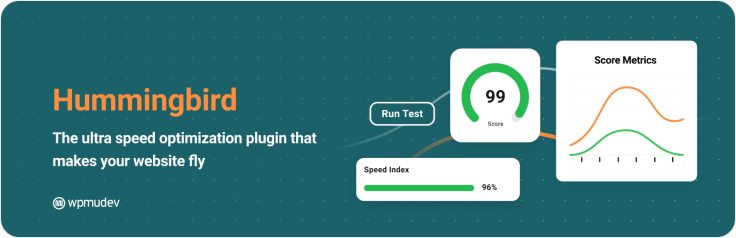
While image optimization reduces page weight, caching reduces the frequency with which WordPress needs to rebuild pages from scratch. Hummingbird focuses on this layer, handling browser caching, file minification, and performance diagnostics.
Used correctly, caching smooths out page loads for returning visitors and reduces server strain during traffic spikes. This becomes increasingly important as you add dynamic elements such as live chat widgets, analytics scripts, and ecommerce tracking.
The key is balance. Over-aggressive caching can conflict with page builders, logged-in user experiences, or real-time features. Hummingbird provides granular control, allowing you to improve performance without freezing dynamic content or breaking layouts.
Performance plugins at a glance
| Plugin | Primary role | Best used for |
|---|---|---|
| EWWW | Image compression and optimization | Media-heavy pages, product images, galleries |
| Smush | Automated image optimization | Blogs, landing pages, and visual content |
| Hummingbird | Caching and performance tuning | Load times, script optimization, diagnostics |
| Combined Value | Faster pages without UX tradeoffs | Stable performance across builders and plugins |
Performance and caching plugins don’t make a site better on their own. They make everything else work as intended. When pages load quickly, live chat engages faster, analytics reflect real behavior, and the rest of your plugin stack can do its job properly.
Security and backup plugins for WordPress
A WordPress site can be fast, well-designed, and easy to navigate, and still fail if it isn’t protected. Security and backups don’t usually affect day-to-day user experience, but they determine whether your site survives problems when something goes wrong.
Using a dedicated security plugin is essential for protecting WordPress sites from hacking attacks. Security plugins like Sucuri and Wordfence offer critical features, including malware scanning, firewalls, and protection against brute-force and DDoS attacks.
Sucuri Security is one of the best WordPress security plugins, offering enterprise-grade protection with a cloud-based Web Application Firewall and comprehensive monitoring for malware, DDoS, and brute-force attacks. Wordfence is a popular alternative that also offers robust security features.
Plugins like Two-Factor add multi-factor authentication, while Login Lockdown limits login attempts to further secure your site. Security plugins often include tools to monitor and remove spam comments as part of their overall protection. For best results, always use strong passwords, keep plugins up to date, and choose solutions with robust documentation to ensure reliability.
UpdraftPlus is a widely used WordPress backup plugin that performs automatic backups and simplifies restoration. It allows users to back up their WordPress site to various cloud storage services.
In 2026, stability and peace of mind are part of optimization, not optional extras.
Security: Wordfence as a baseline layer
Wordfence provides a practical security foundation for WordPress sites of all sizes. It focuses on the most common risks: malicious login attempts, outdated plugins, vulnerable themes, and suspicious traffic. Instead of relying on manual checks, Wordfence monitors activity continuously and blocks threats before they escalate.
Security plugins matter even for small sites. In fact, smaller sites are often targeted precisely because they’re less protected. Automated attacks don’t discriminate between high-traffic stores and personal blogs. They look for weak points, not popularity.
By adding a security layer early, you reduce the risk of downtime, data loss, and costly clean-ups later. It also protects the integrity of other plugins in your stack, including ecommerce, live chat, and analytics tools that depend on a stable environment to function properly.

Backups: UpdraftPlus and reliable recovery
No matter how careful you are, things can still break. Updates fail. Plugins conflict. Servers go down. That’s where backups stop being a technical detail and start becoming a business safeguard.
UpdraftPlus simplifies backup management by automating the process and storing copies of your site off-server. When something goes wrong, recovery doesn’t mean rebuilding pages, re-uploading media, or manually restoring configurations. It means rolling back to a working version and moving on.
Backups aren’t just insurance against attacks. They protect you from everyday risks, such as failed updates or accidental changes. From an optimization perspective, this safety net encourages iteration. You can improve performance, test new plugins, or adjust layouts knowing you can revert if needed.

Security and backup plugins at a glance
| Plugin | Primary role | Best used for |
|---|---|---|
| Wordfence | Site protection and monitoring | Blocking attacks, login security, alerts |
| UpdraftPlus | Automated backups and recovery | Updates, migrations, and failure recovery |
| Combined value | Stability and peace of mind | Protecting growth and long-term maintenance |
Security and backups rarely get attention when everything works. But they define how quickly you recover when something doesn’t. A stable WordPress site isn’t just one that performs well today; it’s one that can withstand problems tomorrow.
Analytics and insights plugins for WordPress
Optimization only works when it’s guided by evidence. Without analytics, decisions are based on assumptions rather than outcomes. In WordPress, analytics tools turn activity into insight, showing what people visit, where they hesitate, and what actually leads to conversions.
The goal isn’t to collect more data. It’s to understand what works and why.
MonsterInsights: analytics inside WordPress
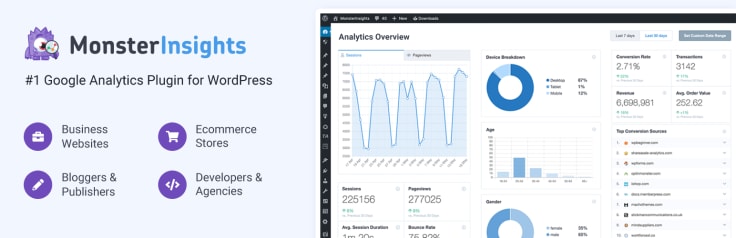
MonsterInsights brings Google Analytics directly into the WordPress dashboard, lowering the barrier to regularly using data. Instead of switching tools or interpreting raw reports, you see key metrics where you already work: traffic sources, popular pages, user behavior, and conversion events.
This matters because analytics only create value when they’re used. When making performance visible inside WordPress, MonsterInsights helps site owners spot patterns early. Which content attracts engaged visitors? Which pages lose attention? Which campaigns bring traffic that actually converts?
For ecommerce sites, it also connects browsing behavior with revenue, showing how visitors move from landing pages to product views and checkouts.
Connecting traffic, content, and conversions
Analytics become more useful when viewed as a system rather than isolated numbers. Traffic shows how users arrive. Content reveals what keeps them engaged. Conversions indicate where value is created.
When these signals are connected, optimization becomes clearer. You can identify which blog posts support sales, which landing pages assist conversions, and which content generates interest but needs better follow-up. This perspective prevents over-optimizing vanity metrics and keeps focus on outcomes that matter.
Why chat data belongs in the same view
Live chat interactions add another layer to analytics. Chats often happen at moments of hesitation: pricing questions, feature clarification, checkout concerns. Looking at chat activity alongside page views and ecommerce data reveals context that numbers alone can’t show.
For example, a high-exit product page paired with frequent chat questions may point to missing information. A spike in chats during checkout can indicate friction in the purchase flow. Without analytics, these signals stay disconnected.
When chat, content, and conversion data are viewed together, decisions become grounded in real behavior. Analytics stop being reports and start becoming a feedback loop.
Analytics tools at a glance
| Plugin | Primary role | Best used for |
|---|---|---|
| MonsterInsights | Google Analytics integration | Traffic analysis, content performance, conversions |
| Combined value | Actionable insights | Connecting visits, behavior, and outcomes |
Analytics don’t tell you what to change on their own. They show you where to look. When data from pages, ecommerce, and live chat come together, optimization stops being guesswork and starts becoming intentional.
Page building and layout plugins for WordPress
How you build pages in WordPress affects everything that comes after: performance, SEO, and how well plugins work together.
Page builders aren’t just design tools. They shape the structure of your site and influence how flexible or fragile your setup becomes over time.
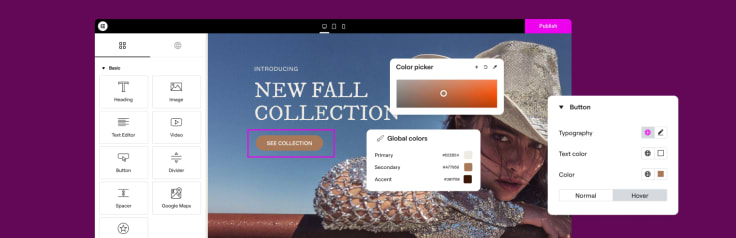
Modern page builders leverage WordPress blocks and often feature drag-and-drop interfaces, allowing users to visually create and customize layouts, landing pages, and themes without coding. For example, Elementor is a drag-and-drop page builder for custom designs in WordPress.
The goal is flexibility without relying on a developer for every change. Page builders and plugins can help you modify template files and WordPress themes, enabling unique designs and advanced customizations. You can also use these tools to create and customize login pages, enhancing your site’s branding and user experience.
Elementor and WebsiteBuilder: control without Code
Elementor and WebsiteBuilder give non-technical teams control over layouts, content, and structure. Both tools are known for their straightforward setup, making it easy for users to install and configure them quickly without technical difficulties. Pages can be created, adjusted, and tested without touching code, which speeds up iteration and reduces dependency on developers for routine updates.
SeedProd offers a drag-and-drop page builder that lets users edit any part of their page design.
This flexibility is especially valuable for growing sites. Landing pages evolve. Product pages change. Content formats shift. Builders make these changes possible without redesigning templates from scratch or risking breakage with manual edits.
Builders, performance, and SEO
Page builders introduce additional markup and scripts, which directly impact performance and SEO. Used thoughtfully, they provide flexibility without major drawbacks. Used carelessly, they can slow pages down and complicate optimization.
This is where earlier decisions matter. Image optimization, caching, and SEO plugins need to work smoothly with your builder. Clean layouts, limited nesting, and consistent structure make it easier for search engines to interpret pages and for performance tools to do their job.

Plugin compatibility starts with the builder
Many plugin conflicts originate at the layout level. Live chat widgets, ecommerce elements, analytics scripts, and forms all need predictable page structures to load correctly. Choosing a page builder early helps avoid these conflicts.
When the builder is selected upfront, the rest of the plugin stack can be tested and configured around it. Performance tools can be tuned correctly. Chat widgets appear where expected. Tracking scripts fire reliably. Changing builders later often means revisiting every optimization decision.
Page builders at a glance
| Plugin | Primary role | Best used for |
|---|---|---|
| Elementor | Visual page building | Landing pages, product layouts, and content design |
| WebsiteBuilder | Simplified layout management | Quick setup, non-technical teams |
| Combined value | Flexible site structure | Consistent layouts across plugins and tools |
Page builders define how your WordPress site is assembled. Choosing one early reduces friction across the entire stack, making future optimization easier and more predictable.
Reviews and social proof plugins for WordPress
Trust often decides whether a visitor moves forward or walks away. When people reach a decision point, they look for signals that confirm they’re making the right choice. Reviews and social proof provide that confirmation, especially when direct experience with a brand is still limited.
For example, Shared Counts is a cool WordPress plugin for social sharing that helps increase traffic and engagement on websites. The goal isn’t to impress. It’s to reassure at the exact moment it matters.
Site Reviews: feedback that builds credibility
Site Reviews makes it easy to collect and display customer feedback directly on a WordPress site. Instead of relying solely on third-party platforms, reviews become part of your own content and design. They can appear on product pages, service descriptions, or alongside key calls to action.
This visibility matters because reviews answer questions that marketing copy can’t. They show how others experienced the product, the service, or the interaction itself. Even a small number of honest reviews can reduce hesitation by replacing uncertainty with familiarity.

Why Reviews work across different site types
Reviews aren’t exclusive to ecommerce. They support trust across nearly every WordPress use case.
For online stores, reviews validate product quality, delivery, and support.
For service-based businesses, they confirm reliability and expertise.
For content and educational sites, they reinforce authority and usefulness.
In each case, the function is the same. Reviews shorten the distance between interest and confidence.
Reviews, SEO, and conversions
Social proof also supports discoverability. Reviews add fresh, user-generated content that search engines can index. They introduce natural language, long-tail keywords, and context that strengthen SEO over time.
From a conversion perspective, reviews influence decisions without interrupting the flow. They work quietly in the background, reinforcing trust while visitors browse or compare options.
When paired with ecommerce and live chat data, reviews also highlight where expectations are being met or where clarity is missing.
Reviews at a glance
| Tool | Primary role | Best used for |
|---|---|---|
| Site Reviews | Collecting and displaying feedback | Products, services, and content credibility |
| Combined value | Social proof and reassurance | Trust at key decision points |
Reviews don’t close sales on their own. They make decisions easier. When visitors see real experiences reflected back at them, hesitation fades, confidence grows, and conversions follow naturally.
E-commerce and customer communication plugins for WordPress
Traffic only becomes valuable when it turns into action. In ecommerce, that action is a purchase, and the path from browsing to checkout is where most sites lose momentum.
Small moments of hesitation, unanswered questions, or unclear information are often enough to stop a sale. Optimizing your ecommerce store with the right plugins is essential to streamlining the buying process and boosting conversions.
That’s why ecommerce and customer communication should be designed together. E-commerce works best when buying questions are answered before hesitation turns into abandonment.
Online stores: WooCommerce as the foundation
WooCommerce remains the backbone of WordPress ecommerce. E-commerce websites are essential for selling products and services online, and WooCommerce provides robust support for building and managing these online storefronts.
It provides the structure needed to manage products, payments, shipping, and orders while remaining flexible enough to support a range of business models, from physical goods to subscriptions and digital products.
WooCommerce allows you to sell any type of product or service directly from your WordPress site. It is fully customizable and can be extended with a wide variety of plugins and themes to fit your business needs.

WooCommerce integrates seamlessly with popular payment gateways like PayPal and Stripe, making transactions easy and secure. Additionally, it offers a wide range of official extensions to enhance its functionality, from advanced shipping options to marketing tools.
Most ecommerce friction doesn’t come from missing features. It comes from uncertainty during browsing and checkout. Visitors hesitate when they’re unsure about pricing details, delivery options, returns, product compatibility, or next steps after purchase. These moments often happen outside formal support channels, right when a customer is deciding whether to proceed.
WooCommerce handles transactions well, but it doesn’t resolve doubts on its own. That’s where communication becomes part of the conversion flow, not an add-on.
LiveChat and real-time support that converts
LiveChat works alongside WooCommerce as a real-time communication layer, providing clarity when customers need it. Instead of forcing visitors to search FAQs or send emails, live chat gives them a fast, low-effort way to ask questions while they’re still engaged. LiveChat can also help manage customer communication across various social media platforms, making it easier to connect with customers wherever they are.
This support isn’t limited to post-purchase issues. In practice, many chats happen before a sale is completed. Product comparisons. Payment questions. Shipping timelines. Live chat shortens the distance between interest and confidence, which directly affects conversion rates.

Live chat also adapts to how customers communicate today. Conversations don’t always start and end on the website. Multichannel messaging enables ongoing discussions across platforms like email and messaging apps without losing context. For ecommerce teams, this continuity matters. It prevents repeated questions and keeps conversations moving forward instead of restarting.
Analytics add another layer of value. Chat interactions reveal where customers hesitate most and which pages generate the most questions. When viewed alongside WooCommerce data, these insights highlight friction points that numbers alone might miss.
The result isn’t just better customer service. It’s a smoother buying experience.
E-commerce and communication at a glance
| Tool | Primary role | Best used for |
|---|---|---|
| WooCommerce | E-commerce infrastructure | Products, payments, checkout, order management |
| LiveChat | Real-time customer communication | Pre-purchase questions, sales support, trust |
| Combined value | Revenue-focused experience | Reducing friction before checkout |
E-commerce doesn’t fail because people aren’t interested. It fails because uncertainty lingers too long. When WooCommerce handles transactions and live chat handles questions in real time, buying feels easier, and easier buying leads to better results.
Selling digital products and courses plugin for WordPress
Not every WordPress plugin belongs in a universal setup. Some tools are purpose-built for specific business models, and LearnPress is a good example. It’s not a general-purpose plugin like SEO, caching, or ecommerce tools. Instead, it’s designed specifically for selling online courses and digital education products. For selling courses and managing access, a membership plugin is often essential for automating enrollments and protecting premium content.
MemberPress is a powerful membership plugin that allows you to create subscription-based content.
That specialization is exactly what makes it valuable when the use case fits.
When LearnPress makes sense
LearnPress is a WordPress learning management system (LMS) plugin. It’s best suited for sites that monetize knowledge rather than physical goods.
This includes:
- Online courses and training programs
- Paid workshops or certifications
- Educational content is sold as structured lessons
- Internal training portals or onboarding programs
If your site’s primary goal is content publishing or ecommerce, LearnPress isn’t a first-choice plugin. But if selling courses or digital education is part of your growth plan, it becomes a core piece of the stack.
Selling digital products and courses presents challenges different from those of selling physical items. Customers often need clarity before purchasing: course structure, skill level, access duration, certificates, or post-purchase support. LearnPress addresses these needs by organizing content into courses, lessons, and quizzes, creating a clear learning path instead of a simple download.
From a business perspective, this structure increases perceived value. You’re not just selling files. You’re selling outcomes.

How LearnPress fits into a broader WordPress stack
LearnPress doesn’t replace ecommerce or communication tools. It complements them.
- WooCommerce can handle payments and product management for courses.
- Live chat supports pre-purchase questions, onboarding, and access issues.
- Analytics reveal which courses attract interest and where learners drop off.
- SEO plugins help course pages get discovered organically.
- WordPress Importer is a plugin for importing content such as posts, pages, and custom data from export files. It’s especially useful for importing course content, demo data, or migrating educational material into your site.
This combination allows digital products to be sold with the same level of clarity, trust, and support as physical products, sometimes more.
LearnPress shouldn’t be treated as a default plugin for every WordPress site. Its value comes from focus. When your site moves into education or digital learning, a specialized tool is more effective than trying to force general ecommerce plugins to handle complex learning flows.
If selling courses or digital products is part of your roadmap, LearnPress is worth considering. If not, it’s perfectly fine to skip it.
That’s the logic behind this entire plugin list: choose tools by purpose, not by popularity.
Which WordPress Plugin Is Right For You?
| If you want to: | Start with this plugin |
|---|---|
| Improve search visibility and structure your content for SEO | Yoast |
| Manage and update internal or affiliate links at scale | Pretty Links |
| Speed up your site by optimizing images automatically | EWWW or Smush |
| Improve load times with caching and performance tuning | Hummingbird |
| Protect your site from attacks and suspicious activity | Wordfence |
| Create reliable backups and recover quickly from errors | UpdraftPlus |
| Understand traffic, content performance, and conversions | MonsterInsights |
| Build and edit pages without relying on a developer | Elementor or WebsiteBuilder |
| Launch and manage a WordPress online store | WooCommerce |
| Answer visitor questions in real time and reduce cart abandonment | LiveChat |
| Collect and display customer reviews to build trust | Site Reviews |
| Sell online courses and structured digital education products | LearnPress |
Connect with customers
LiveChat® is a complete customer service platform that delights your customers and fuels your sales.
Trusted by 36,000+ companies

Build a stack that works together
A functional WordPress site in 2026 isn’t defined by how many plugins you install. It’s defined by how well they work together. From the initial WordPress installation, it’s crucial to optimize and secure your entire site to ensure smooth performance and comprehensive protection. SEO brings visibility.
Performance keeps people engaged. Security and backups protect progress. Analytics show what’s actually working. E-commerce turns interest into revenue. Reviews and social proof build trust when decisions are made.
WP Migrate is a plugin that simplifies moving a WordPress site from one location to another.
Customer communication ties all of this together.
Live chat plays a unique role in that stack. It sits at the exact moment where browsing turns into buying and questions turn into confidence. When visitors can ask and get answers in real time, fewer decisions are stalled, and fewer carts are abandoned.
Combined with ecommerce data and analytics, live chat also reveals where friction still exists, so you can keep improving instead of guessing.
If you’re building or refining a WordPress ecommerce site, adding live chat isn’t about “more support.” It’s about making buying easier.
See how LiveChat fits into your WordPress stack and start answering customer questions before they turn into drop-offs.