
OAPPS for WhatsApp 4.1
Support your customers via WhatsApp with LiveChat
- LiveChat

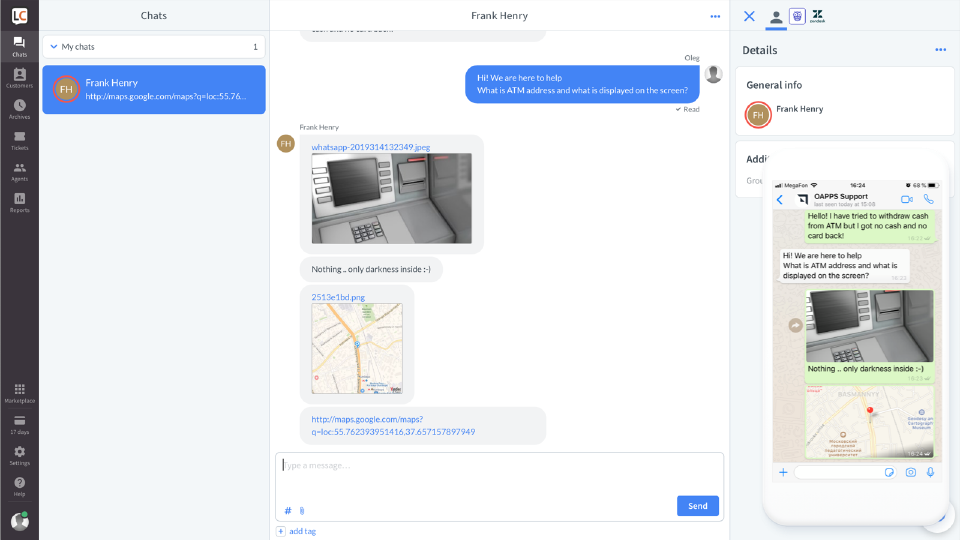
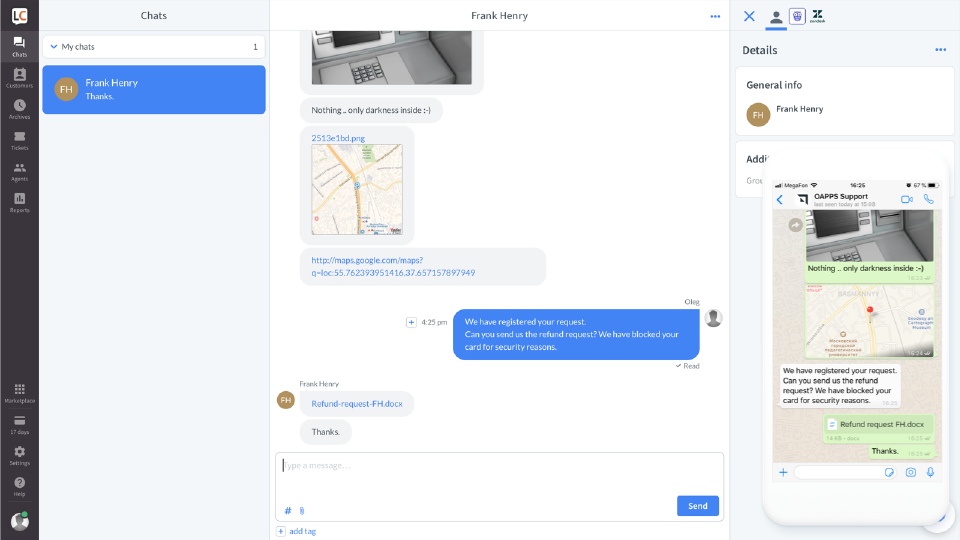
Connect your WhatsApp channel to your LiveChat instance in minutes. Your users will be able to chat with your company via WhatsApp, while your agents will continue to use LiveChat in the background.
The app supports sending and receiving all kinds of media:
- Text messages
- Photos
- Voice recordings
- Documents
- Locations
The app is in no way affiliated with, authorized, maintained, sponsored or endorsed by WhatsApp or any of its affiliates or subsidiaries. This is an independent integration.
Note: You must comply with Whatsapp Business policy
https://www.whatsapp.com/legal/business-policy/
Key features
Use Official WhatsApp API to connect your Business WA numbers.
Most of WhatsApp messages are supported. With a couple of clicks, your clients can send you a photo or report their location. Users can post images, locations, voice records, and other files.
Supported media:
- Simple text messages
- Pictures
- Locations
- Documents
- Audio messages
- Video files (.mp4)
Not supported:
- Phone and Video calls
- Live locations
Yo can connect 10 or even more WhatsApp accounts for the same price.
Benefits
Most of your customers have WhatsApp. Let them use it to chat with your business.
Your agents now can enjoy the only instrument to chat via WhatsApp or any other channel connected to the LiveChat platform. No need to switch between tools and services.
What's new
[4.1.0] - 2023-11-08
Improvements
- Connect to 10 WA accounts
- Better reliability
App terms
Legal Terms
By installing this app, you agree to the Marketplace Terms and App Privacy Policy.
Support
How to use this app
Follow the app tutorial with setup instructions on how to use and properly configure this app with your LiveChat account. To get help and support contact OAPPS. You can also suggest improvements or request new features in the upcoming versions of OAPPS for WhatsApp 4.1.
Frequently asked questions
What does the “Verified” status mean?
In LiveChat, we always appreciate creative and problem-solving apps, so at our own sole discretion, from time to time, we may grant some applications the “Verified” status (represented by a badge or so-called badged applications). The “Verified” status confirms only that an application went through our usability review from the user's perspective. In any case, it is the Application Provider who has full responsibility for the application and its security level towards clients and any other third party.