
TeamViewer
Remotely access and control your visitors’ desktops.
- LiveChat

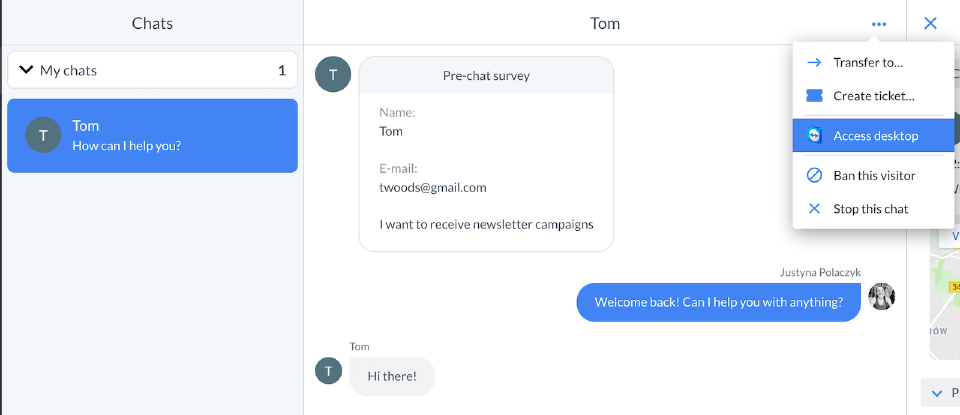
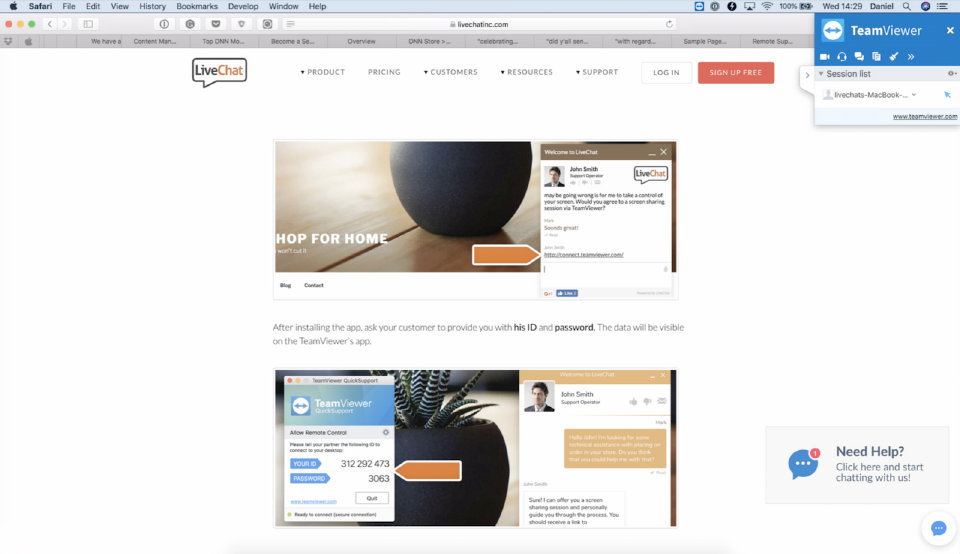
The TeamViewer integration allows you to get access to customers’ screens with just a few simple clicks. Thanks to it, you will be able to help them everytime they are struggling with an issue, don't have time to explain it to you or aren’t able to resolve it on their own.
TeamViewer is a desktop solution that can connect any PC, server, or device on any platform globally in a few seconds. The software can help to reduce travel costs and downtime by keeping all your people and devices connected.
The tool lets you access your office PC from the road, participate in video conferencing across town, or share your screen for remote support from the other side of the world. TeamViewer’s dedication to security means you won’t have to worry whether confidential files or sensitive information is at risk when connecting to devices. All connections and data are private.
Key features
It takes one click to integrate LiveChat with TeamViewer. Just to make your life easier, we will also automatically provide your customers with the exact instructions on how to enable a screen sharing session with you. How awesome is that?
With our TeamViewer integration you can be sure that you'll be able to provide your customers with the quality assistance – whenever they need it. All of that with one of the most reliable and trusted screen-sharing software on the market!
In addition to the instant, over-the-chat support that you already offer to your clients, now you can elevate your Customer Service to an entirely new level. Integrate LiveChat with TeamViewer and make sure that no issue will stay unresolved.
Benefits
You can access customer's browser window in real-time, resolve chats faster and leave your customers delighted.
TeamViewer seamlessly integrates with LiveChat, making it easy to immediately understand what issue the customer is having.
Use this integration to save both your and your customer’s time, which can result in closing more sales!
App terms
Legal Terms
By installing this app, you agree to the Marketplace Terms.
Support
How to use this app
Follow the app tutorial with setup instructions on how to use and properly configure this app with your LiveChat account. To get help and support contact Text. You can also suggest improvements or request new features in the upcoming versions of TeamViewer.
Frequently asked questions
What does the “Verified” status mean?
In LiveChat, we always appreciate creative and problem-solving apps, so at our own sole discretion, from time to time, we may grant some applications the “Verified” status (represented by a badge or so-called badged applications). The “Verified” status confirms only that an application went through our usability review from the user's perspective. In any case, it is the Application Provider who has full responsibility for the application and its security level towards clients and any other third party.