
UPS Delivery Status
This app detects UPS tracking numbers within a chat and shows their delivery statuses.
- LiveChat
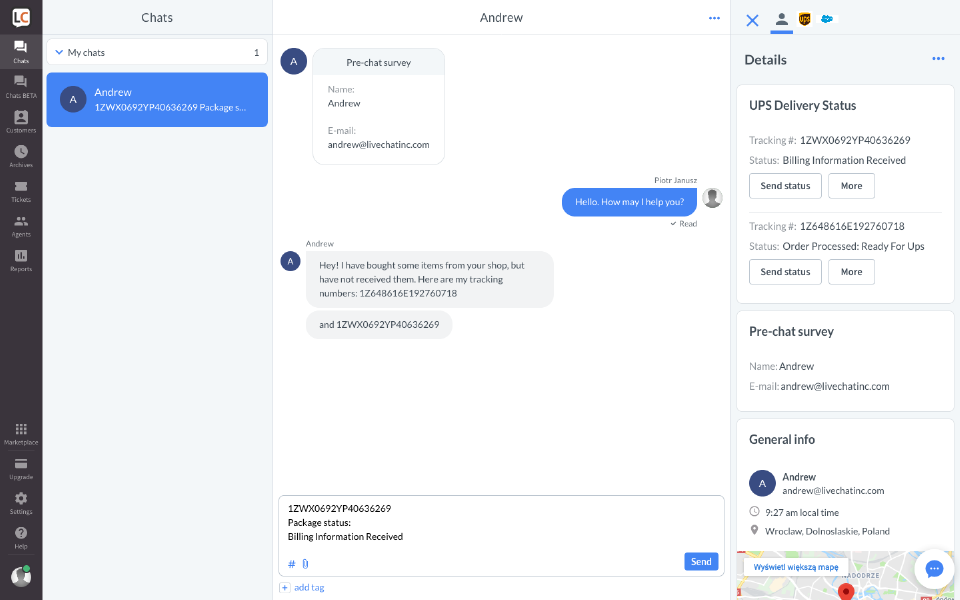
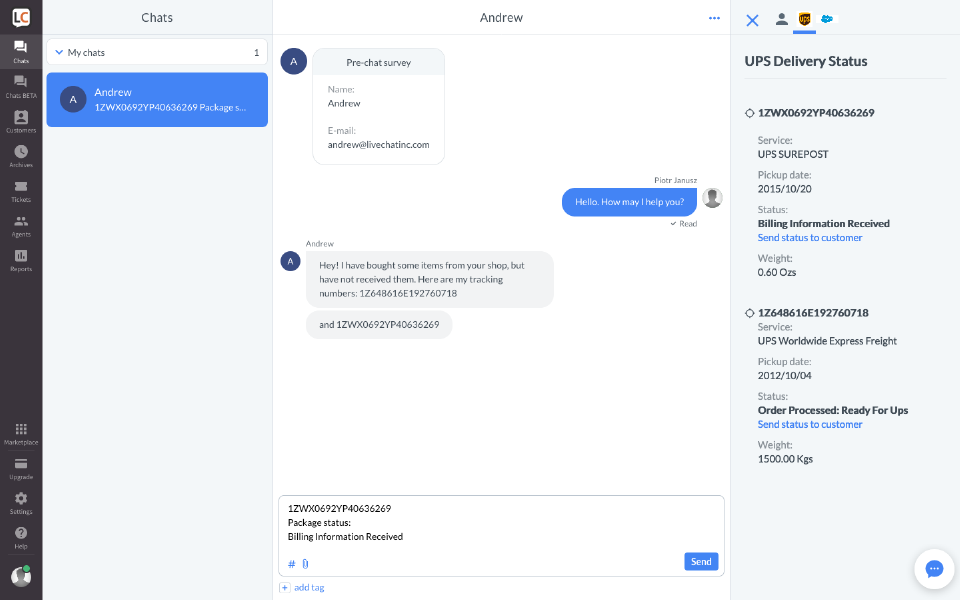
This app detects UPS tracking numbers within a chat and shows delivery statuses for them. Package information is shown in the Details column right next to the conversation so you don’t have search for it elsewhere. The delivery status can be easily shared with a customer.
Please note that the app will show up only during a chat since it is located in the Details.
Key features
The app presents a delivery status based on a detected tracking number in a chat.
The app allows to easily share the status with a customer by sending it as a message in a chat.
Benefits
You don’t have to copy tracking number of a package from a chat and search for it in a different tab. This approach is faster and more convenient.
Quick service means happy customers.
App terms
Legal Terms
By installing this app, you agree to the Marketplace Terms.
Support
How to use this app
To get help and support contact Text. You can also suggest improvements or request new features in the upcoming versions of UPS Delivery Status.
Frequently asked questions
What does the “Verified” status mean?
In LiveChat, we always appreciate creative and problem-solving apps, so at our own sole discretion, from time to time, we may grant some applications the “Verified” status (represented by a badge or so-called badged applications). The “Verified” status confirms only that an application went through our usability review from the user's perspective. In any case, it is the Application Provider who has full responsibility for the application and its security level towards clients and any other third party.