
Link Shortener
Shorten your links inside the Message Box without leaving LiveChat app.
- LiveChat
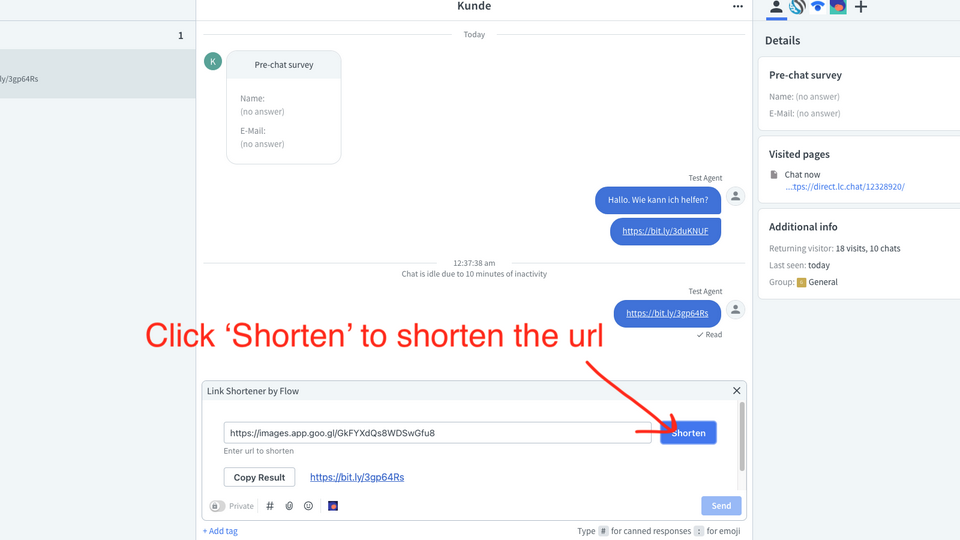
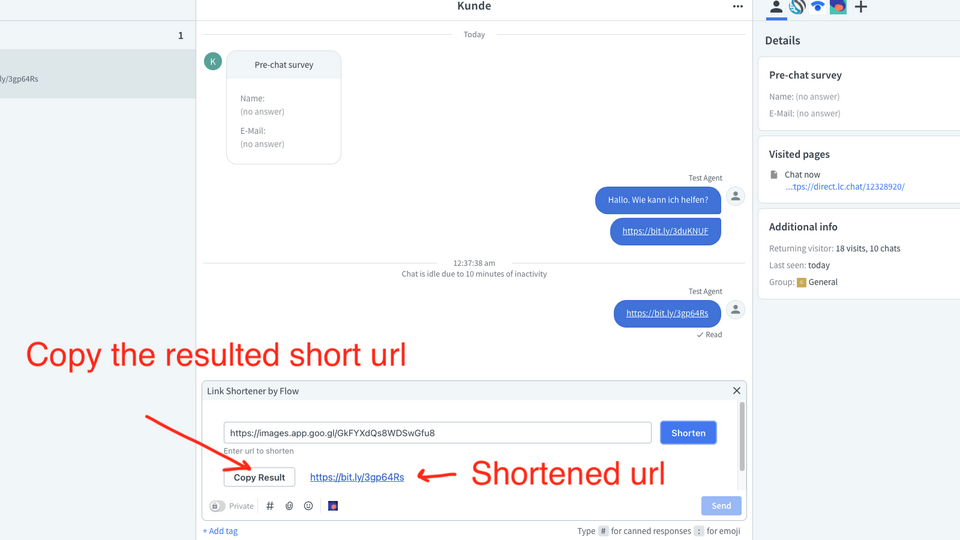
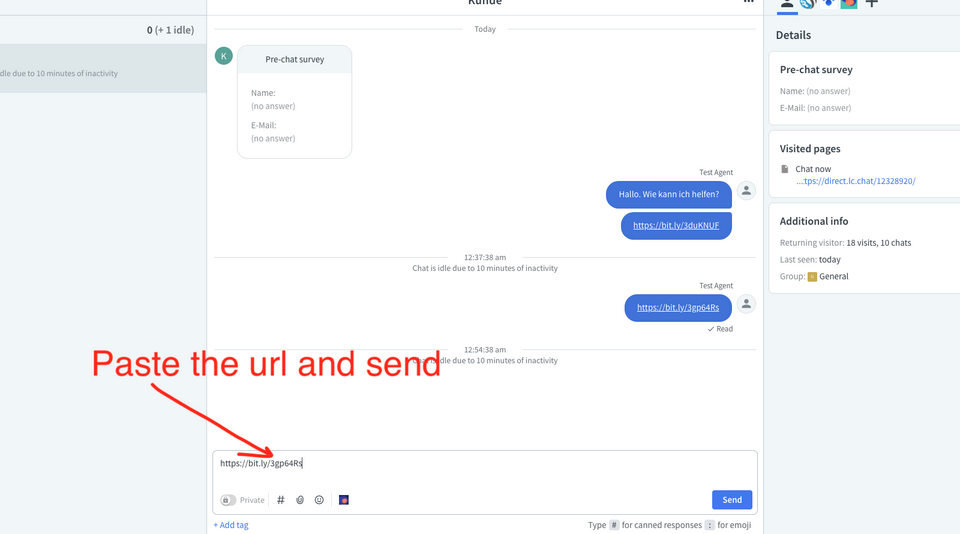
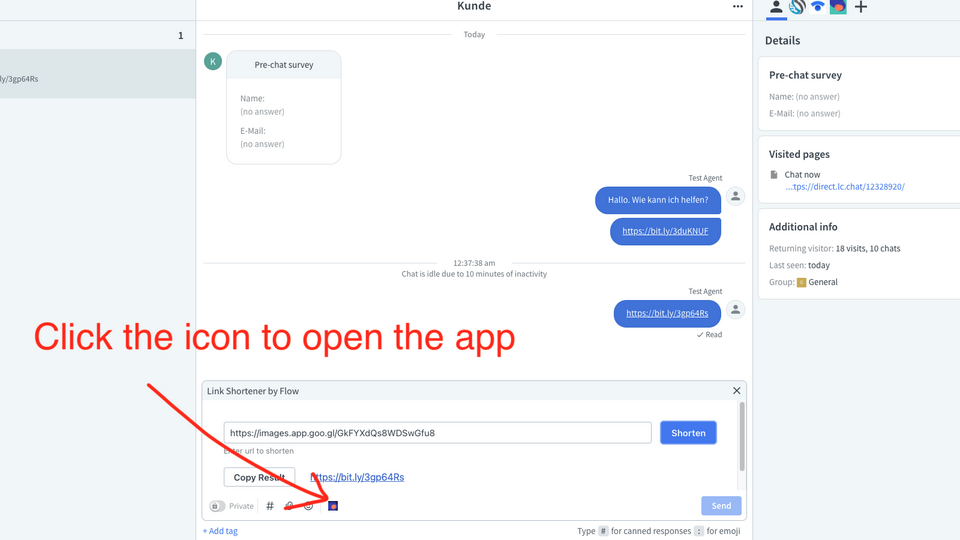
Shortening URLs is a time consuming activity. The agents need to open another tab and go to another website in order to shorten a URL.
Use Link Shortener to shorten URLs inside the Message Box.
Shorten URLs without needing to leave the Chats section.
Once installed, Link Shortener will be accessible through Message Box for all of your agents.
For advanced feature requests such as custom domains support, please contact us at support@flowcorp.xyz.
Key features
Shorten a long URL inside the Message Box.
Shortening a URL takes less than a second using Link Shortener.
Shorten, copy and paste URLs into the chat through one app.
Benefits
Agents don't need to switch apps or websites to shorten URLs.
Shortening URLs inside the Agent App helps you respond faster by not leaving the Chats section.
App terms
Legal Terms
By installing this app, you agree to the Marketplace Terms.
Support
How to use this app
Follow the app tutorial with setup instructions on how to use and properly configure this app with your LiveChat account. To get help and support contact Flow Corporation. You can also suggest improvements or request new features in the upcoming versions of Link Shortener.
Frequently asked questions
What does the “Verified” status mean?
In LiveChat, we always appreciate creative and problem-solving apps, so at our own sole discretion, from time to time, we may grant some applications the “Verified” status (represented by a badge or so-called badged applications). The “Verified” status confirms only that an application went through our usability review from the user's perspective. In any case, it is the Application Provider who has full responsibility for the application and its security level towards clients and any other third party.