
Jira for LiveChat
Create and Automate Jira Issues Directly in LiveChat.
- LiveChat


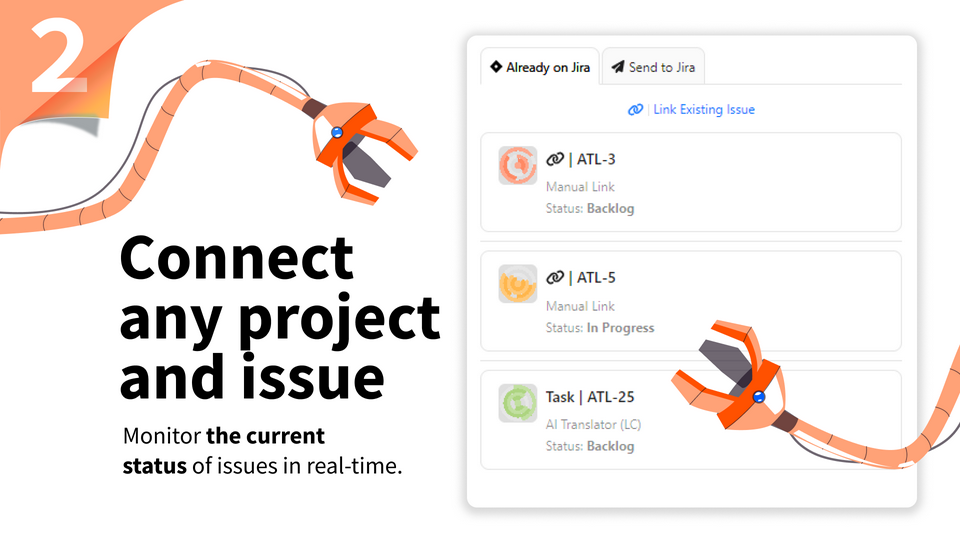

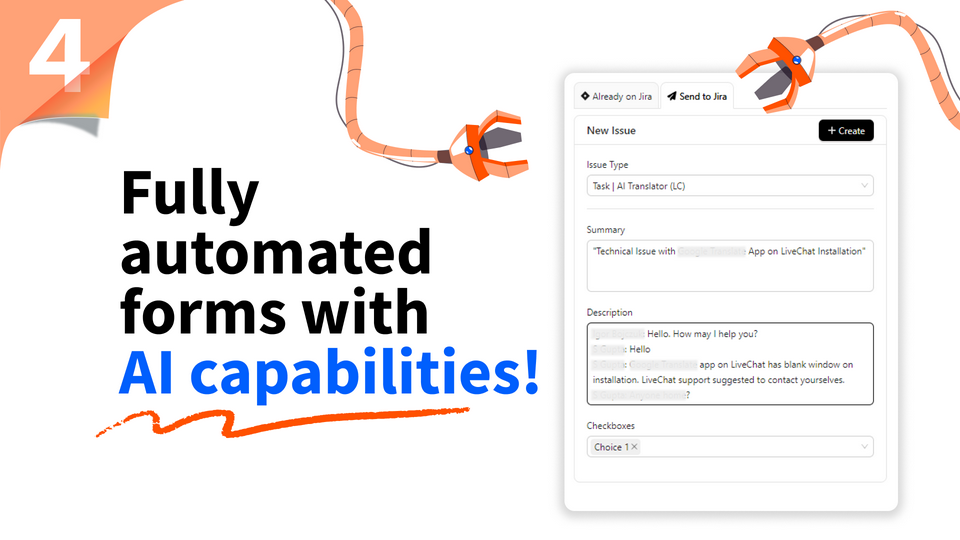
Blurring the lines between Jira and LiveChat. Configure Jira issue fields and populate them automatically with values from the LiveChat Chats or our new AI helper.
Key features
Why waste time on repeatable tasks if we can automate them? This application has "waste-as-little-time-as-possible" philosophy engraved in it's core.
Send transcripts, requester details, chat summary or custom values directly to Jira. Every Jira field (including custom ones) can be pre-set with dynamic or static values and can be mapped to any LiveChat parameter available.
Benefits
Processing data between different platforms can be challenging, but we are there for you! Let us know how we can make this integration better fit your needs.
App terms
Legal Terms
By installing this app, you agree to the Marketplace Terms and App Privacy Policy.
Support
How to use this app
Follow the app tutorial with setup instructions on how to use and properly configure this app with your LiveChat account. To get help and support contact Darka Software. You can also suggest improvements or request new features in the upcoming versions of Jira for LiveChat.
Frequently asked questions
What does the “Verified” status mean?
In LiveChat, we always appreciate creative and problem-solving apps, so at our own sole discretion, from time to time, we may grant some applications the “Verified” status (represented by a badge or so-called badged applications). The “Verified” status confirms only that an application went through our usability review from the user's perspective. In any case, it is the Application Provider who has full responsibility for the application and its security level towards clients and any other third party.